
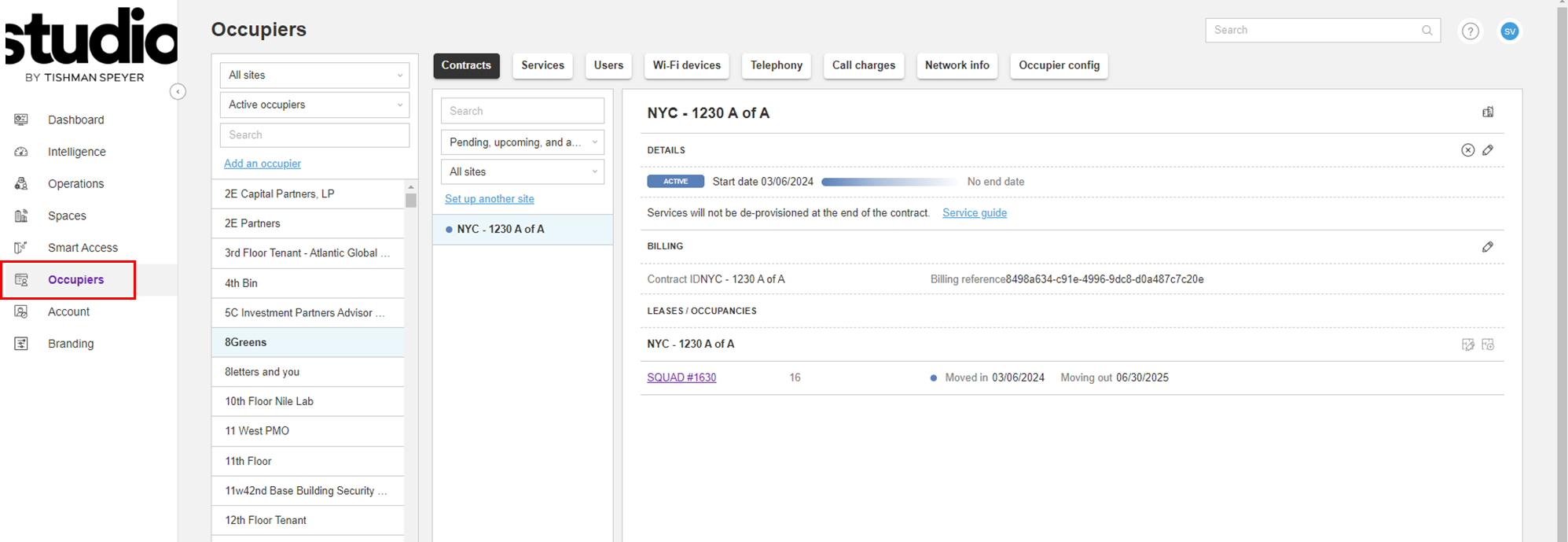
Step 1: Open Platform and select "Occupiers" tab.
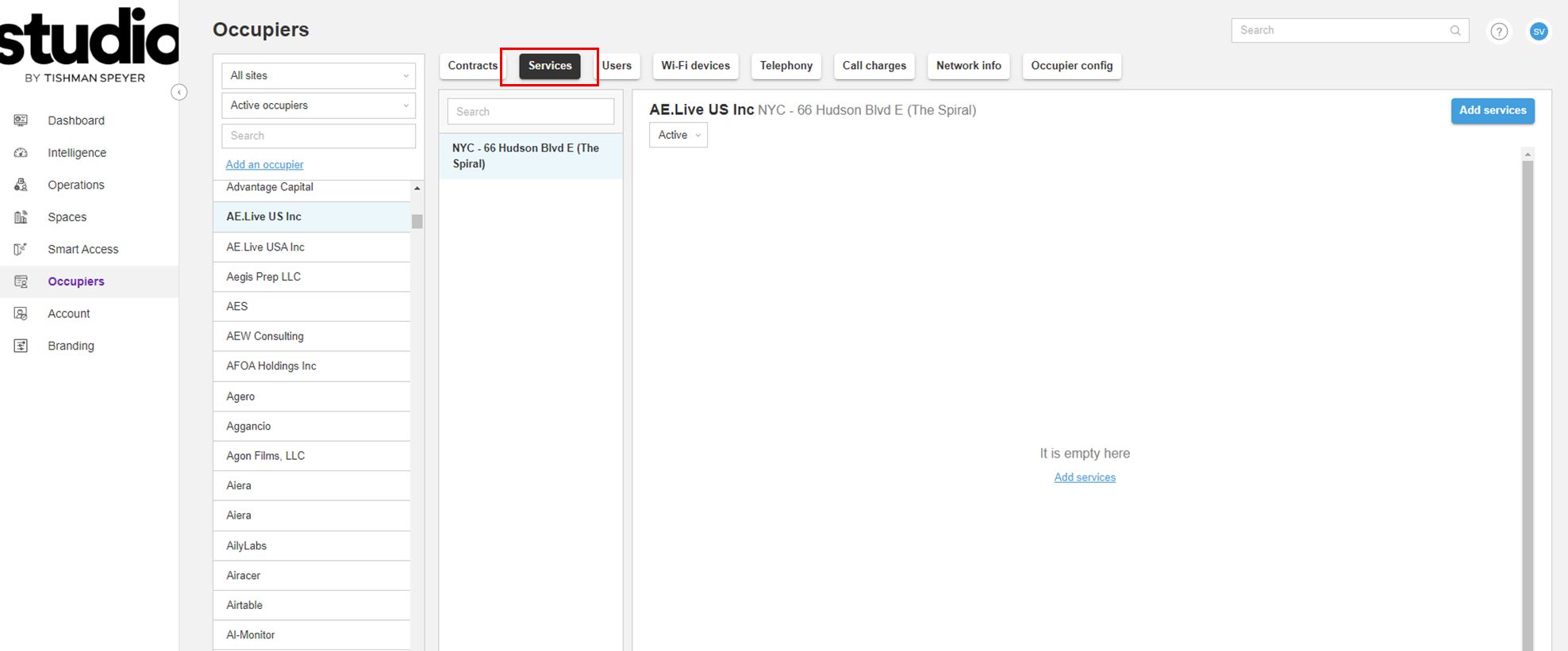
Step 2: Select the Company from the list of Occupiers, and click the "Services" tab.
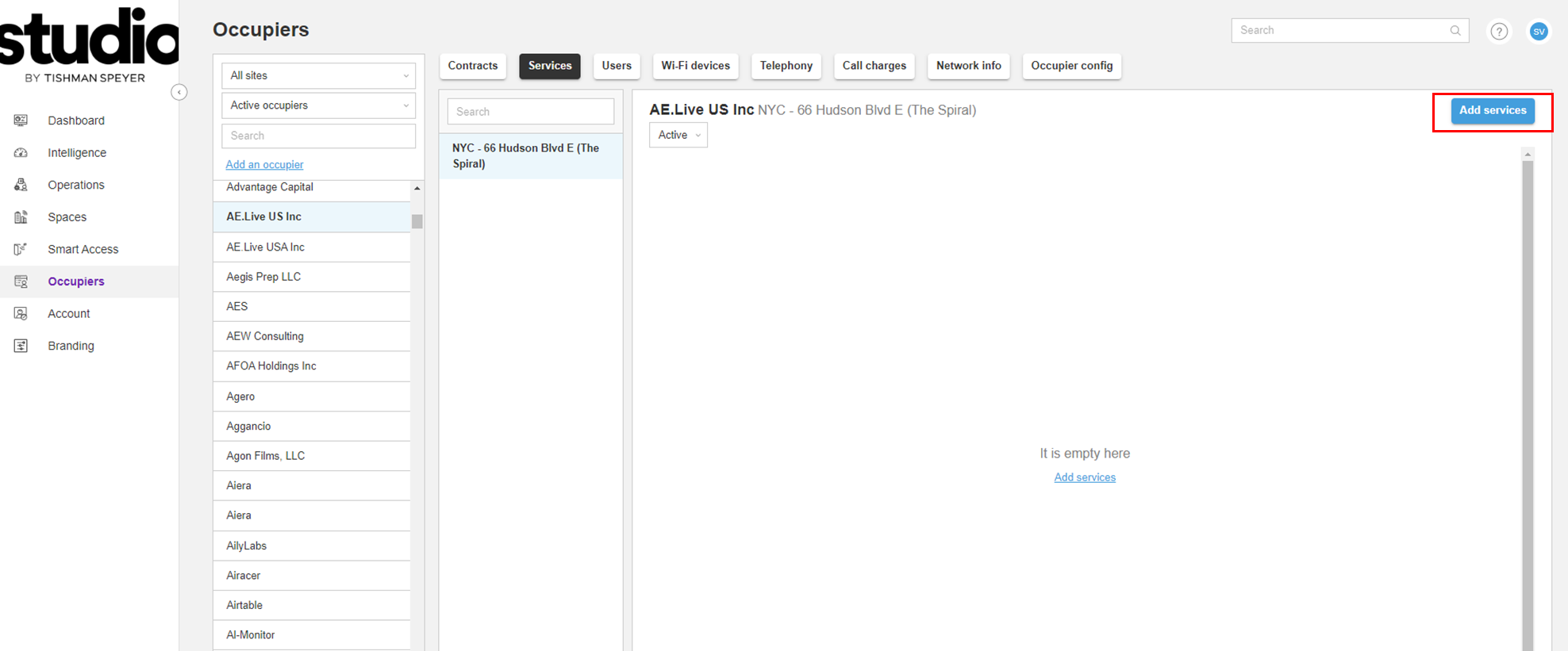
Step 3: Click on the "Add Services" Button
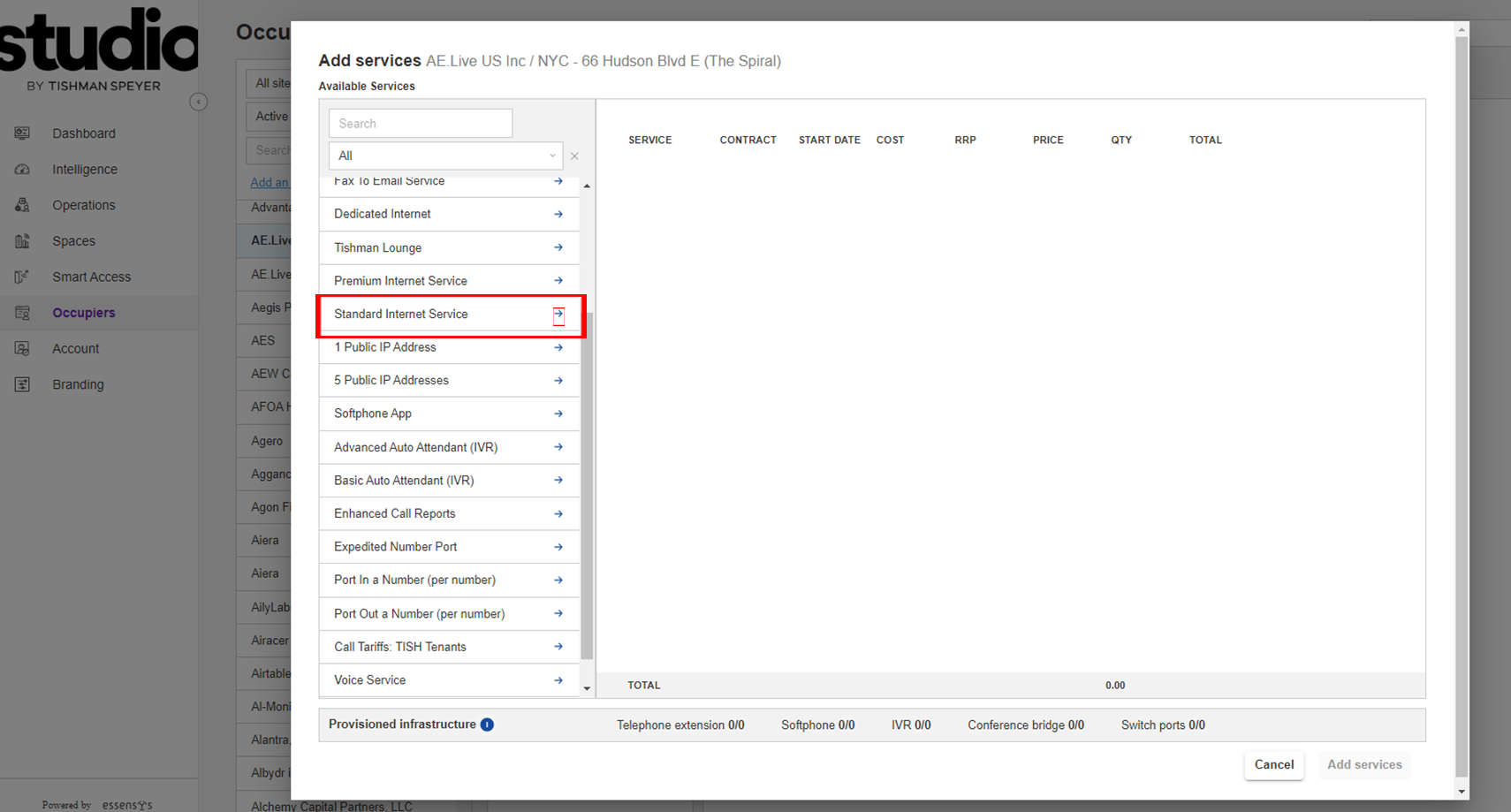
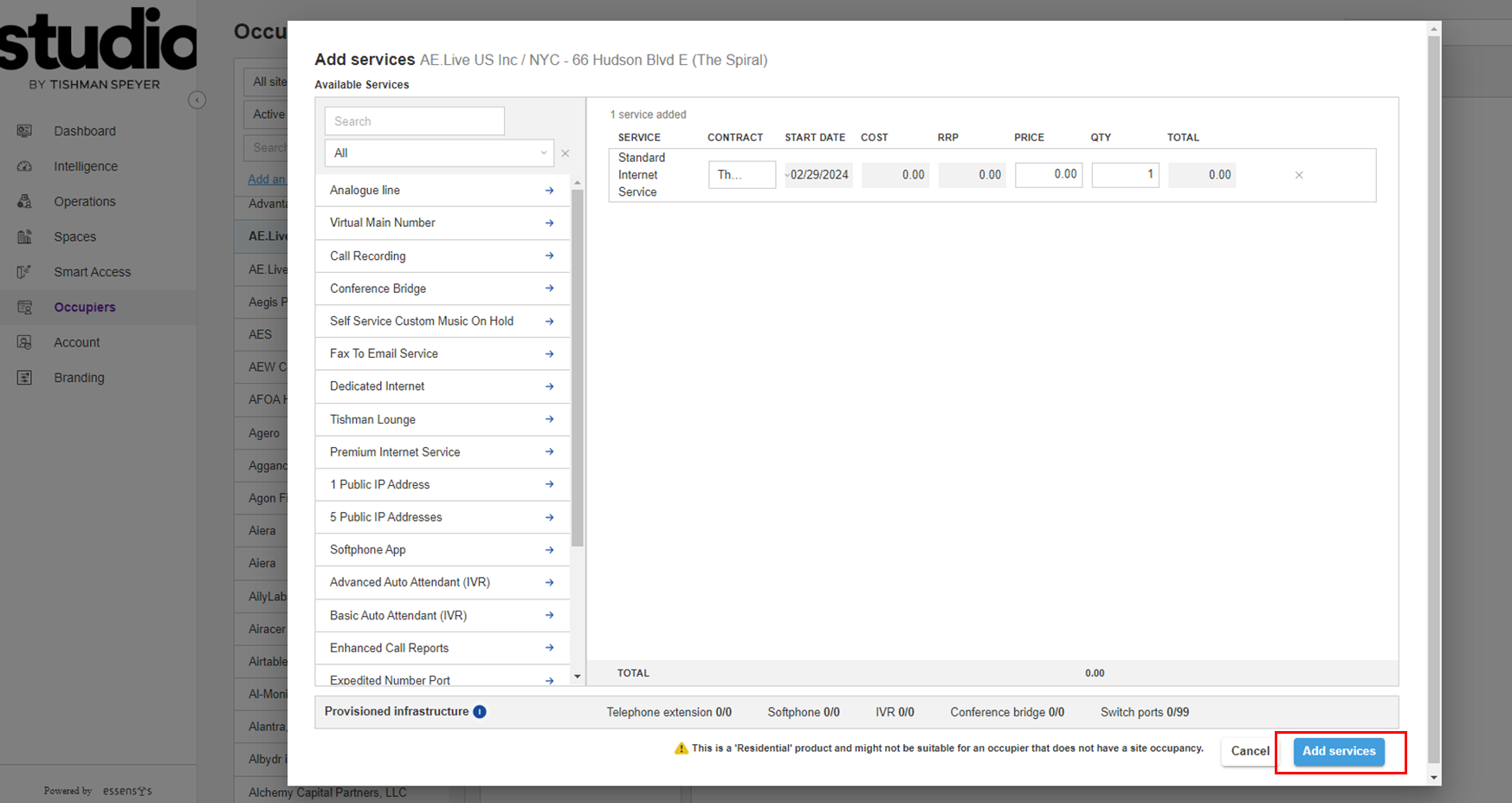
Step 4: Add "Standard Internet Service" by clicking on the blue arrow next to the service.
*This service needs to be added to ALL companies. Even if they are getting premium internet or dedicated bandwidth, "Standard Internet Service" is a requirement.
**Repeat this step for any additional services that need to be added such as Voice, Public IP, etc.
Step 5: Once you have added the correct Services to the line item list, click "Add Services" to complete the process.
*Please note, services such as "Dedicated Internet" require you to fill in the quantity, which is the box marked as "QTY". For example, if a Company requests 250MB "Dedicated Internet" then you will fill in 250 in the "QTY" section of the service line item.
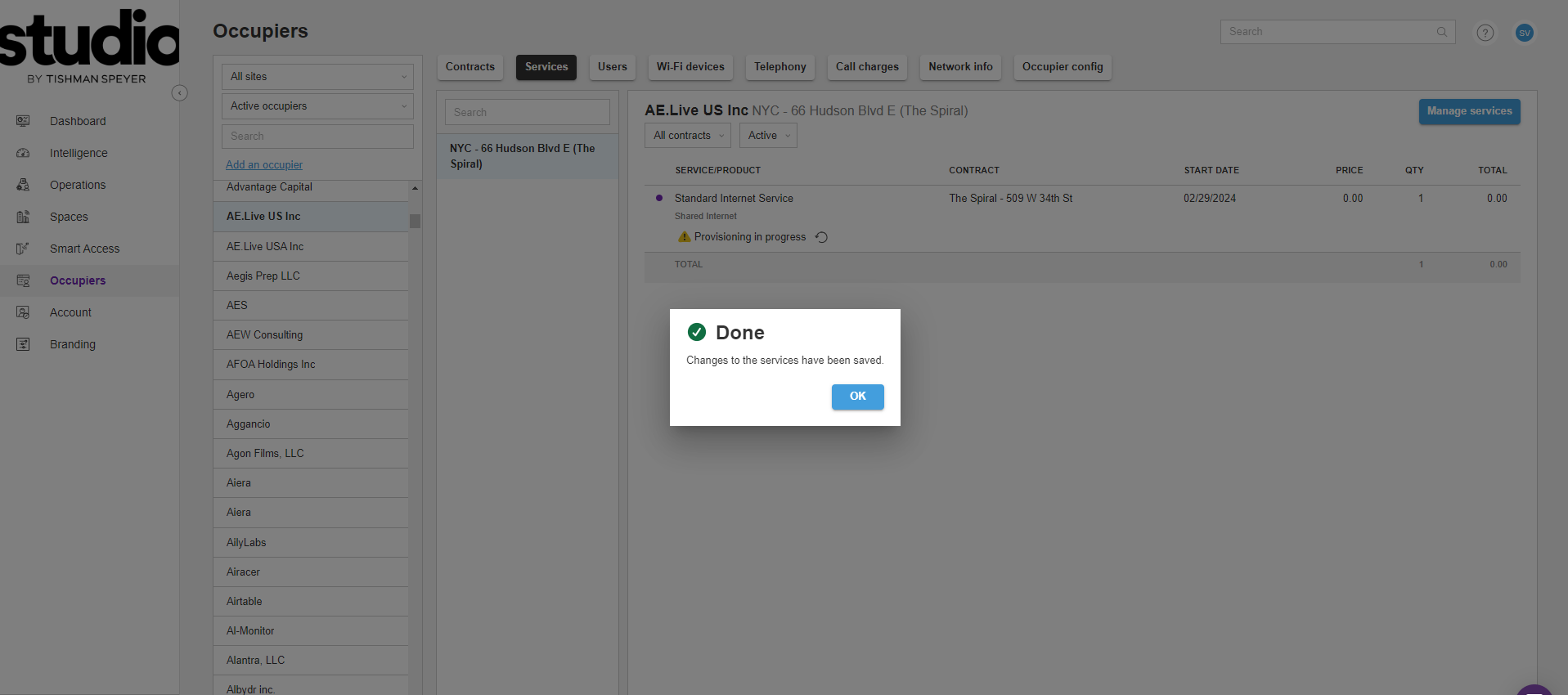
Step 6: Done! You will see a confirmation showing you have successfully added Services and provisioning will be completed automatically.
Was this article outdated or incorrect? Suggest a revision! Still need help? Submit a ticket!