
Step 1 - When the contract is activated in Yardi
Once the contract is active, the Welcome Email will be automatically sent to Primary Contacts through Hubspot. This will include a link to the template for members to fill out with their contacts and permissions needed for each member.
Click HERE for a copy of the template sent to members
Step 2 - Once the member sends back completed template
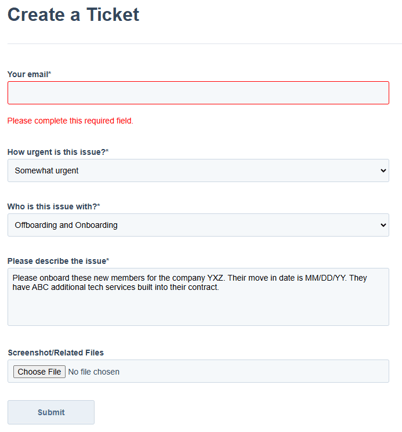
Create a Hubspot Ticket - "Onboarding/Offboarding" and upload the completed template. Be sure that all required fields have been completed before submitting. Please add to the comments a desired completion date of this import.
Step 3 - Studio Support will initiate an Import
Studio Support receives the ticket and will begin provisioning their contact in Platform based on the services outlined in the contract. He will import members into all relevant systems. Support will close the ticket when the import is complete.
Step 4 - Onsite Teams
Onsite teams are responsible for ordering the keycards for each member and uploading the headshots if required at your location.