
Step 1:
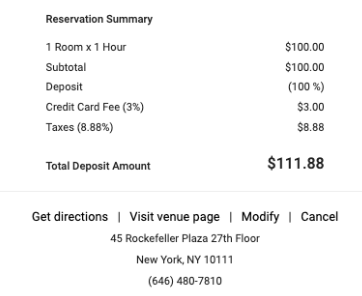
The guest will have the option to cancel or modify an on-demand booking through their confirmation email. The guest will click "Cancel"
 Step 2:
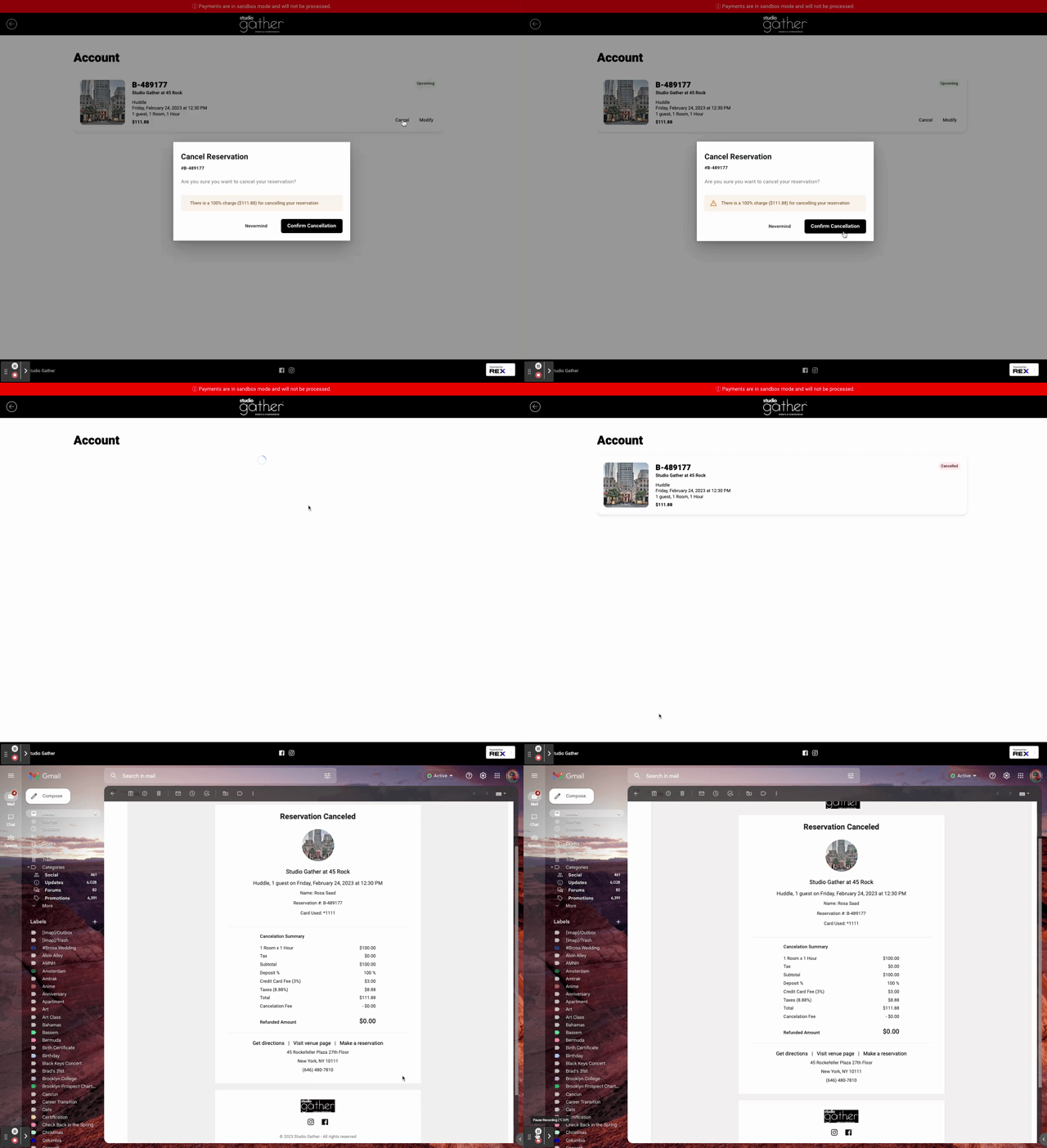
After the guest clicks "Cancel", they will be taken to this REX page. From here, they will have to click "Cancel" again. They will then have to confirm cancellation. They will receive both a confirmation message and a confirmation email.
Note: If the reservation is cancelled within 24 hours of the event, the guest will be charged 100% of the reservation.
Step 3:
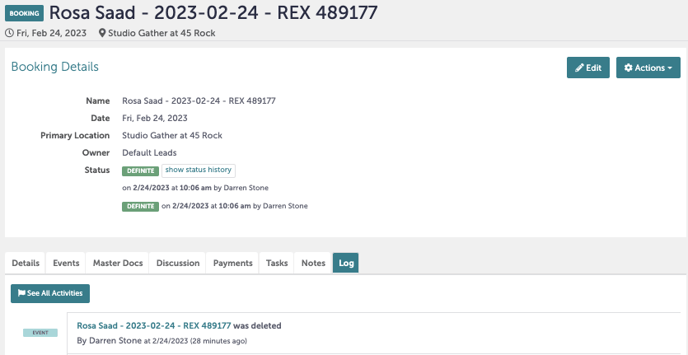
Tripleseat will confirm that the event has been cancelled by wiping the booking from the calendar. The event itself will show as being "Deleted" under the log.
Step 4:
Was this article outdated or incorrect? Suggest a revision! Still need help? Submit a ticket!