
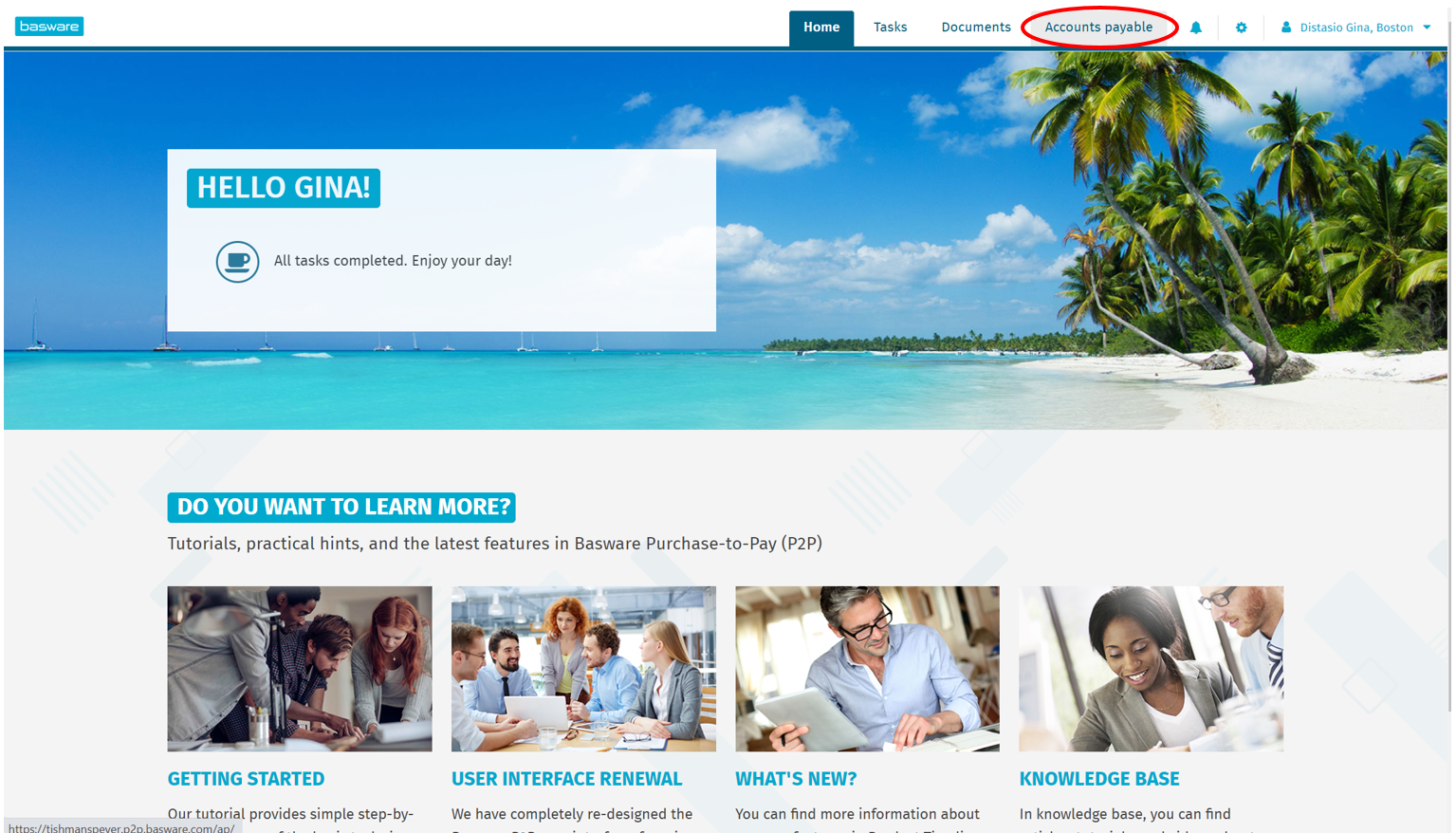
Step 1: Open Basware AP Pro. Select "Accounts payable" tab.
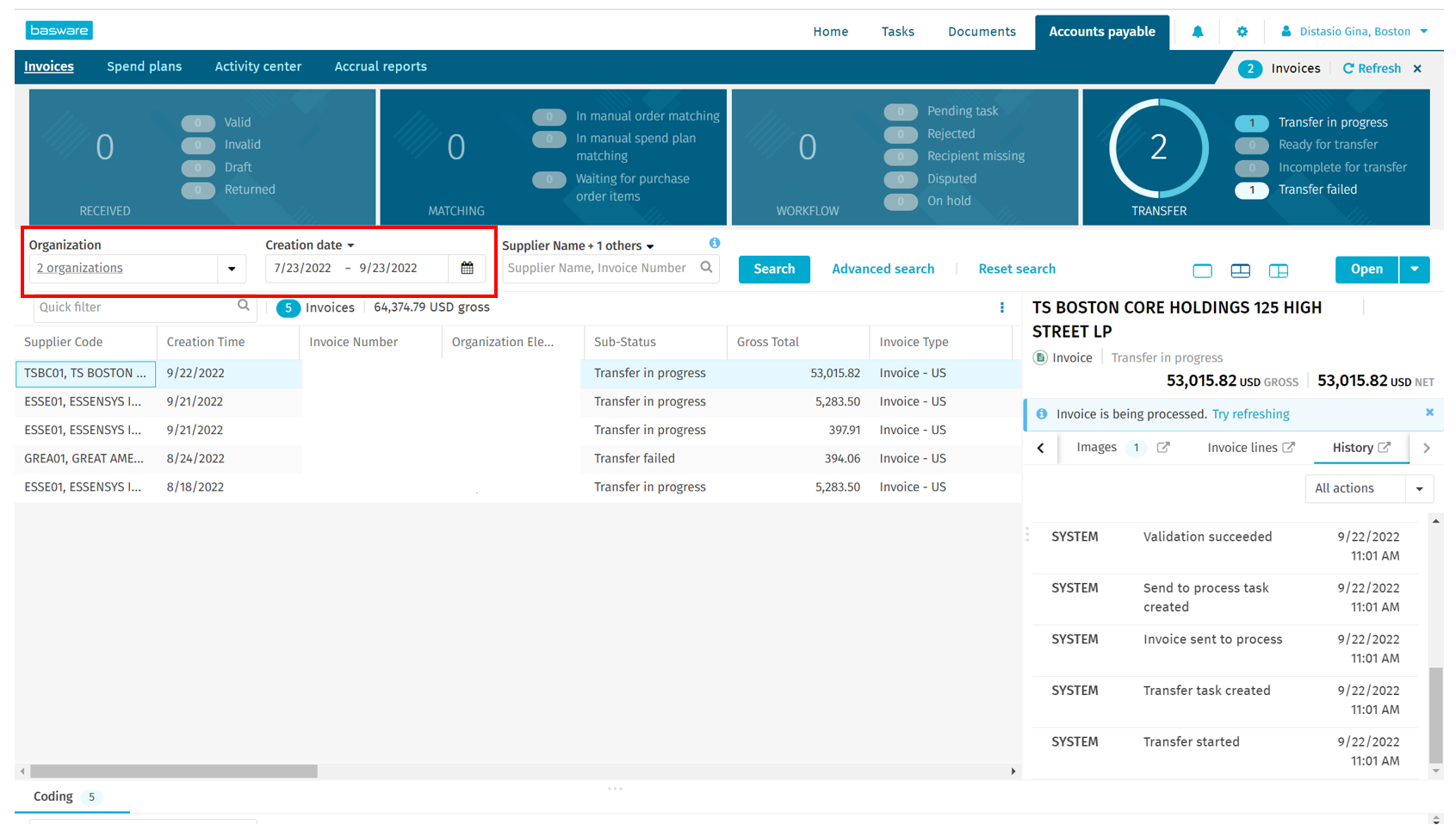
Step 2: Make sure that the correct organization is selected, along with the date range you are searching within.
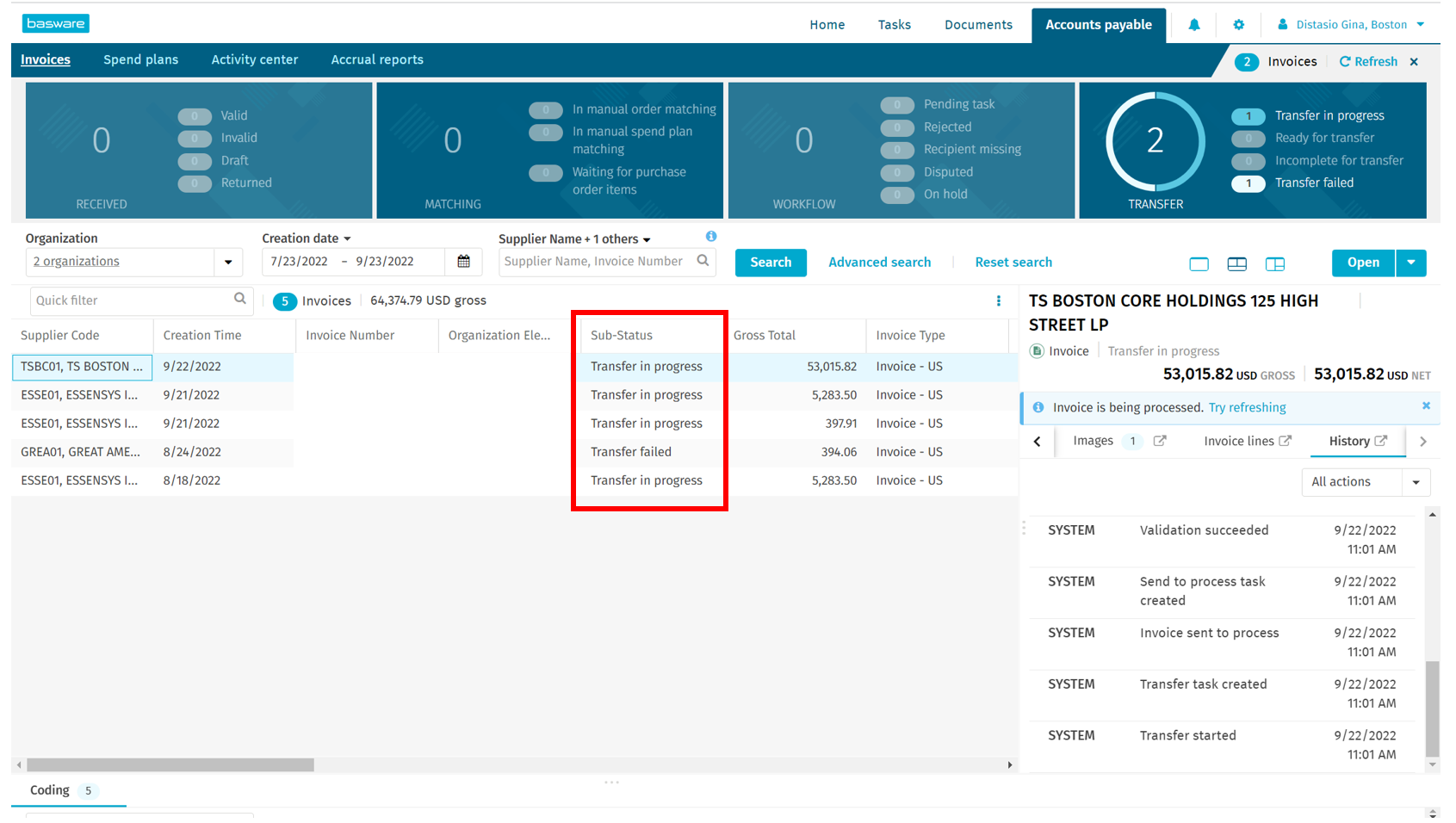
Step 3: "Sub-status" will show you the status of all invoices that have not been paid and processed yet. This includes invoices that are still in transfer, that have failed to transfer, that are still in draft, etc.
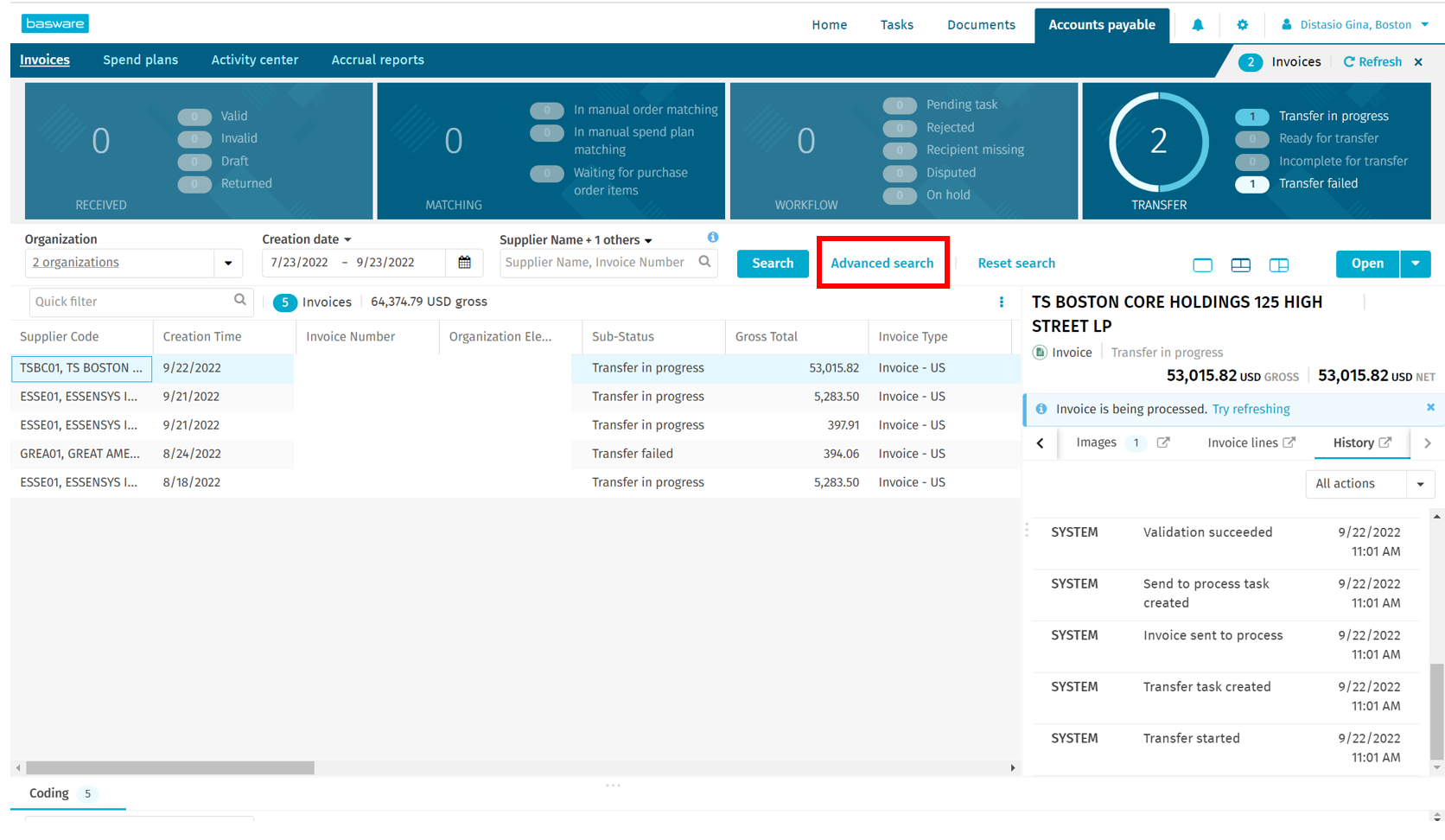
Step 4: To further check the status of a processed invoice, select "Advanced search".
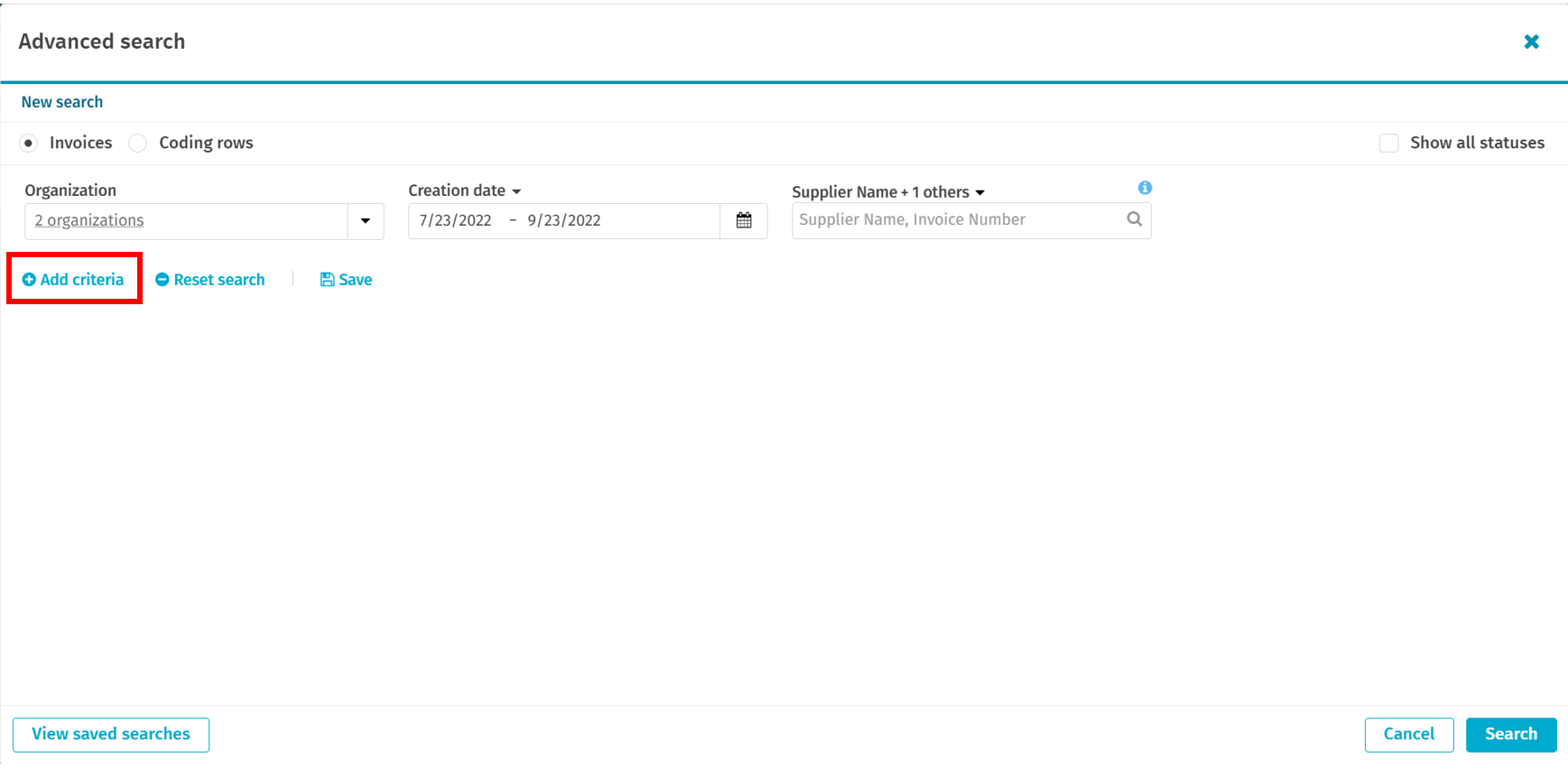
Step 5: From this window you will select "Add criteria".
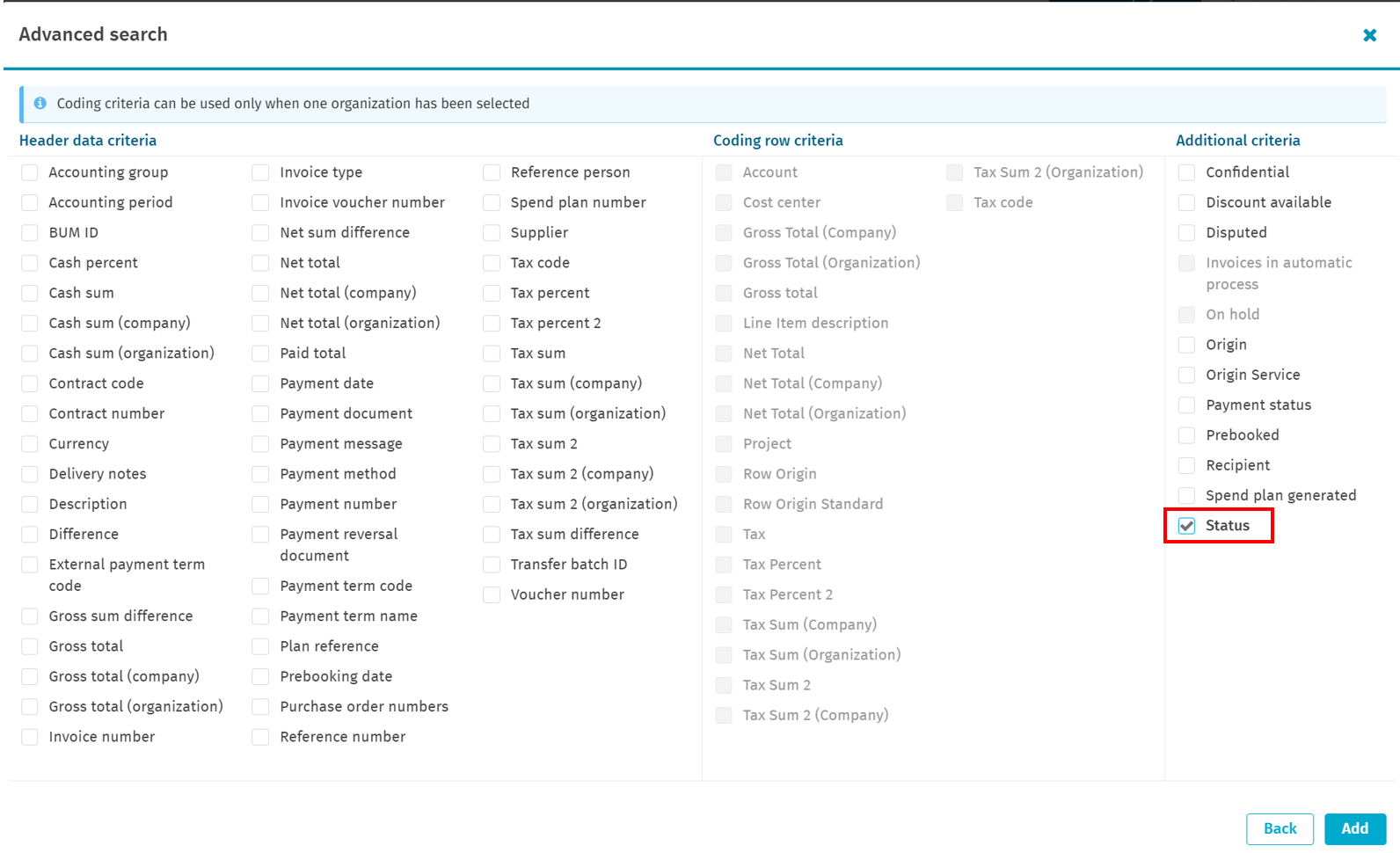
Step 6: Select "Status". Click "Add".
Step 7: A drop-down menu of status criteria will now be available. Select the statuses that make sense for you. To view invoices that have been successfully processed and sent to D365, select "Processed", "Closed", and "Historical". Once the criteria you need is selected, click "Search".
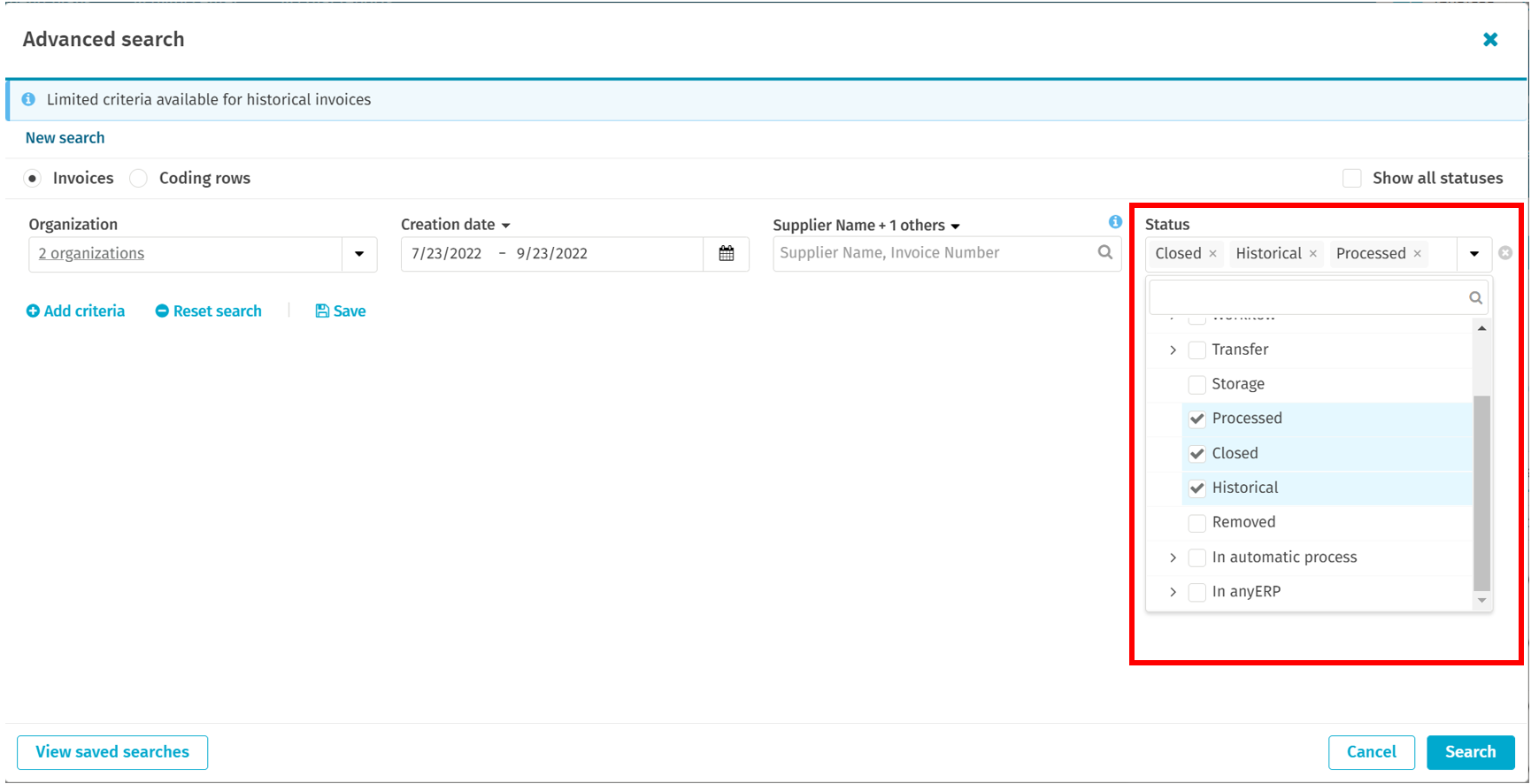
Step 8: You can now search again using the "Quick filter" or by "Supplier name, invoice number", but with these filters on and from there can view the Sub-status.

Was this article outdated or incorrect? Suggest a revision! Still need help? Submit a ticket!