
Step 1:
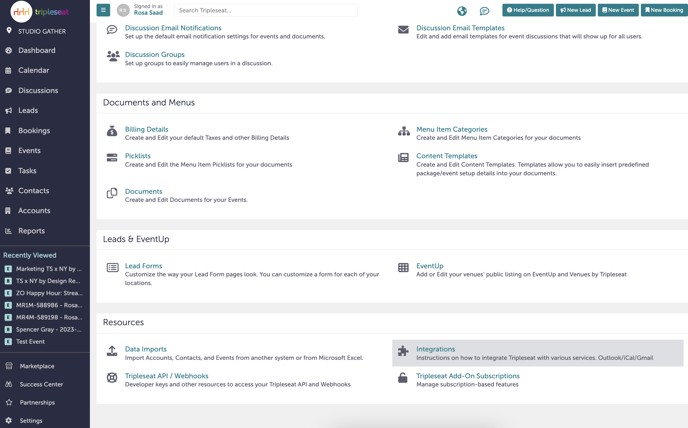
Navigate to Tripleseat. On the left-hand navigation bar, scroll down to “Settings”.

Step 2:
Scroll down to “Resources”. Click into “Integrations”.
Step 3:
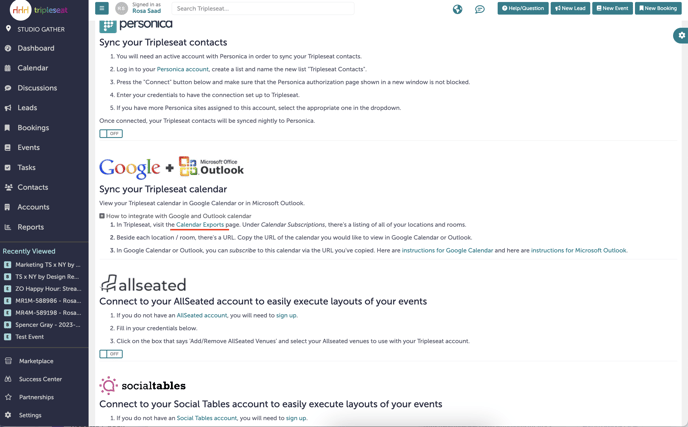
Scroll down to “Sync your Tripleseat calendar”. Click the “+” to open more options. In the first line, click the “Calendar Exports” link (underlined in red below).
Step 4:
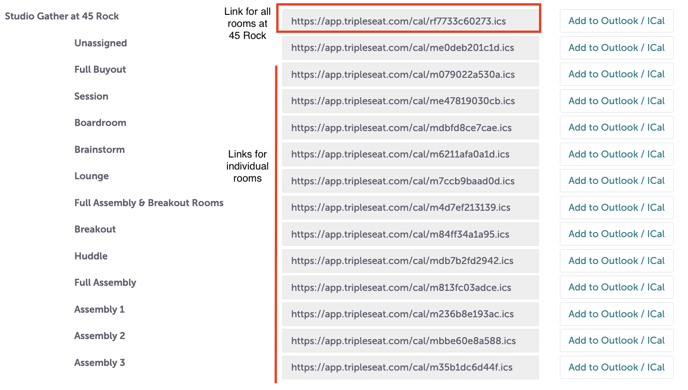
Copy the link for any locations you want to add to your calendar. For all bookings at a location, select the top link. Other links will only sync bookings for those rooms. Do not click “Add to Outlook/iCal”.
 Step 5:
Go to your Outlook calendar by navigating to: Outlook Calendar
Step 6:
In your Calendar view, there should be a small monthly calendar on the left hand side. Click “Add calendar” under that calendar.

Step 7:
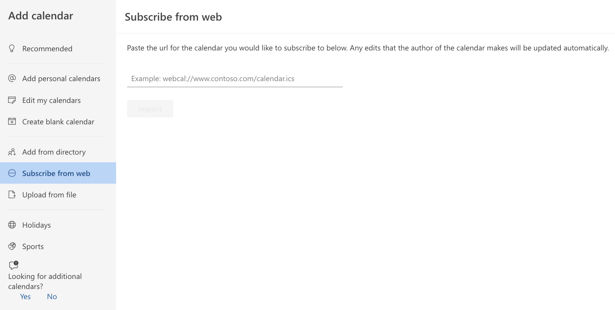
A pop-up window will appear. Click “Subscribe from web”.
Step 8:
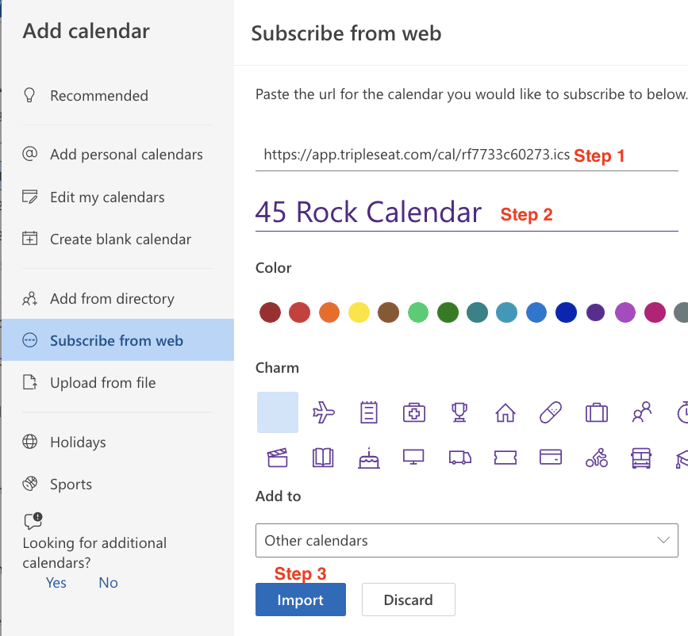
Paste the link you copied from Tripleseat. Name your calendar (in this case, “45 Rock Calendar”). Click “Import”.
Step 9:
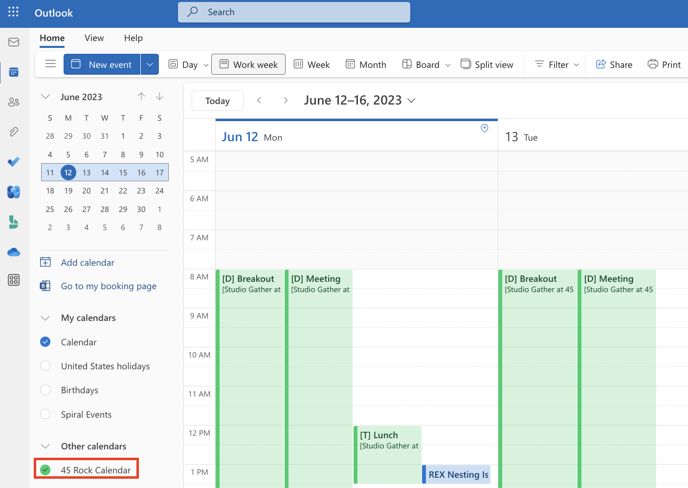
Your Tripleseat events should now be visible on your Outlook calendar under "Other calendars". This calendar will now be available on both the desktop app and the mobile app.
Step 10:
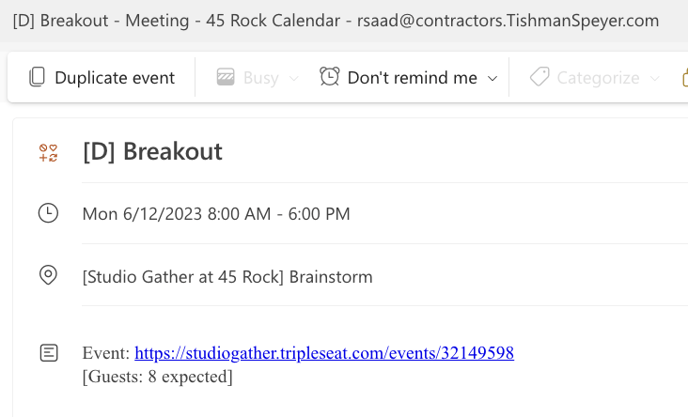
Additional details of the event can be viewed by clicking into the event.
 Step 11:
If you expand the pop-up window, you will also be able to click into the link for the event that will bring you to the original event in Tripleseat.
Step 12:
Was this article outdated or incorrect? Suggest a revision! Still need help? Submit a ticket!