
Step 1:
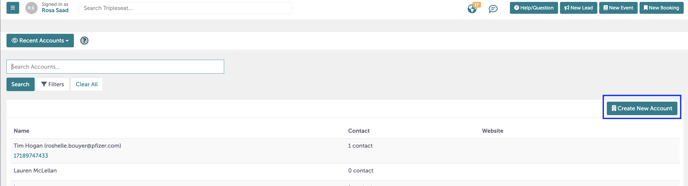
Start by creating the new account. Navigate to "Account" on the left-hand navigation bar.

Step 2:
Fill in the details of your account, including the name of the account (this is usually the company name) and some additional details.
Step 3:
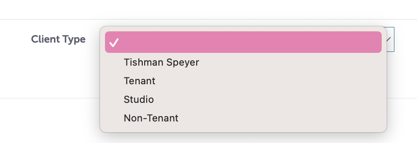
Pay careful attention to "Legal Entity Name" and "Tenant Type". If you do not yet have the "Legal Entity Name", please put "N/A".
Step 4:
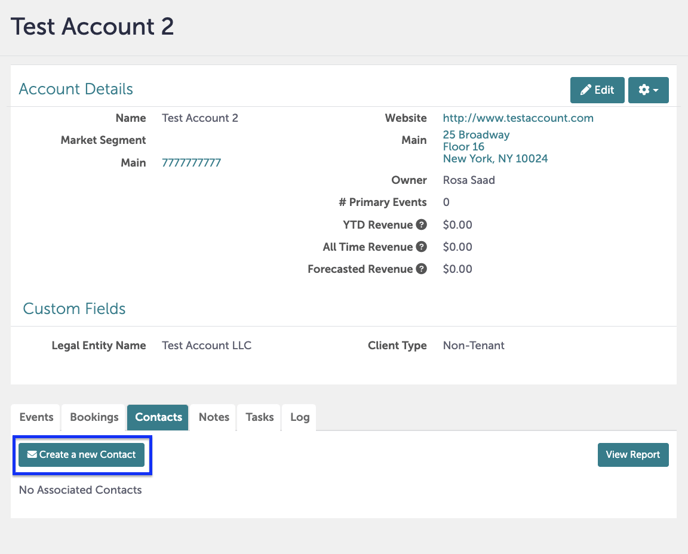
You have created a new account. Now, we will create our contacts. Click "Create a New Contact".
Step 5:
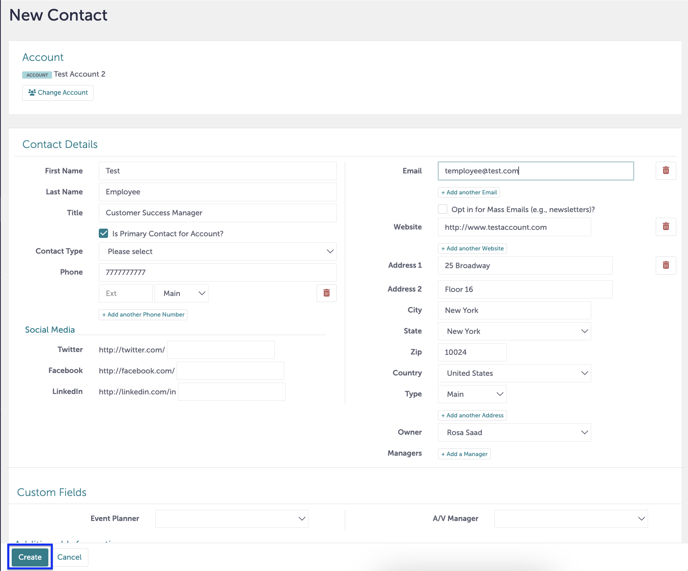
Enter the details of each contact associated with the account. Typically, these contacts are employees.
Step 6:
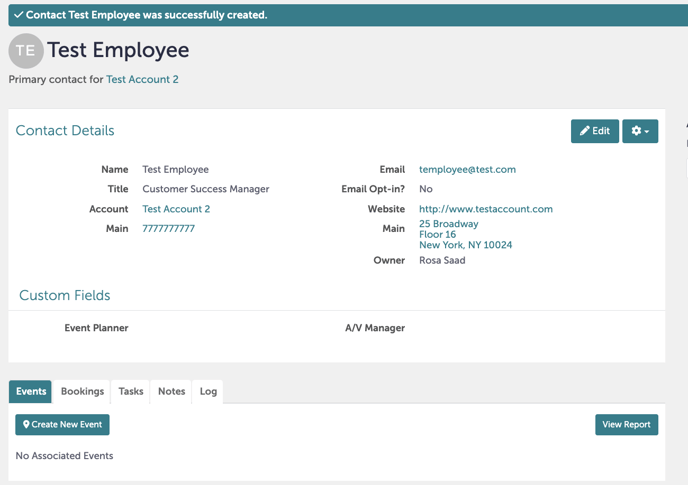
You have now created a new contact within the account.
Step 7:
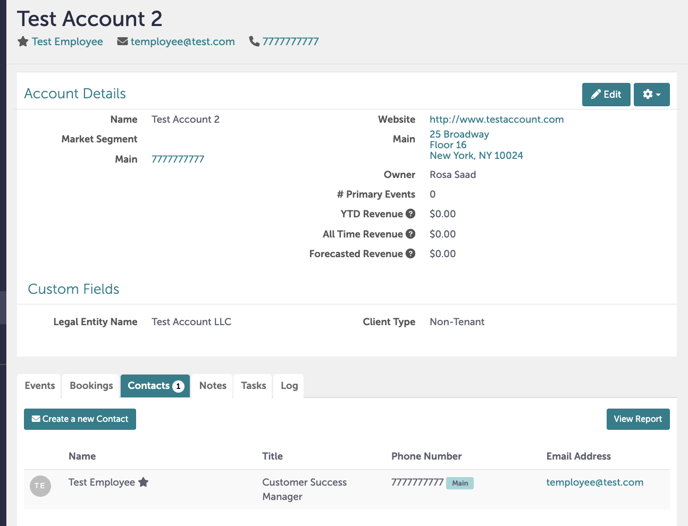
If you navigate back to the original account, the new contact you added will be listed under "Contacts".
Step 8:
Was this article outdated or incorrect? Suggest a revision! Still need help? Submit a ticket!