
Step 1:
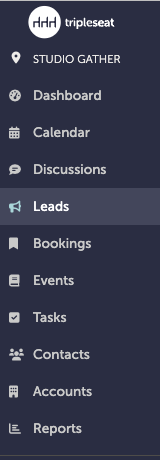
On the left-hand navigation bar, click "Leads".
Step 2:
On the Leads window, click "New Lead" on the upper right hand side.

Step 3:
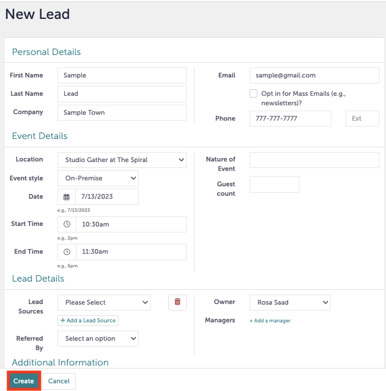
Enter the details of the lead, including location. Click "Create".
Step 4:
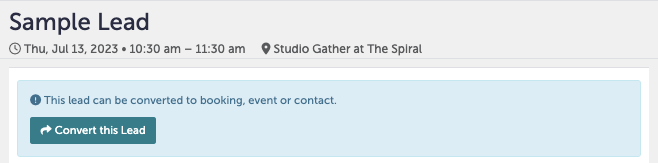
You are now viewing a new lead. Click "Convert this Lead".
Step 5:
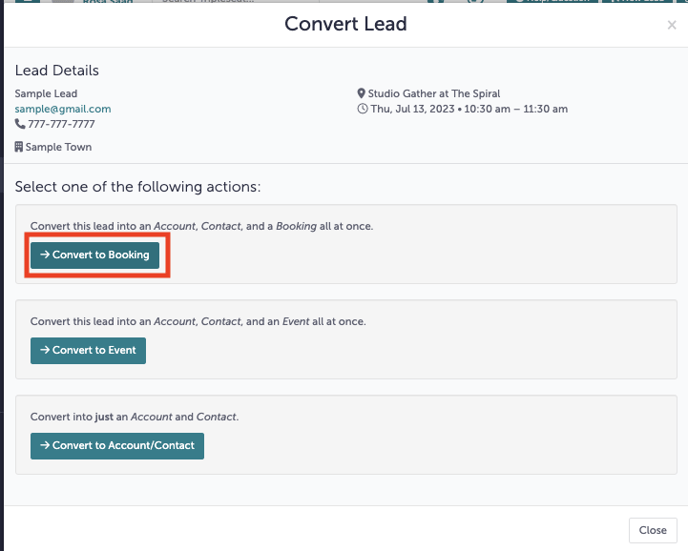
Select "Convert to Booking".
Step 6:
You will enter details of this new booking. In addition, check if this lead has an existing account in Tripleseat by using the "Search for Existing Account" button to prevent creating a duplicate.
.gif?width=640&height=430&name=contact%20(1).gif)
Step 7:
You may now fill out the details of the booking.
For a review on how to add new bookings and events to Tripleseat, please refer to this Knowledge Base article.
Step 8:
Was this article outdated or incorrect? Suggest a revision! Still need help? Submit a ticket!