
Step 1:
On the left-hand navigation bar, scroll down to “Settings”.
 Step 2:
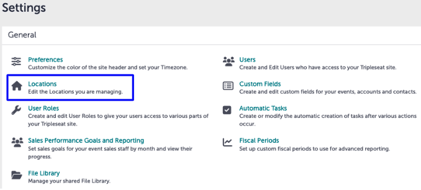
In the Settings window, click “Locations”.
Step 3:
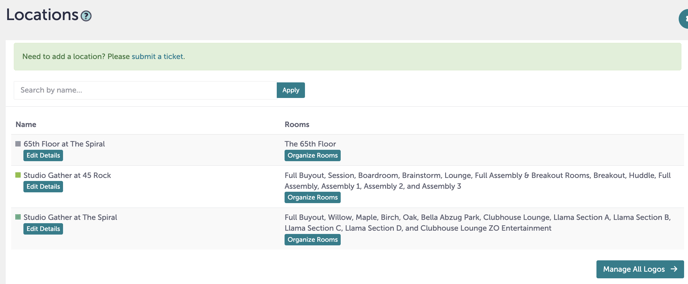
At the top of Locations, you’ll see a green box that says “Need to add a location? Please submit a ticket.”. Click “submit a ticket”.
Step 4:
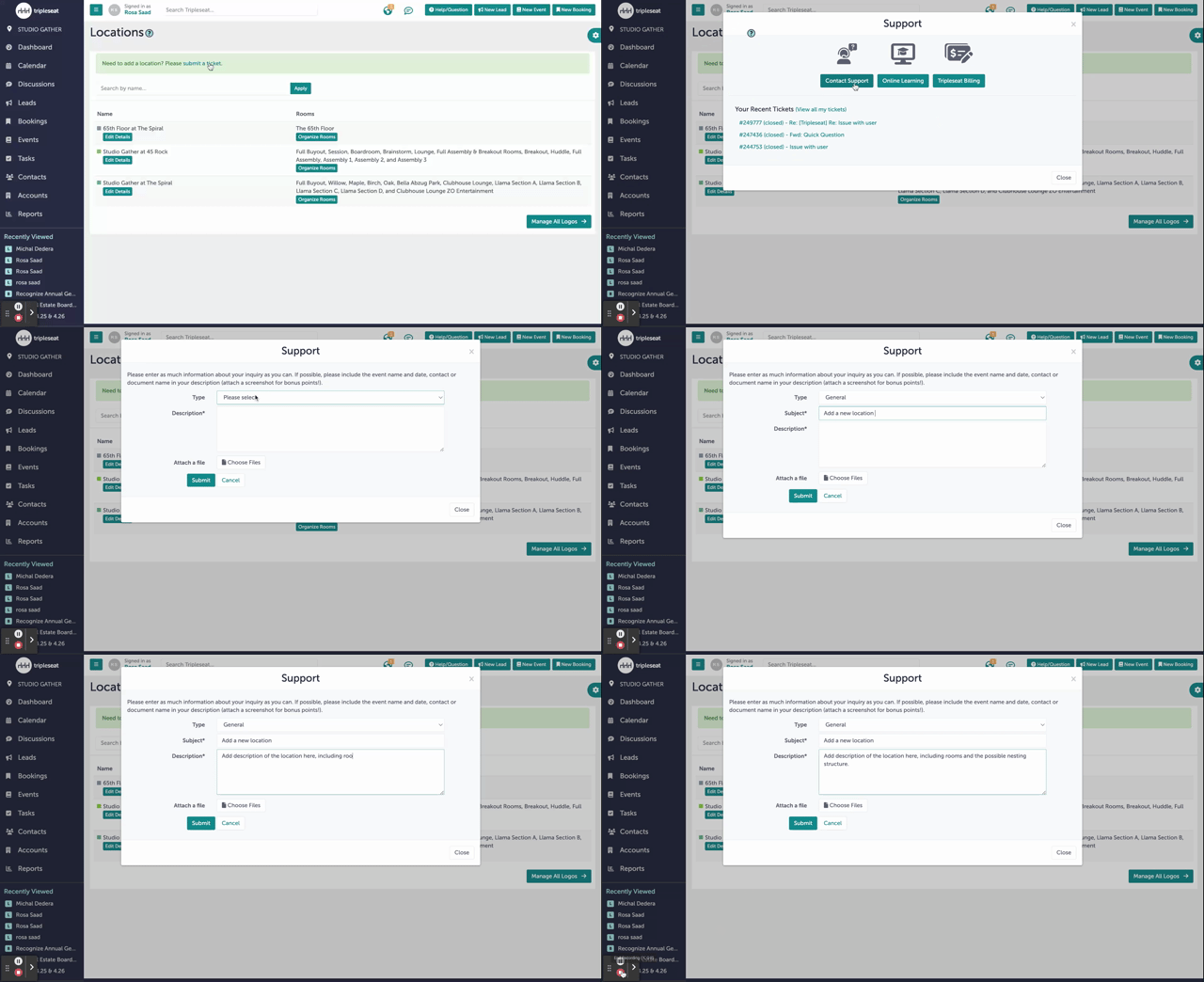
A window pop-up will appear. Click “Contact Support”, then “Submit a Help Ticket”.
Step 5:
A window titled “Support” will appear. Under “Type”, select “General”. For Subject, you can write something like, “Add a new location to Tripleseat”. Under the “Description”, add as many details as you can, including the nesting structure of the rooms.
Step 6:
Hit “Submit”. You will see a message saying you successfully submitted a ticket, and you will also receive a confirmation email in your inbox.
Step 7:
Was this article outdated or incorrect? Suggest a revision! Still need help? Submit a ticket!