
Step 1:
Select the booking for which you would like to add additional charges to.
Step 2:
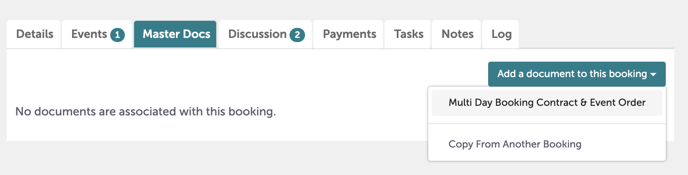
Under the Master Docs tab, select "Add a document to this booking", then select "Multi Day Booking Contract & Event Order".
Step 3:
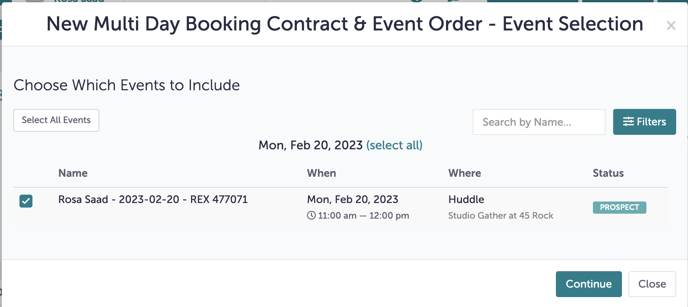
The following window will pop up. Be sure to "Select All Events" (even if it's a single day booking), and hit "Continue".
Step 4:
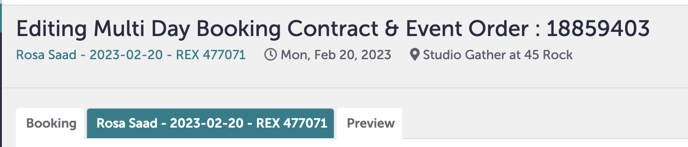
Click the tab of the event whose details have changed. Here, we want to add items to "Rosa Saad - 2023003-20 - REX 477071", so we've clicked into that tab.
Step 5:
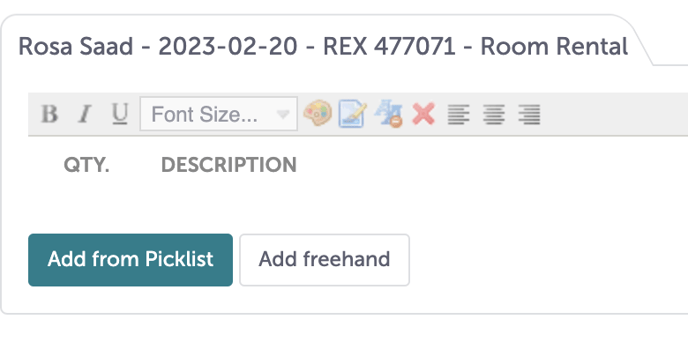
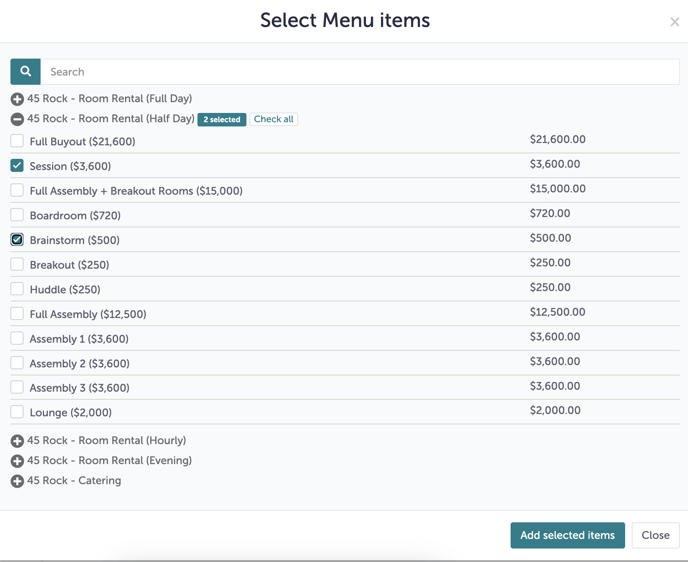
Click "Add from Picklist" under each category (Room Rental, A/V, etc) to open up a window with options to add to the event.
Step 6:
Check off the applicable charges. Hit "Add selected items".
Step 7:
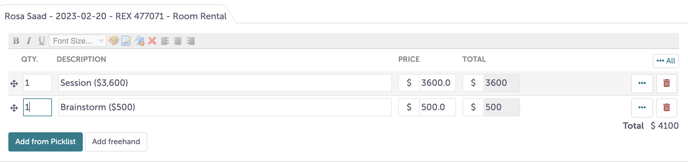
You must update the quantities of each picklist addition.
Step 8:
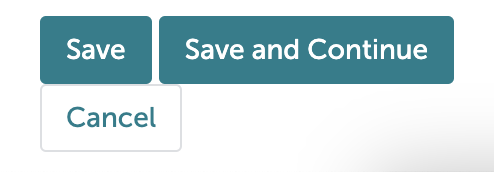
If you need to continue to add charges to additional events: hit "Save and Continue".
If you're added all charges to all events: hit "Save".
Step 9:
Was this article outdated or incorrect? Suggest a revision! Still need help? Submit a ticket!