
Step 1:
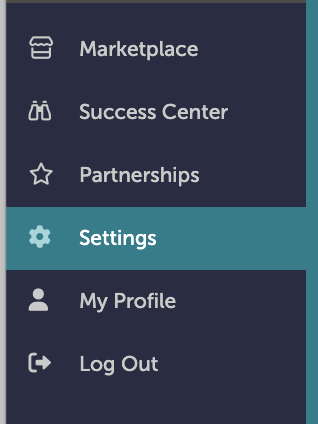
On the left-hand navigation bar, scroll down to “Settings”.
Step 2:
In the Settings window, scroll down to “Discussions”. Click “Discussion Email Templates”.

Step 3:
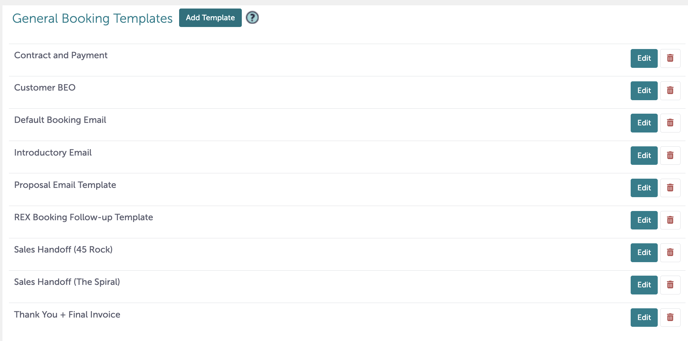
From “Email Templates”, you can add a new template by clicking “Add Template” under "General Booking Templates".
Step 4:
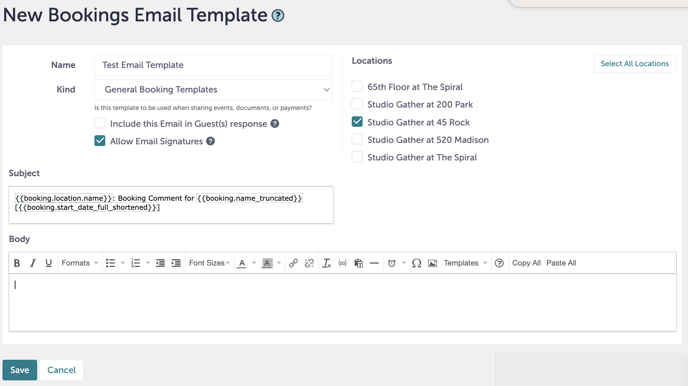
You will be taken to a new screen. From here, you can name your template, apply it to a particular kind of document (general event, general booking, document template, or payment template), as well as select which locations this template will apply to.
Step 5:
In the subject and body of the email, you can right-click on your mouse to pull up additional fields that will automatically pull from the details of the booking or event.
.gif?width=640&height=378&name=Studio%20Gather%20-%20Tishman%20Speyer%20-%20Tripleseat%20(5).gif)
Step 6:
Once you are done creating your template, click “Save”.
Step 7:
Was this article outdated or incorrect? Suggest a revision! Still need help? Submit a ticket!