
Step 1:
Navigate to the booking that you would like to add an event to.
Step 2:
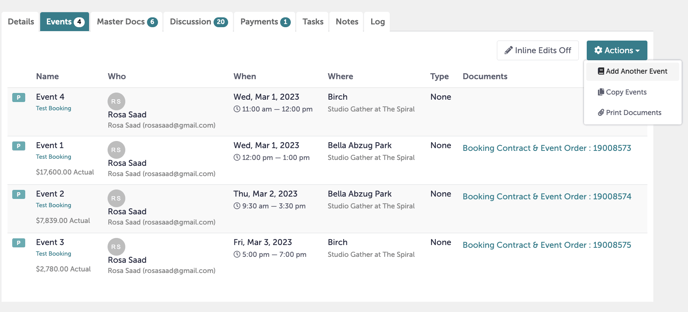
Click the "Events" tab inside the booking.
Step 3:
Navigate to the gear on the right hand side. Click "Add Another Event".
 Step 4:
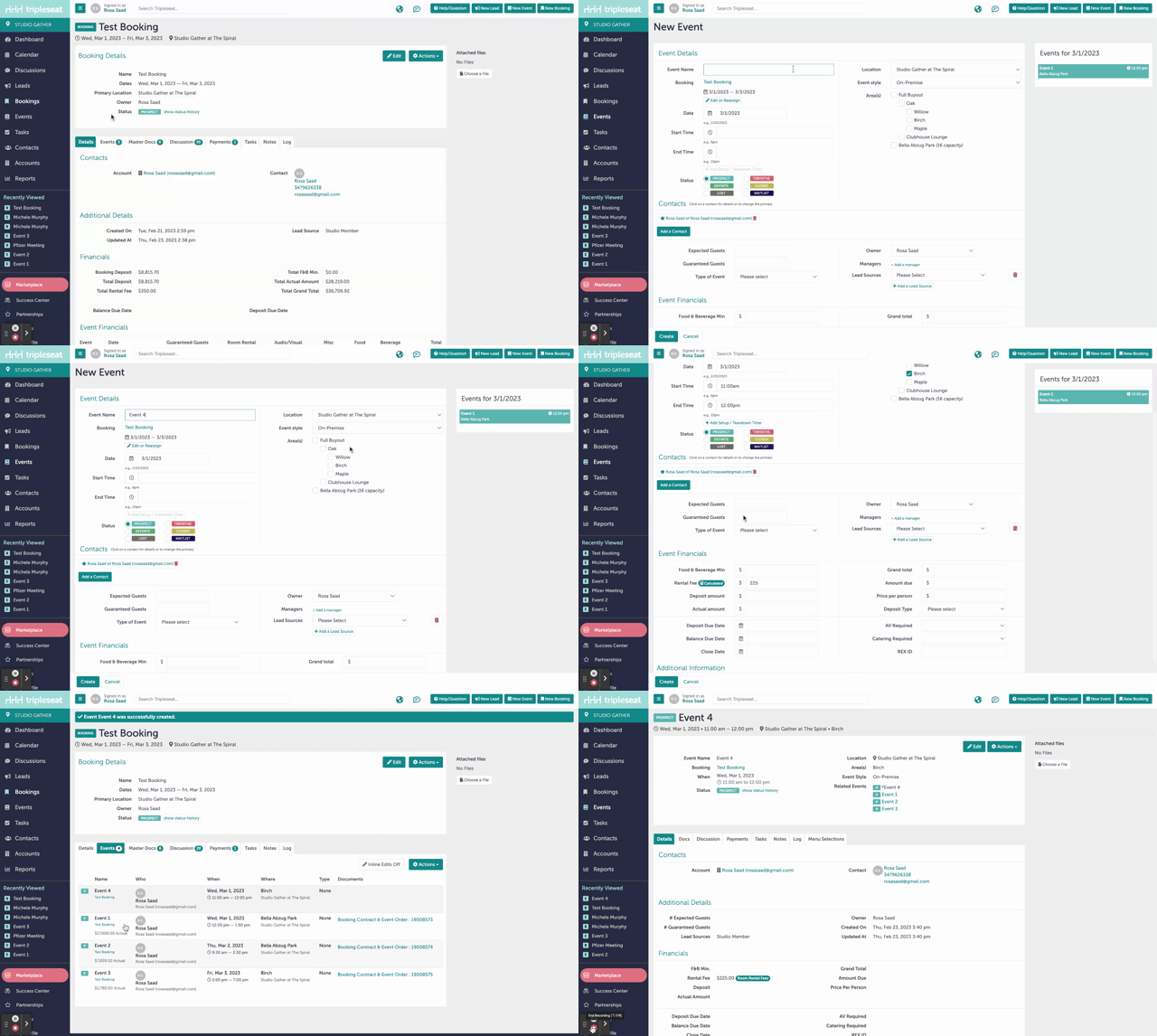
A New Event window should window. Input whatever information you have about the additional event, then hit "Create".
Step 5:
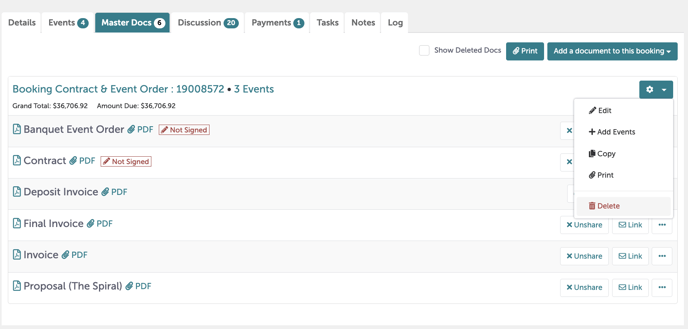
If this booking already has it's Master Docs created, you will need to erase the existing docs and recreate them, or the new event will not be accurately reflected. You can delete your documents by clicking the gear and hitting "Delete".
To review how to create master docs, review this Knowledge Base article.
Step 6:
Was this article outdated or incorrect? Suggest a revision! Still need help? Submit a ticket!