
Step 1 - Onsite Teams
Deactivate the keycards of all offboarded members.
Step 2 - Navigate to Customers -> Members
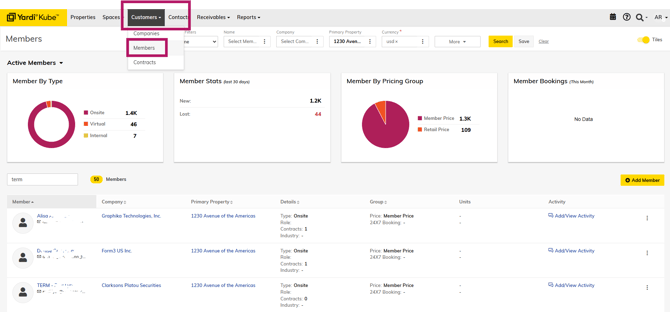
If you do not find the member you are looking for on this page, try checking these two filters:
'Primary Property' and 'Currency'
Step 3 - Select the 3 dots next to member name and "Archive"
