
Step 1:
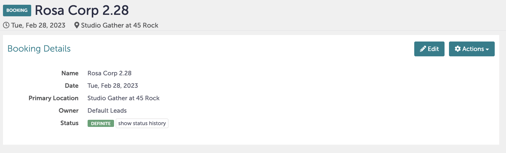
Navigate to the booking you want to review.
Step 2:
Click "Edit" in the right-hand corner.
 Step 3:
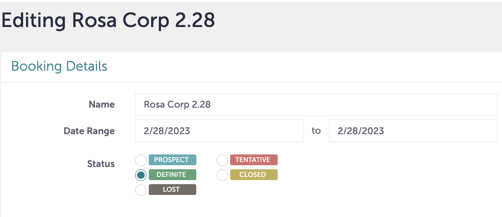
From here, you can view the current status or update the status. Click "Update" when you are done.
Step 4:
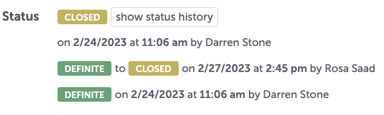
You can review changes to status on the main booking page by clicking "Show Status History".
Step 5:
Was this article outdated or incorrect? Suggest a revision! Still need help? Submit a ticket!