
Step 1: Check the Ticket Dashboard using either of the following two methods:
A: Navigate to the Ticket Dashboard here. Pro tip? Bookmark this link!
or
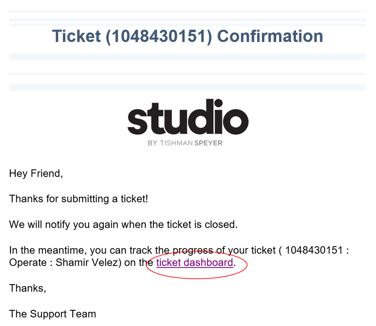
B: Click the Ticket Dashboard link in your Ticket Confirmation Email:
Step 2: View the Ticket Dashboard (Which is broken up into helpful interactive tiles!)
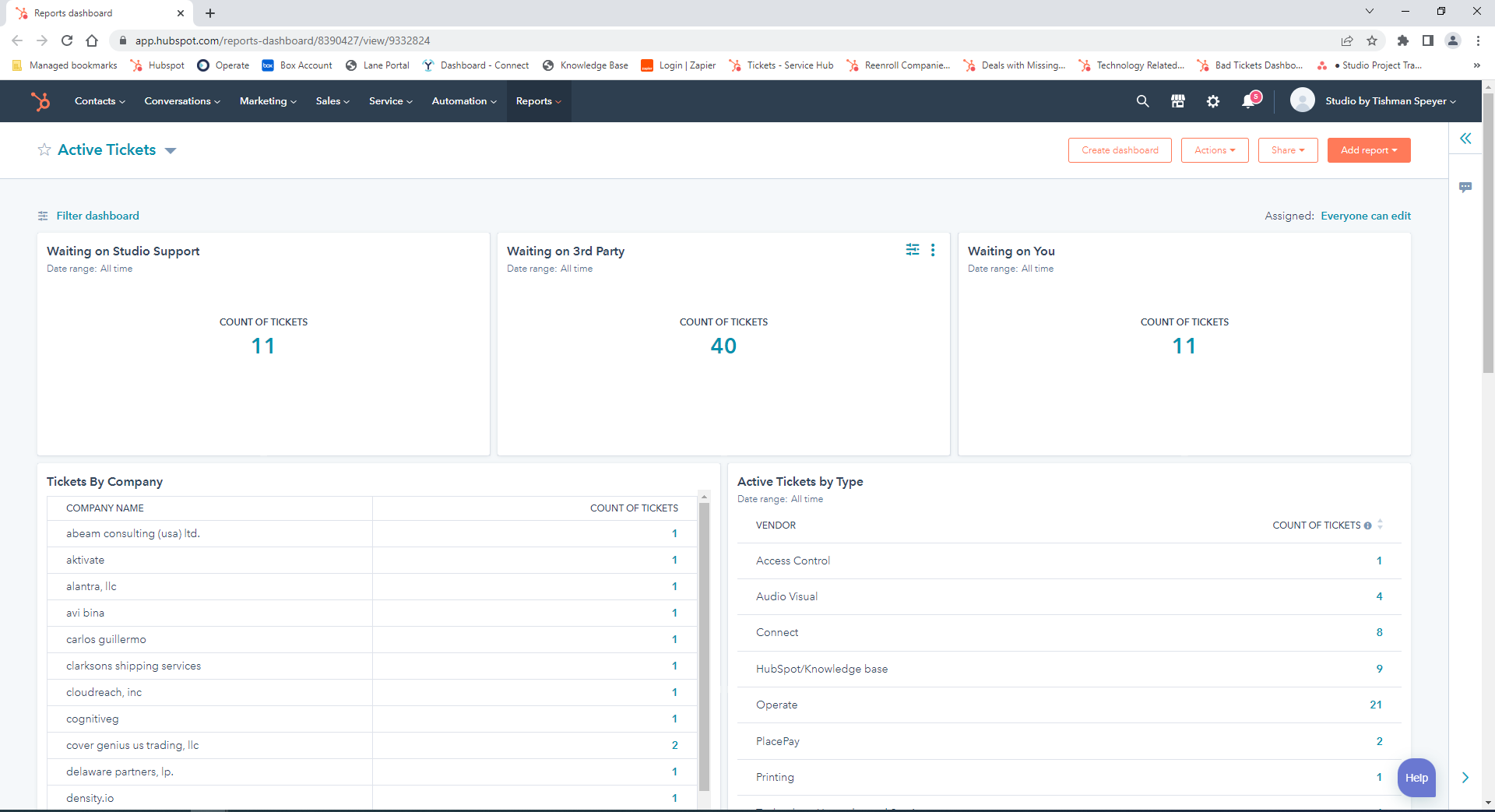
Step 3: Find your ticket by searching either of the following interactive tiles:
A: Tickets By Company → Click on the Count next to Company Name
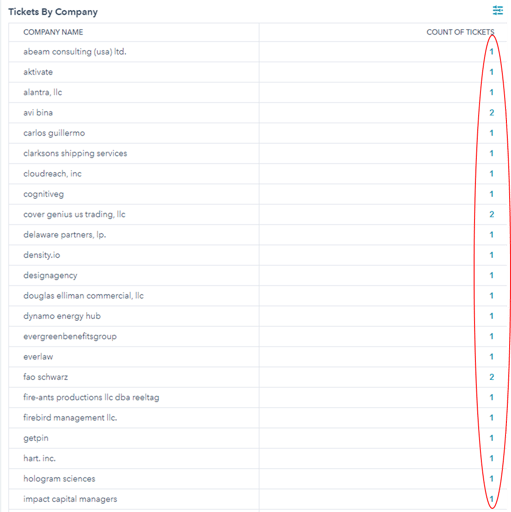
Or
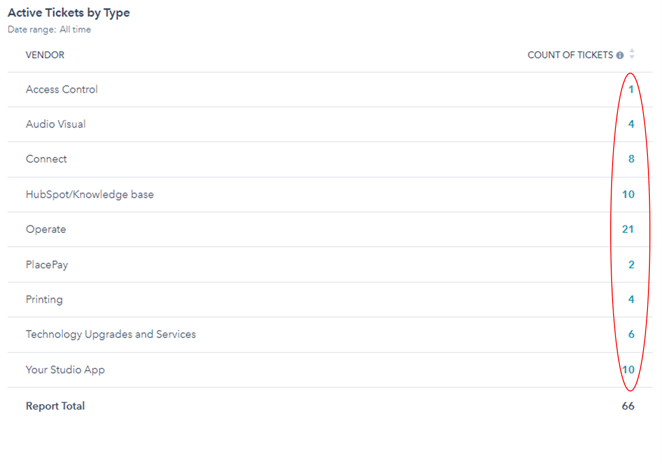
B: Active Tickets By Type → Click on the Count next to Ticket Type
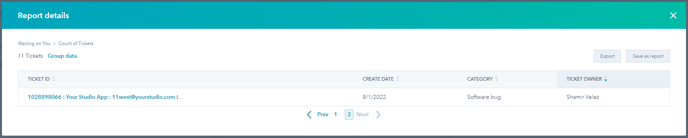
Step 4: View your ticket by clicking on the Ticket ID
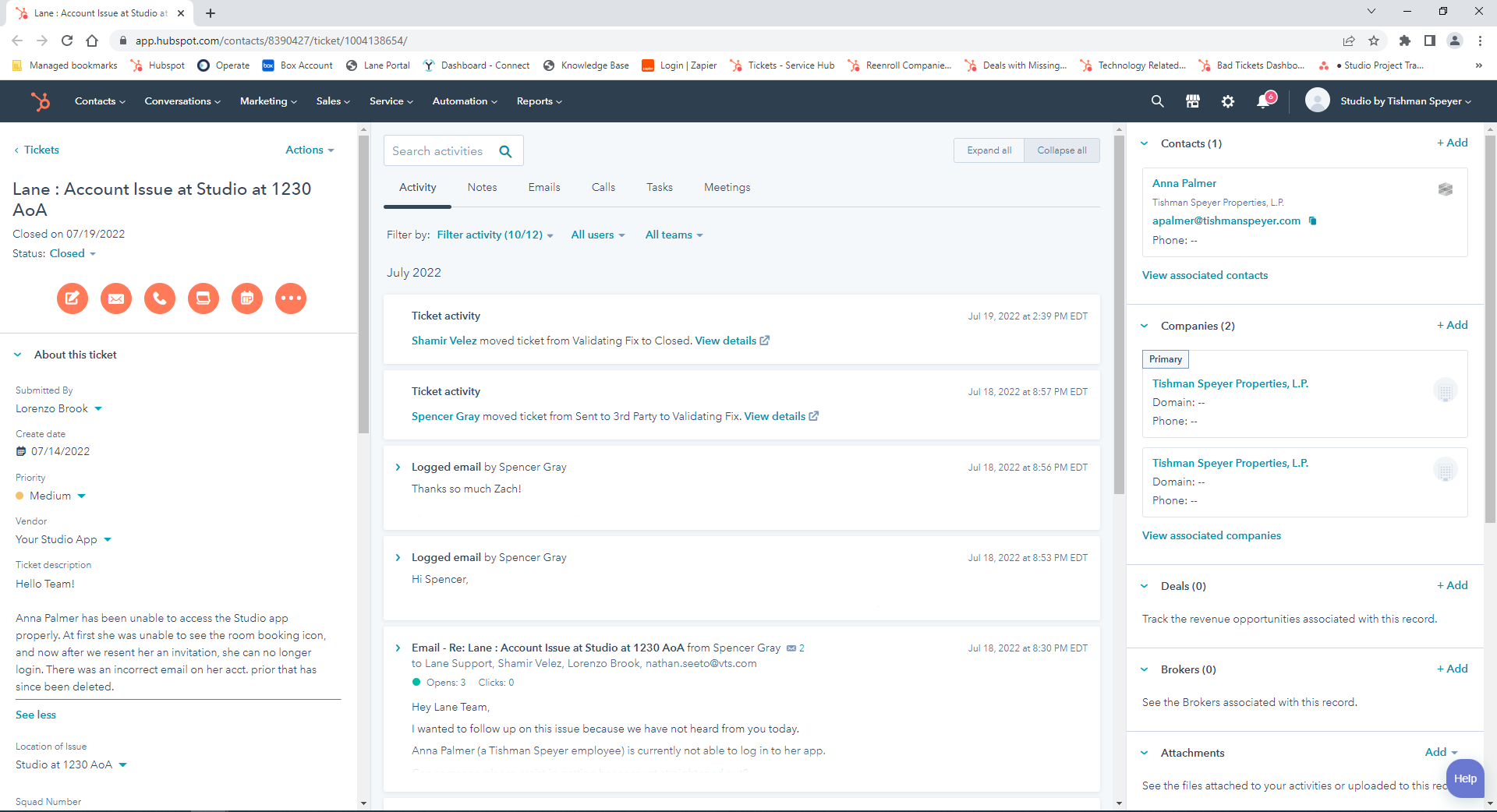
Step 4: See the latest updates in the "Activity" section:
Was this article outdated or incorrect? Suggest a revision! Still need help? Submit a ticket!