
Step 1: Go To Your Studio App Admin Dashboard
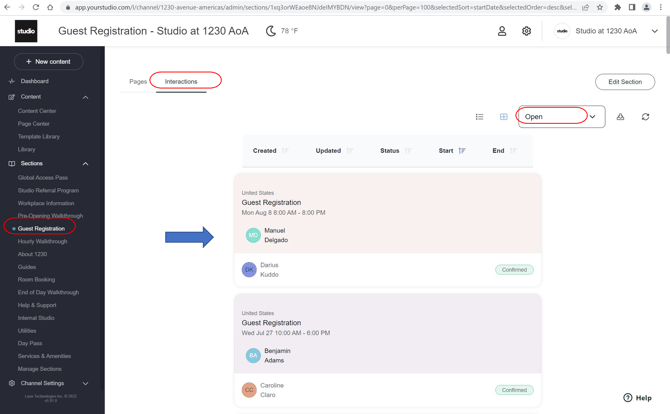
Step 2: Click Guest Registration
Step 3: Click on "Interactions" then click "Open"
Step 4: Click anywhere in a registration box to select a visitor.
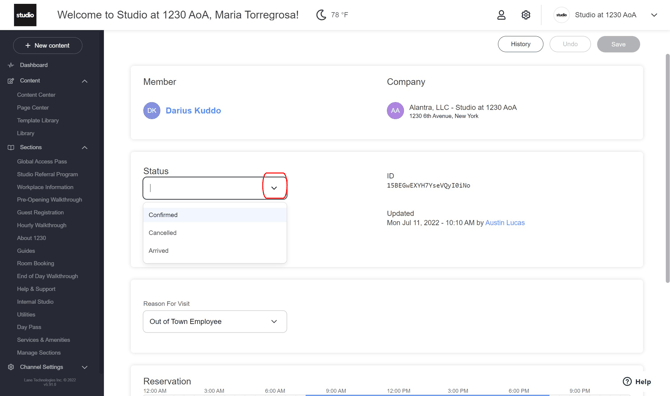
Step 5: Click on the Status dropdown menu and select confirmed once entered into a security system.
Step 6: Click on the Status dropdown menu and select arrived when they guest checks in.
Was this article outdated or incorrect? Suggest a revision! Still need help? Submit a ticket!