
Step 1: Create a deal in Hubspot under the 'Studio Network' Pipeline
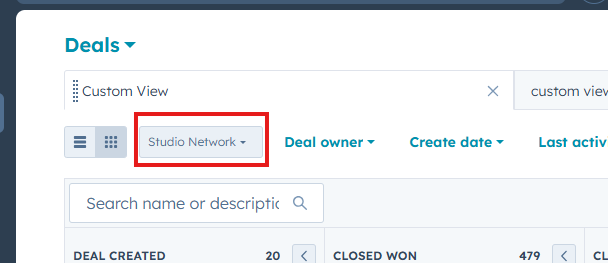
Step 2: After the Deal is created, make sure to associate the company and contact to the deal. Once associated, move the deal into the 'Closed Won' stage.

Step 3: The Company and lead will be automatically send to Yardi. If the company does not appear in Kube in ~5 minutes, please put in a ticket as there may have been an issue with the automation.
Please Note: This company will appear under the Kube location 'Studio Network'. Remember, only companies that are signing contracts should had a Studio location as their primary location. All other companies should be under 'Studio Network'. Once the company is created in Kube, you can create booking and charges for them!
Need to add them to the Studio app so they can pay for an invoice?
Please create a 'Your Studio app' support ticket with the ticket issue of 'Add External Company to VTS'. Provide details like the company name, contact name, and when the invoice will be posted. Studio support will add the company to VTS so the external user can view and pay invoices directly in our app.
Was this article outdated or incorrect? Suggest a revision! Still need help? Submit a ticket!