
Step 1:
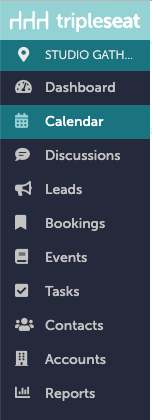
Navigate to "Calendar" on the left-hand navigation bar in Tripleseat.
Step 2;
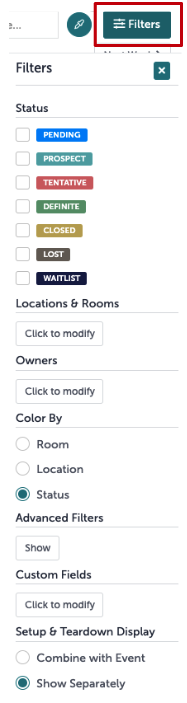
Click the "Filter" option on the right-hand side. It will open up the window shown below.
Step 3:
Select how you would like to filter your calendar. You can filter by status, location, and owners, as well as some more advanced and custom fields.
Note: Clicking the dropper icon next to the Filter button will reveal a key showing what each status color is.
.gif?width=558&height=480&name=Calendar%20-%20Studio%20Gather%20-%20Tishman%20Speyer%20-%20Tripleseat%20(1).gif)
Step 4:
Tripleseat will not clear this page when you navigate away, and will instead save this view. If you would like full visibility back, click Filters. Next to "Filtering on", select "Clear all".

Step 5:
Was this article outdated or incorrect? Suggest a revision! Still need help? Submit a ticket!