Navigate to the company page by searching the company name using the spyglass in the top right corner of any Yardi page.
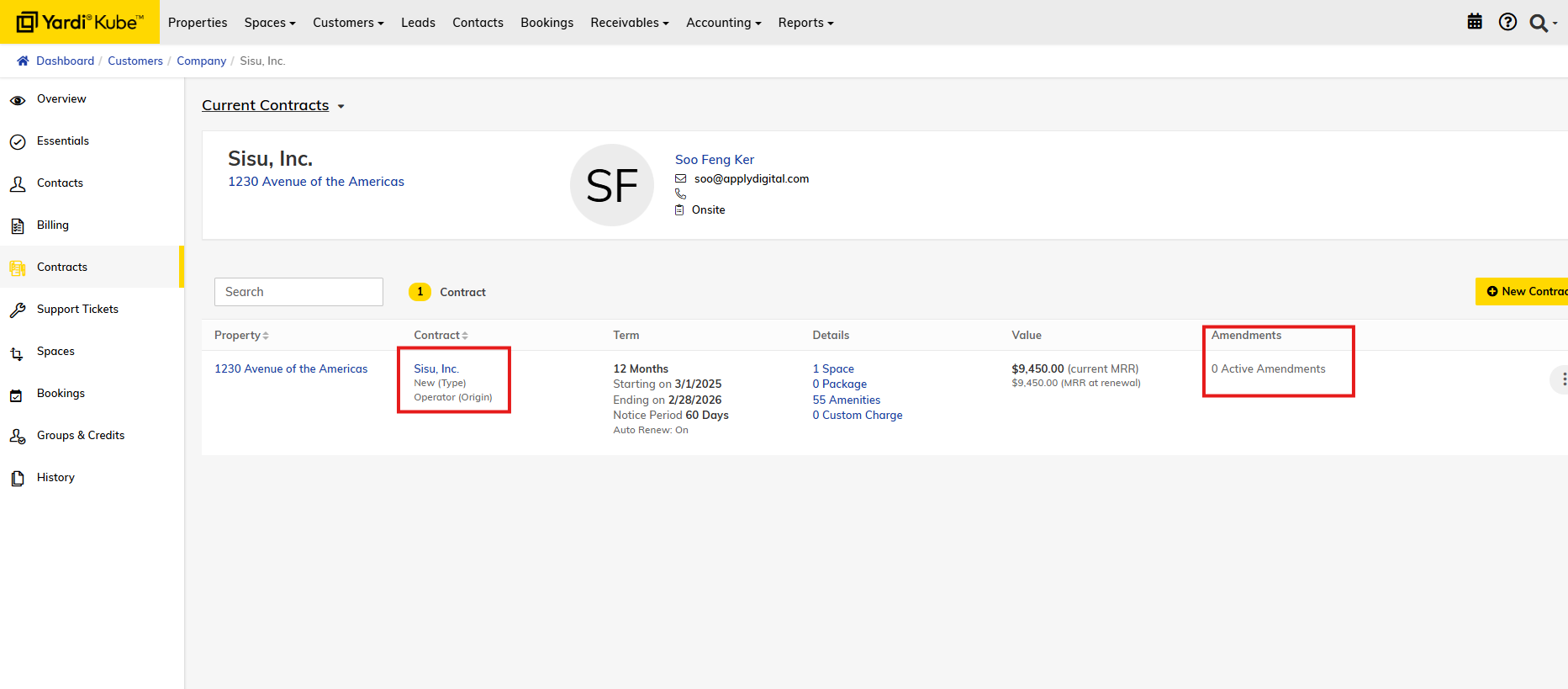
Select the "Contracts" tab. The license information is listed below where it says "Term." You can click on the hyperlink under 'Contract' to view more details on the contract. If the contract has a draft or amendment that is set to active in the future, you will see it under 'Amendments'
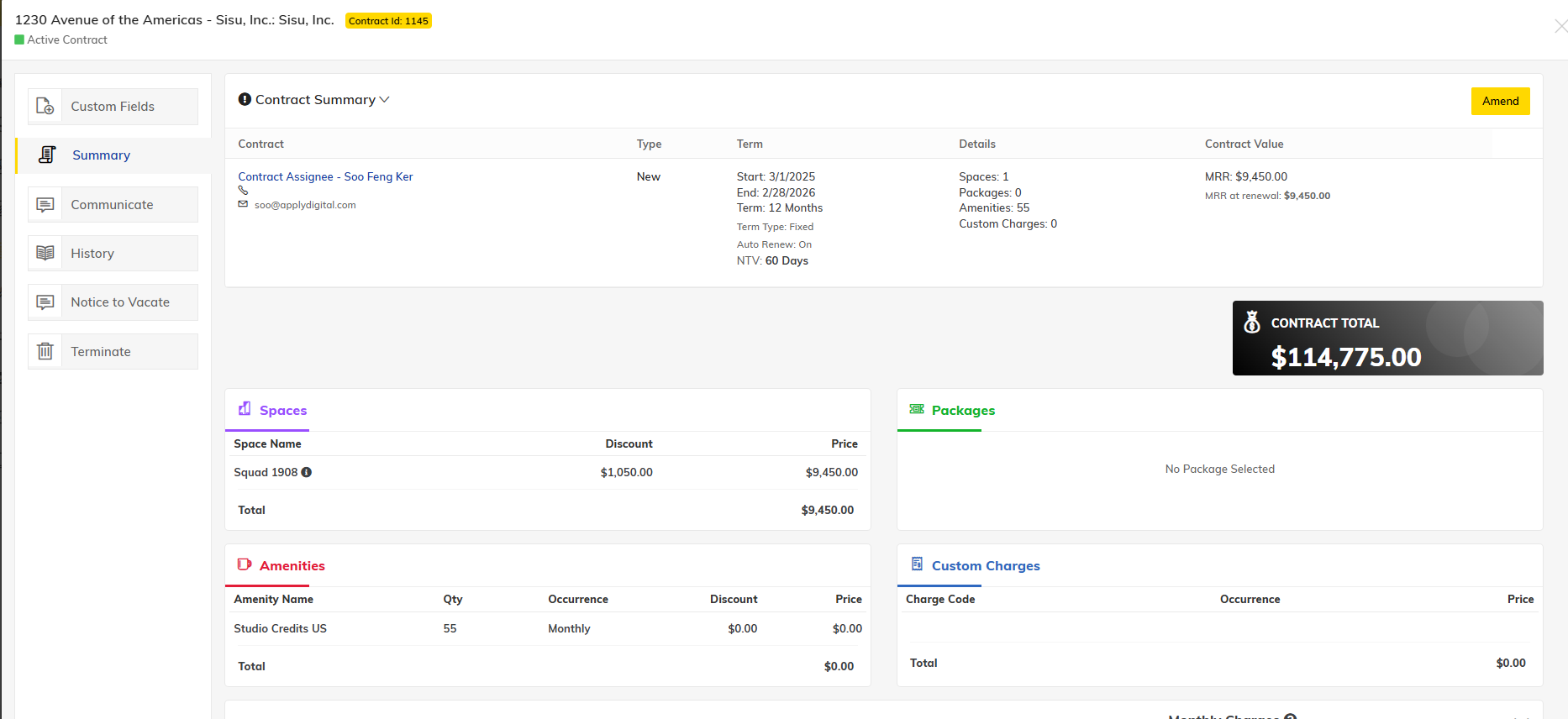
Opening the contract will allow you to see more details about the contract including term, space, amenities, contract value and more!