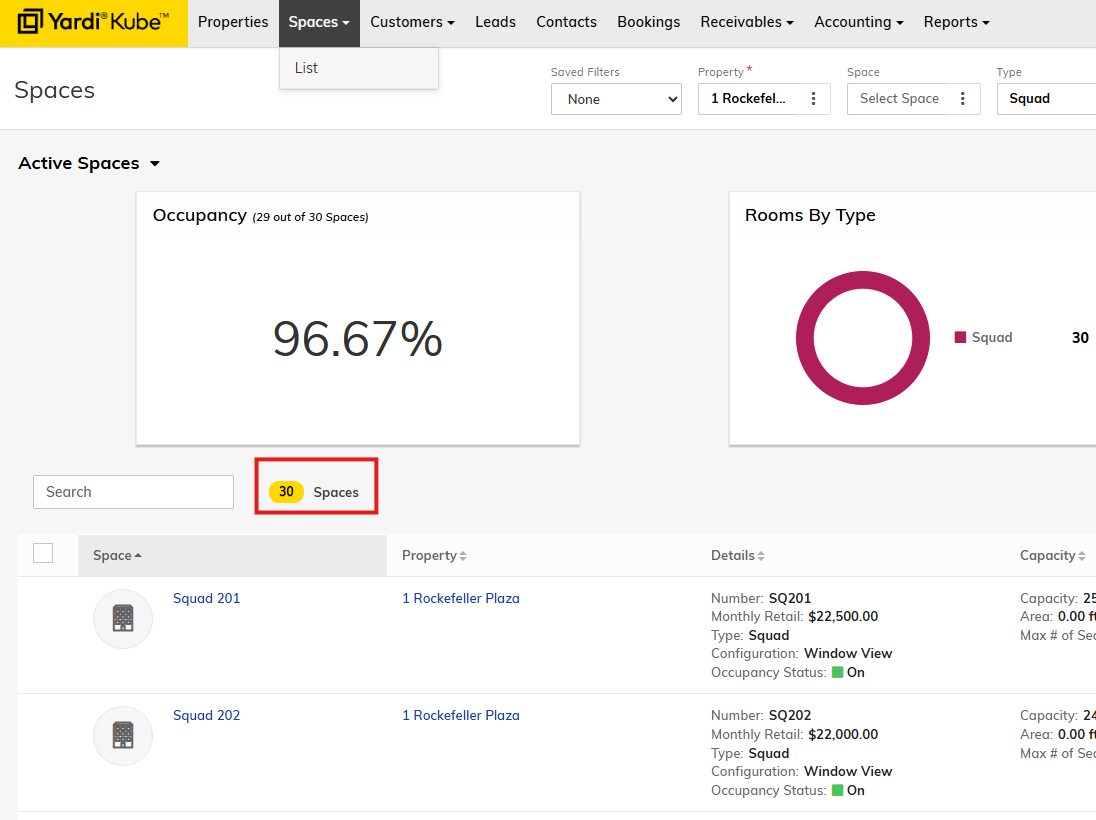
Step 1: Navigate to Spaces > List from the top menu bar in Kube. Set your space filters (location, space type, etc.).

For this example, lets look at 1 Rockefeller Squads. As you can see from the screenshot, we have 30 squads at 1 Rockefeller.
Let's look at Squad 201. Clicking on the hyperlink will open up the space record. On the right menu bar, click Setup > Pricing. You can see this squad is $22,500/mo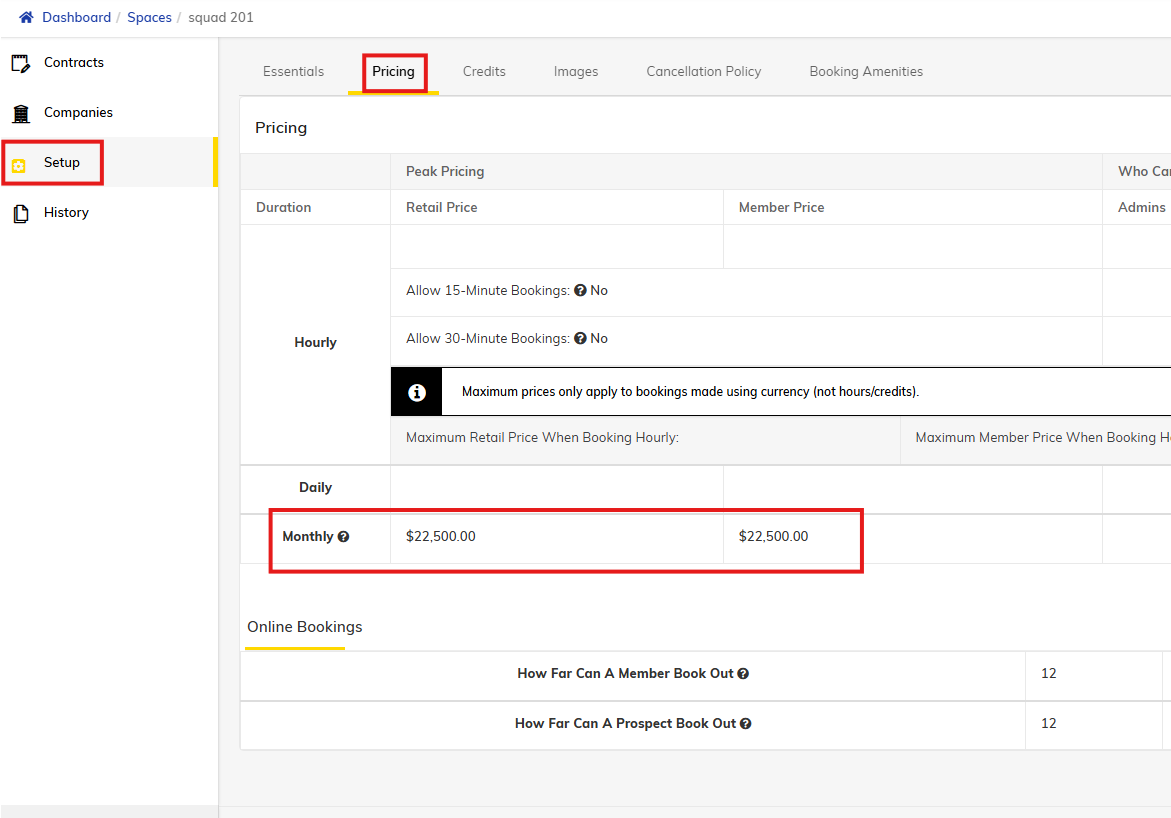
For meeting rooms, you will see the price under the 'Hourly' price section. Here is the price of 'Blondie' Meeting Room at 1 Rockefeller:
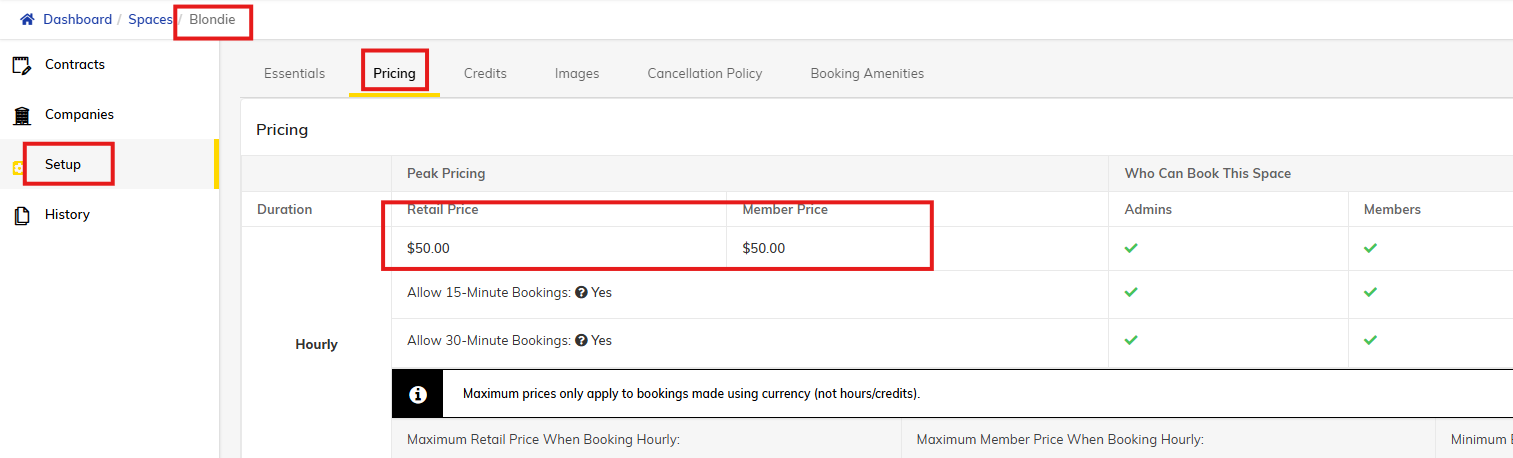
This room is $50/hr to book.
To find the price of amenities, you have to navigate to the property record by navigating the the Properties menu on the top navigation bar. Find the property you want to search, then use the side menu bar to go to Setup > Amenities.
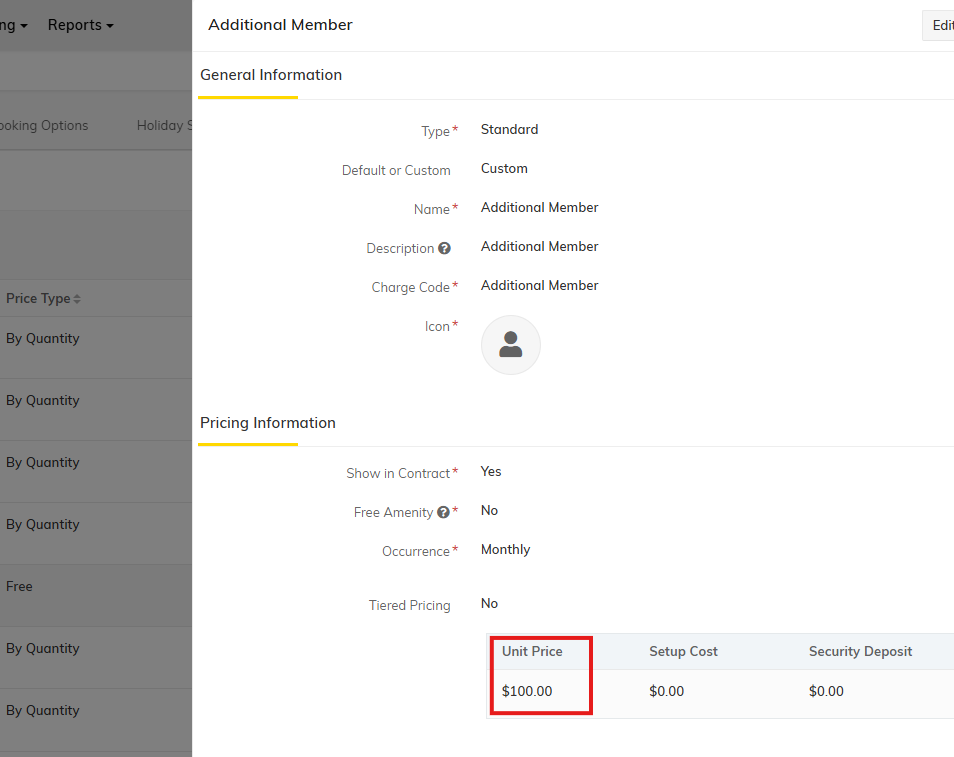
search for the amenity you'd like to check the price on and click on it. a right side pop up should appear with the unit price.