
Step 1:
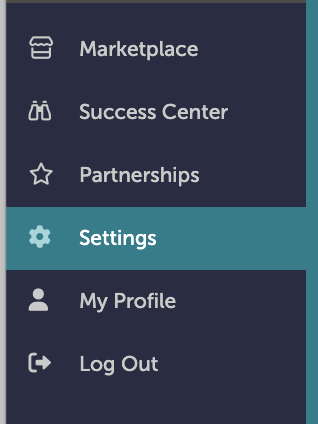
On the left-hand navigation bar, scroll down to “Settings”.
Step 2:
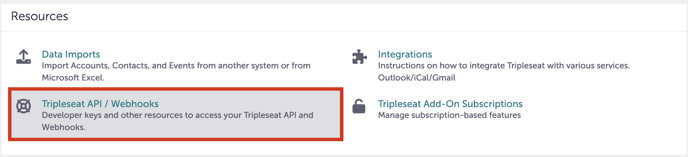
In the Settings window, scroll all the way to the bottom to “Resources”. Click “Tripleseat API/Webhooks”.
Step 3:
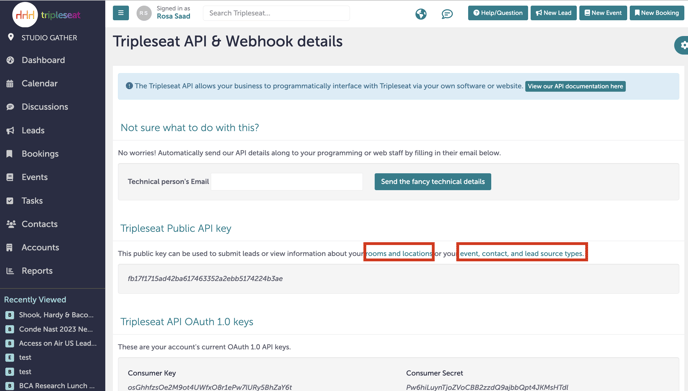
Under “Tripleseat Public API key”, you can click either “rooms and locations” or “event, content, and lead source types”.
Step 4:
A new tab will open showing you all the information associated with your selection.
Step 5:
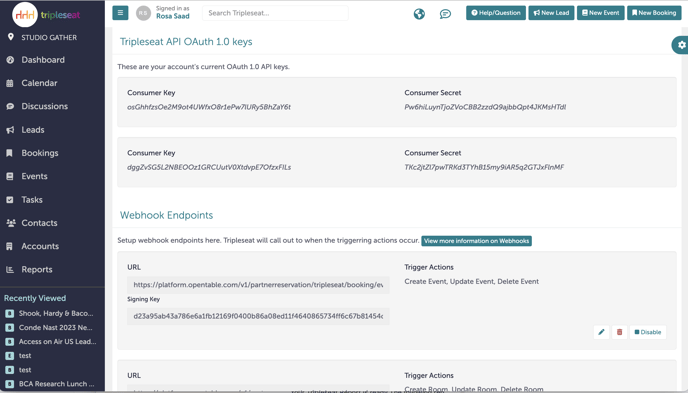
You can also access the Webhook endpoints as well as Tripleseats OAuth 1.0 keys on this page.
Step 6:
Was this article outdated or incorrect? Suggest a revision! Still need help? Submit a ticket!