
Step 1
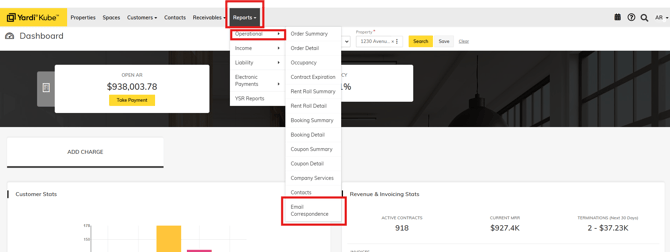
Click the "Reports" tab on the top of your dashboard.
Click "Operational" -> "Email Correspondence"
Step 2
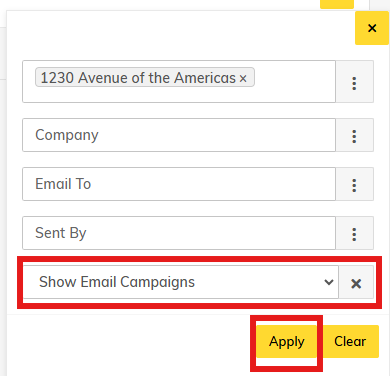
Select " Show Email Campaigns" and Click "Apply"
Step 3
Review your results.
Status may either be "Success", meaning the email went through to the recipient "to" and cc'd to your site inbox; or "Failed to Send - Template Inactive" which may mean the automated workflow was turned off.
