
Step 1:
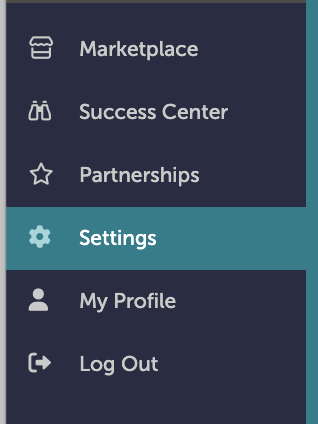
On the left-hand navigation bar, scroll down to “Settings”.
Step 2:
In the Settings window, scroll down to “Documents and Menus”. Click “Documents”.

Step 3:
Click “Edit Layout” next to the document you want to make available at a new location.

Step 4:
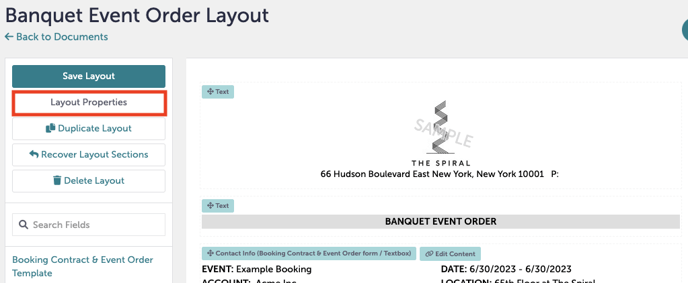
You will now see the document. On the upper left hand side, click “Layout Properties”. This will popup the layout window at the top of your document.
Step 5:
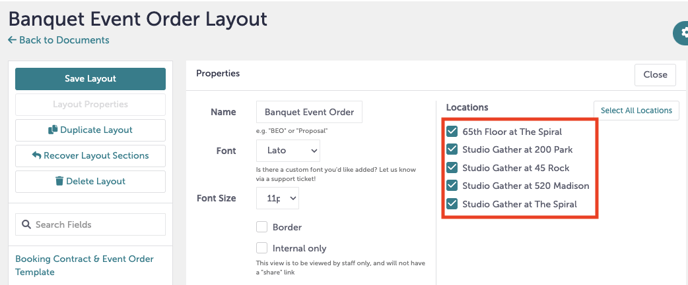
In the layout property window, you can add or remove locations by checking the boxes under “Locations”.
Step 6:
When you have made your changes, click “Save Layout” in the upper right-hand corner to save your changes.
Step 7:
Was this article outdated or incorrect? Suggest a revision! Still need help? Submit a ticket!