
Step 1:
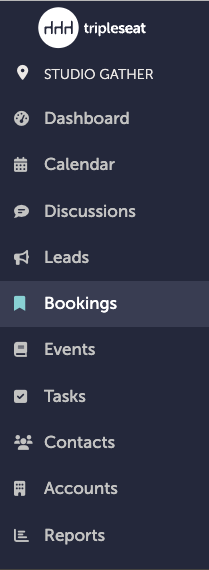
In Tripleseat, navigate to "Bookings" on the left-hand navigation bar.
Step 2:
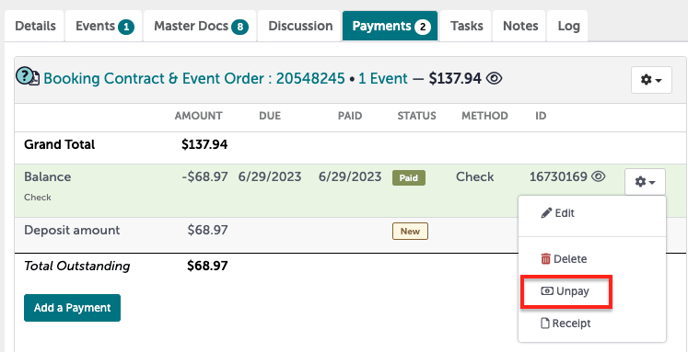
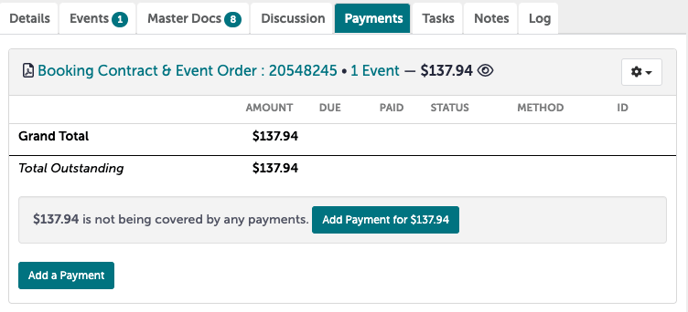
In your booking, navigate to the "Payments" tab.

Step 3:
Click the gear icon to the right of the payment you want to remove. In the options that appear, select "Unpay".
Step 4:
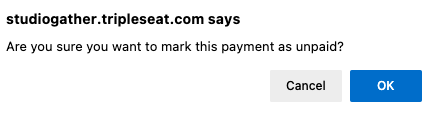
A pop-up window will confirm if you want to unpay this payment. Select yes.
Step 5:
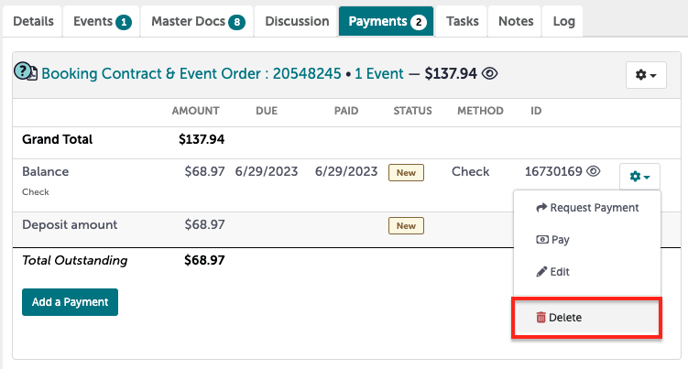
The select payment should no longer have the green "Paid" icon next to it.
Step 6:
Click the gear icon to the right of the payment you want to remove. In the options that appear, select "Delete".
Step 7:
A pop-up window will confirm if you want to unpay this payment. Select yes.

Step 8:
The payments tab should no longer have the payment listed.
Step 9:
Was this article outdated or incorrect? Suggest a revision! Still need help? Submit a ticket!