
Step 1:
In Tripleseat, navigate to "Reports" on the left-hand navigation bar:

Step 2:
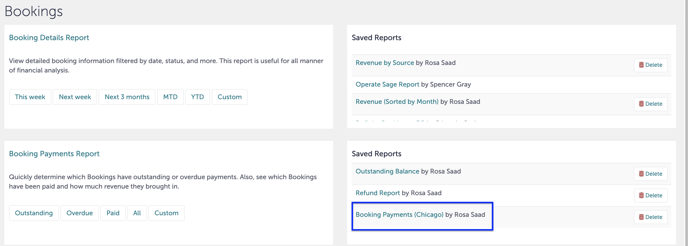
Scroll down to "Bookings" and down to"Booking Payments Report". To the right of that, there should be a report called "Booking Payments (Chicago)".
Step 3:
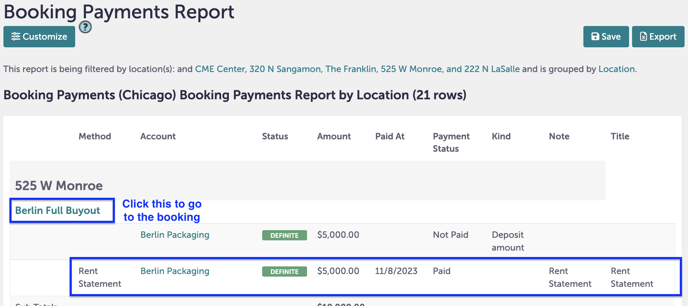
This report will open. It is sorted by location. A payment that is a rent statement can be found under "Method" and "Note".
You can click the blue text above the payment to go to that booking.
Step 4:
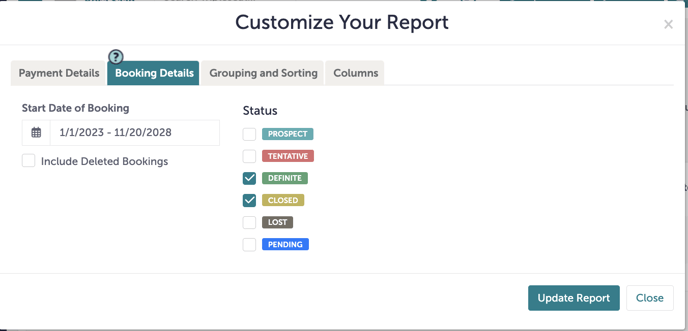
You can customize this report and add additional filters by clicking "Customize".

Step 5:
You can filter the dates or statuses under "Booking Details".
Step 6:
Was this article outdated or incorrect? Suggest a revision! Still need help? Submit a ticket!