
Step 1:
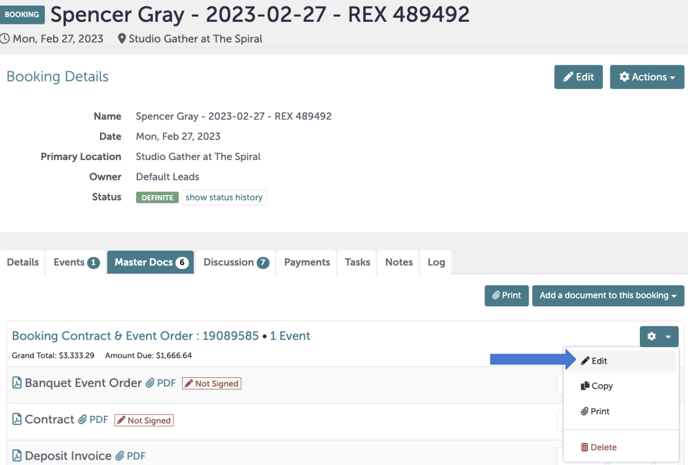
Navigate to the booking you want to remove a charge from. Navigate to the "Master Docs" tab.
Step 2:
We will start with deleting Picklist items. Click the gear icon and hit "Edit".
If you have not yet created your Master Docs, please refer to this Knowledge Base article to create your Master Docs.
Step 3:
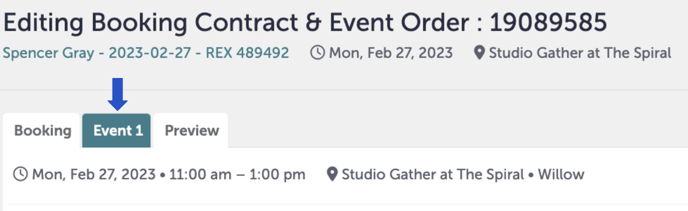
Click the tab in the editing window that will take you to the event you want to edit. Below, we are editing "Event 1".
Step 4:
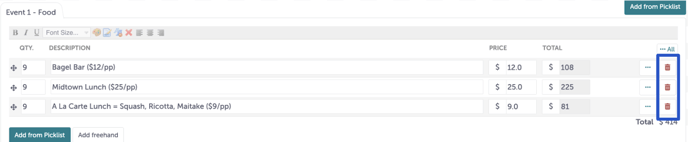
To delete a picklist item from an event, click the red trash can next to any picklist item. The red trash cans have been highlighted in a blue box below.
Step 5:
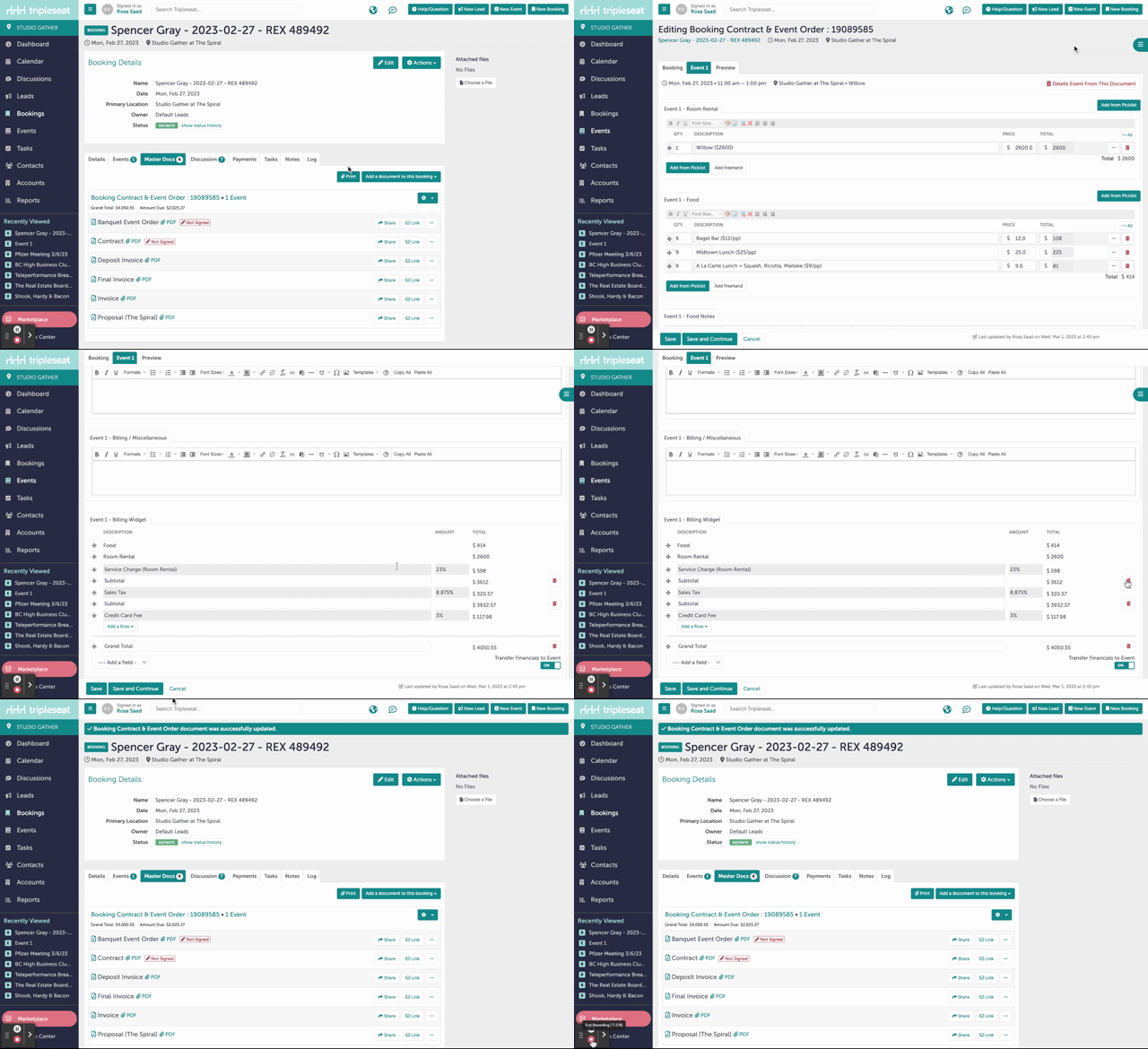
You can also delete charges from the billing widget, like removing the credit card fee when the guest does not pay by card. Repeat steps 1-3, and instead of selecting a picklist item, scroll all the way to the bottom of the page to view the billing widget. Be sure to hit "Save and Continue" if you are still editing, and "Save" when you are entirely done.
Step 6:
Was this article outdated or incorrect? Suggest a revision! Still need help? Submit a ticket!