
Step 1: Navigate to your Outlook Desktop Application:

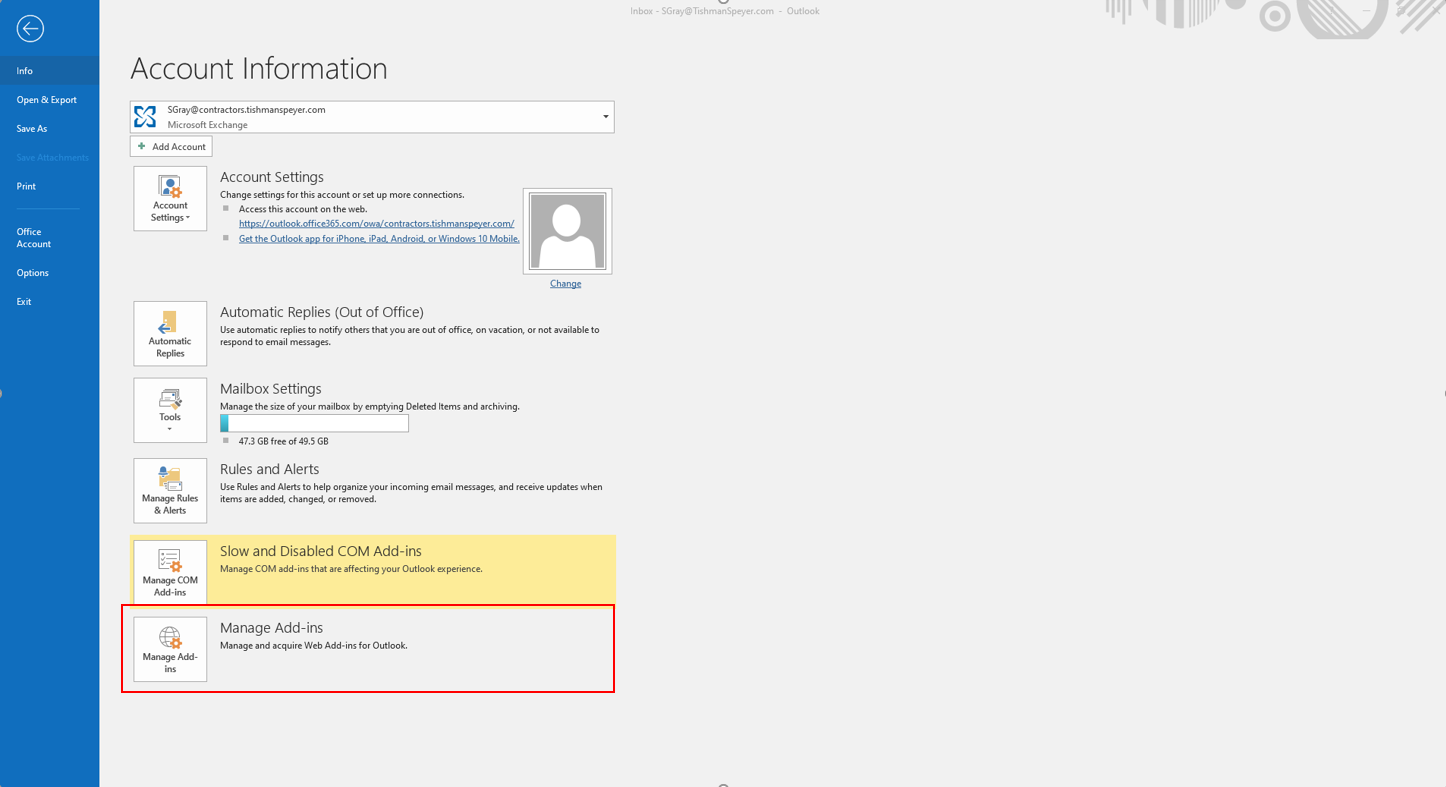
Step 2: Click "File"
Step 3: Click Manage Add-ins:
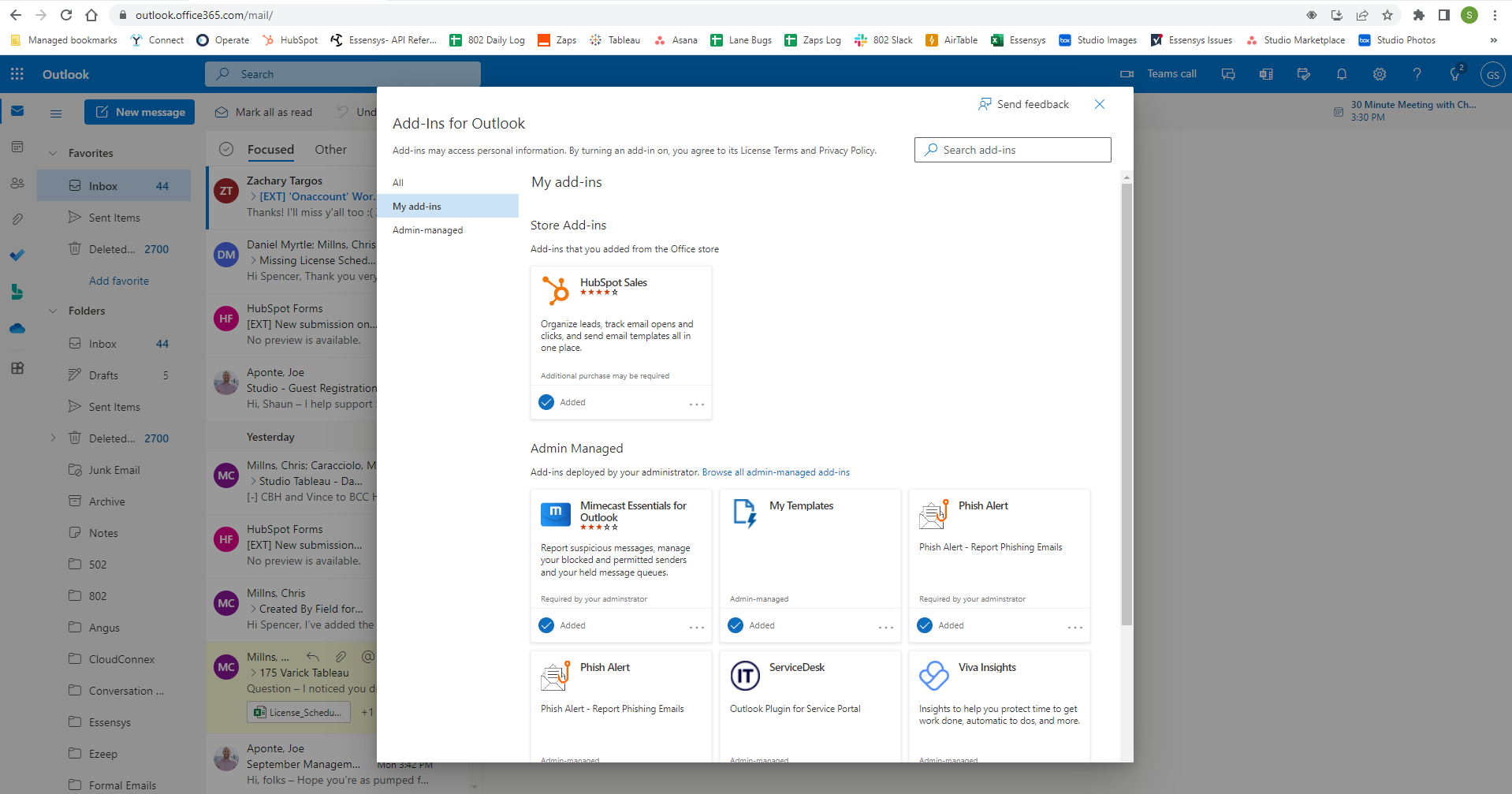
Step 4: You will be taken directly to the Outlook Web Application
Step 5: Click "My add-ins" from the left side navigation:
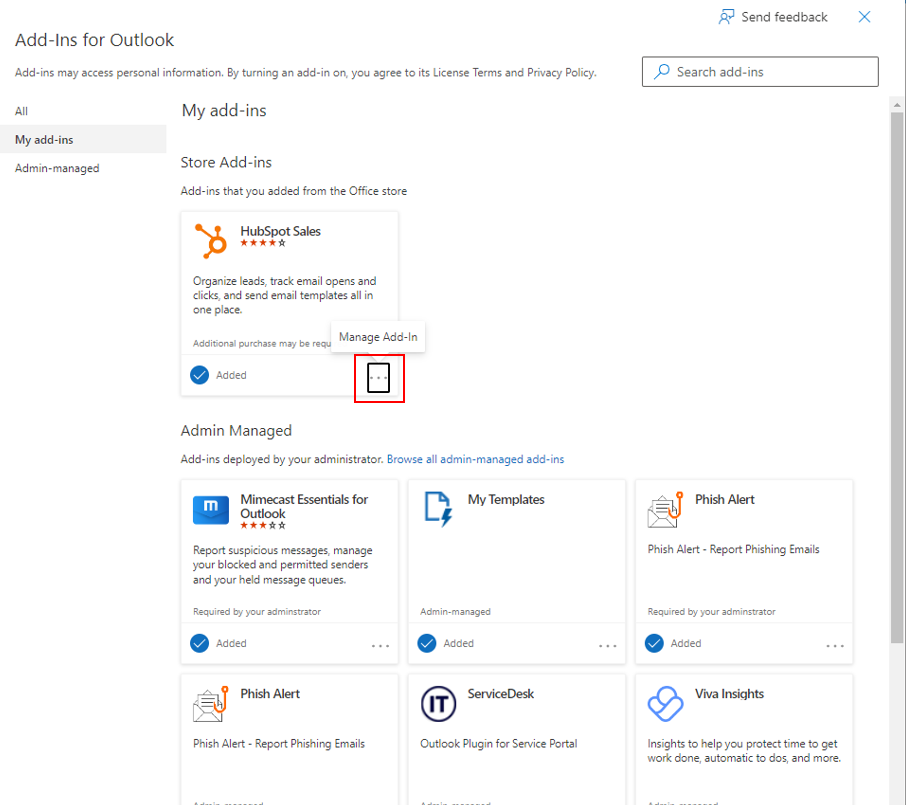
Step 6: Click the three dots next to the Add-in you want to remove:
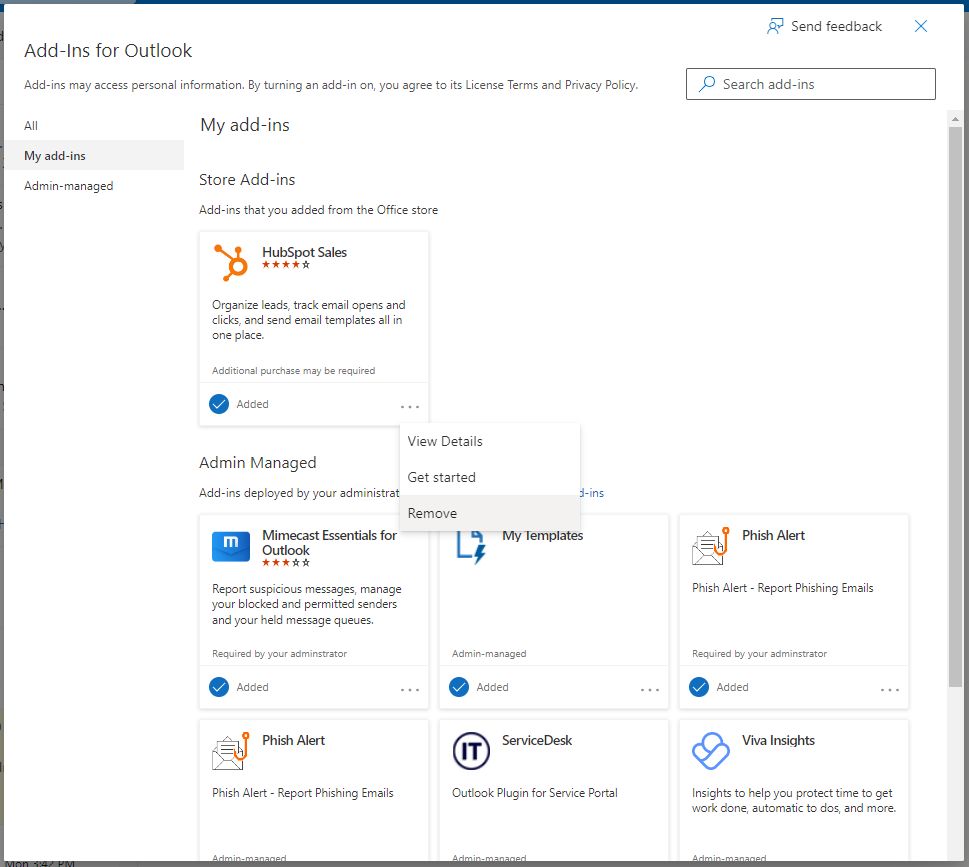
Step 7: Click "Remove":
Was this article outdated or incorrect? Suggest a revision! Still need help? Submit a ticket!