
Step 1:
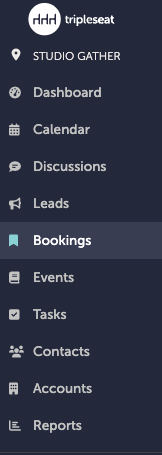
Navigate to the booking you want to add a payment for. Bookings can be accessed on the left-hand navigation bar.
Step 2:
The guest will need to have had a document shared with them to access the link to the guest portal.
For a review on the guest portal and how to activate it, please refer to this Knowledge Base article.
Step 3:
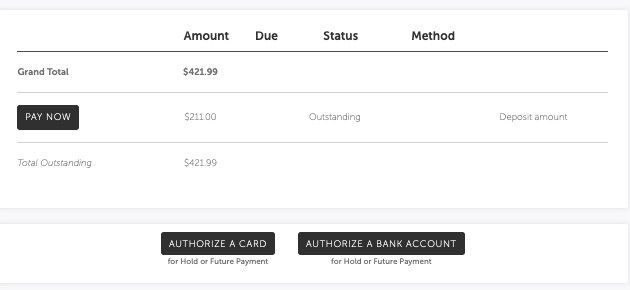
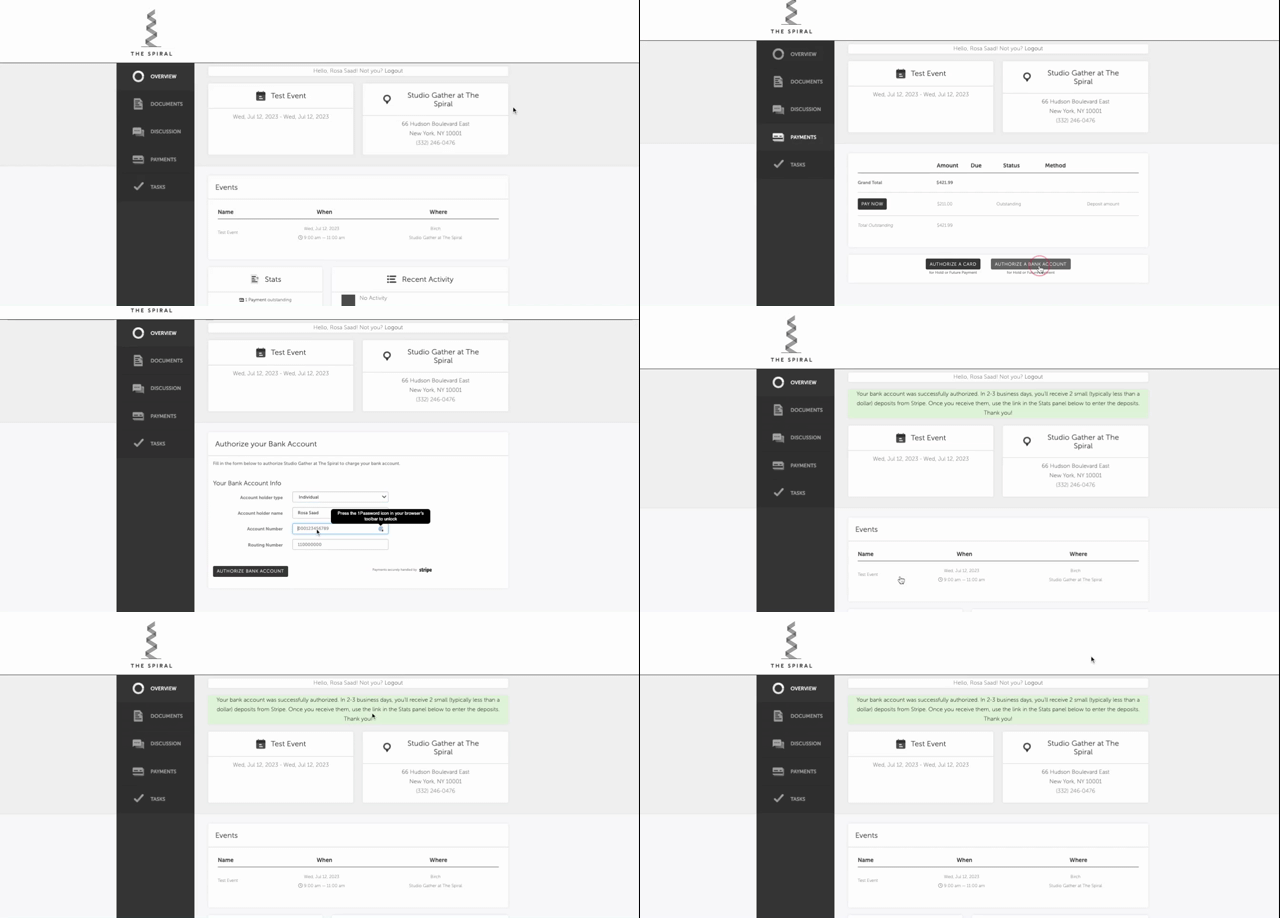
From the guest portal, the guest will have the option of linking their bank account. To access this, they should click “Payments” on the left-hand navigation bar of their guest portal. They will have the option to either Authorize a Card, or Authorize a Bank Account. Here, they will authorize a bank account.
Step 4:
The guest will fill in the Account holder type (Individual or Company), the Account holder name, their Account Number, and their Routing Number.
Step 5:
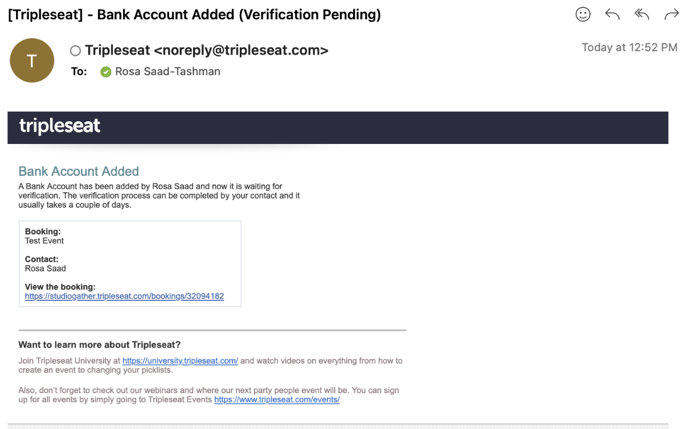
If successful, the guest will see a green message appear on their guest portal saying their bank account was authorized. They will also receive an email.

Step 6:
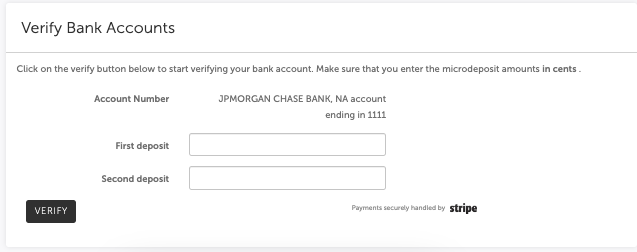
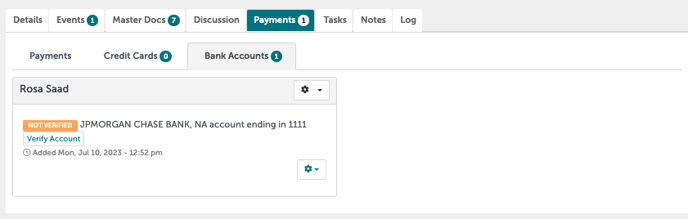
The guest must now verify their account. Two test microdeposits would have been placed into their bank account by Stripe within 2-3 business days. They must enter these amounts in cents. For example, if the amounts deposited were $0.03 and $0.07, they will enter “3” under First Deposit and “7” under Second deposit.
Step 7:
The guests account can be verified through Tripleseat with the sales team, but they will need to reach out to the guest to find out what they microdeposit amounts were. Note: This information is not accessible to us; the guest would have to provide us with that information.

Step 8:
Once verified, the guest will receive a confirmation of their verification.
Step 9:
Once the bank account has been verified, the Studio Gather team can add payments and use ACH to pay the balance.
.gif?width=638&height=308&name=Bookings%20-%20Studio%20Gather%20-%20Tishman%20Speyer%20-%20Tripleseat%20(24).gif)
Step 10:
Was this article outdated or incorrect? Suggest a revision! Still need help? Submit a ticket!