
Step 1:
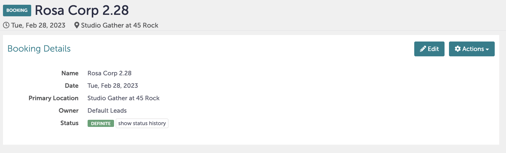
Navigate to the booking you want to review.
Step 2:
Click "Edit" in the right-hand corner.
 Step 3:
From here, you can view the current status or update the status. If you click "Lost", a dropdown menu will appear. Select the reason that most closely matches. Feel free to provide additional details in the text box. Click "Update" when you are done.
.gif?width=640&height=382&name=Bookings%20-%20Studio%20Gather%20-%20Tishman%20Speyer%20-%20Tripleseat%20(1).gif)
Step 4:
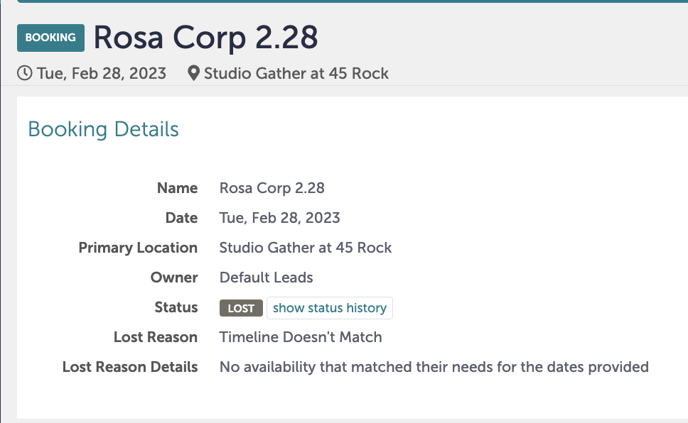
Review that status on the main booking page to confirm that the events status has been changed to "Closed". You will see two new fields: Lost Reason, and Lost Reason Details (if you provided any additional details).
Step 5:
Was this article outdated or incorrect? Suggest a revision! Still need help? Submit a ticket!