
Step 1:
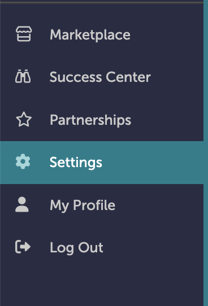
On the left-hand navigation bar, scroll down to “Settings”.
Step 2:
In the Settings window, scroll down to “Documents and Menus”. Click “Picklists”.

Step 3:
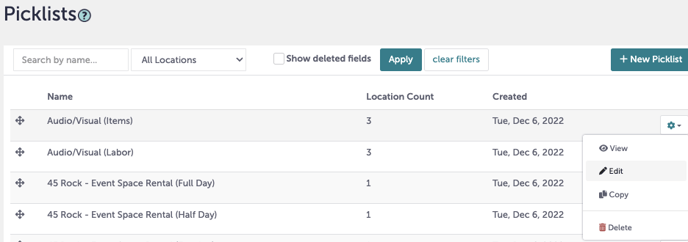
You are now at the Picklists screen. Click the gear icon next to the Picklist category you want to edit and click "Edit".
Step 4:
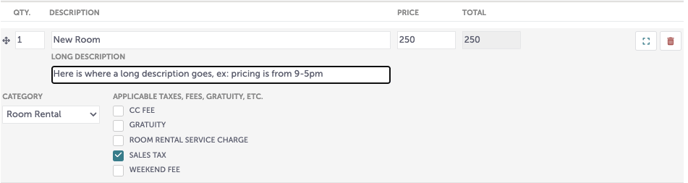
Edit the price under “Price”. If the price is listed under “Description”, update it there as well.
Step 5:
Click “Save” when you are done.
Step 6:
Was this article outdated or incorrect? Suggest a revision! Still need help? Submit a ticket!