
Step 1:
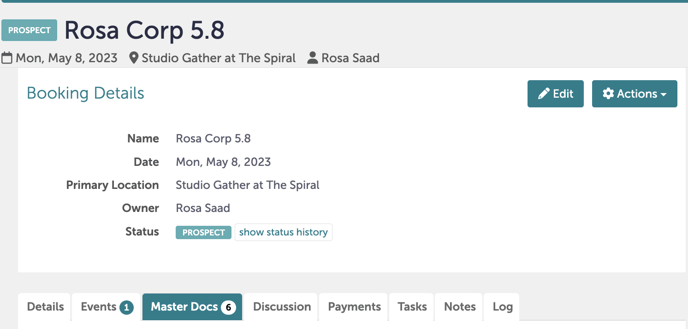
You will need to navigate to "Master Docs" under any Booking.
Step 2:
Either hit "Edit" or "Add a Document to this Booking" and then "Booking Contract and Event Order".
For a review on how to create Master Docs, please review this Knowledge Base article.
Step 3:
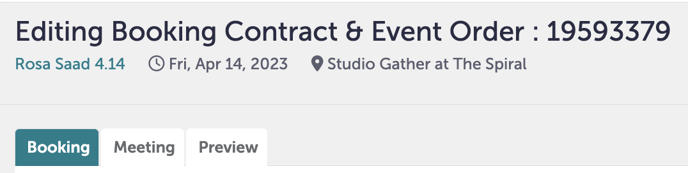
The screen will now say "Editing Booking Contract and Event Order". Make sure you are under the "Booking" tab.
Step 4:
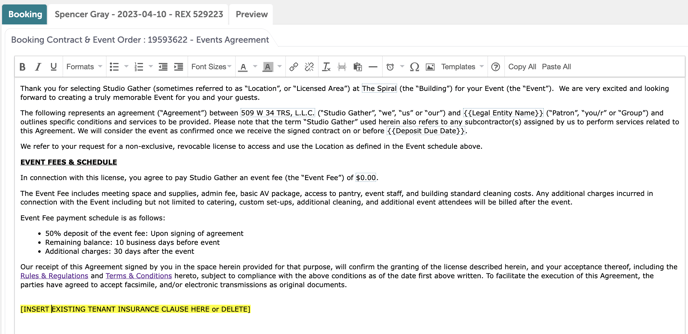
You will notice a yellow highlighted sentence. Highlight that sentence with your mouse.
Step 5:
If the guest is a tenant, you will replace this sentence with a template. With the sentence highlighted, click "Templates" in the top navigation bar. From there, select "Existing Tenant Insurance Clause", then "Existing Tenant". This will replace the sentence with the existing tenant clause. Hit "Save".
-1.gif?width=640&height=404&name=Bookings%20-%20Studio%20Gather%20-%20Tishman%20Speyer%20-%20Tripleseat%20(13)-1.gif)
Step 6:
If the guest is not a tenant, you will just delete the highlighted line.
Step 7:
Click "Save".
Step 8:
Was this article outdated or incorrect? Suggest a revision! Still need help? Submit a ticket!