
Step 1:
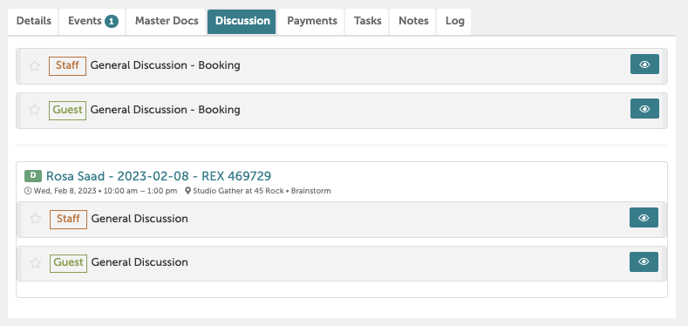
Navigate to any booking. Click on the "Discussion" tab.
Step 2:
You have 2 options for communication:
-
- Staff General Discussion: These communications are internal facing and will not be seen by the customer.
- Guest General Discussion: These communications are external facing and will be sent to the guests’ inbox.
Step 3:
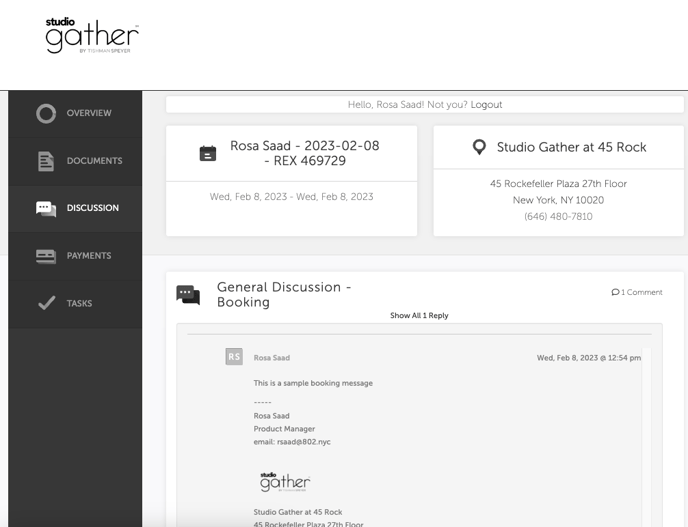
The guest will receive this message as both an email and as a message under "Discussion" in their guest portal.
Step 4:
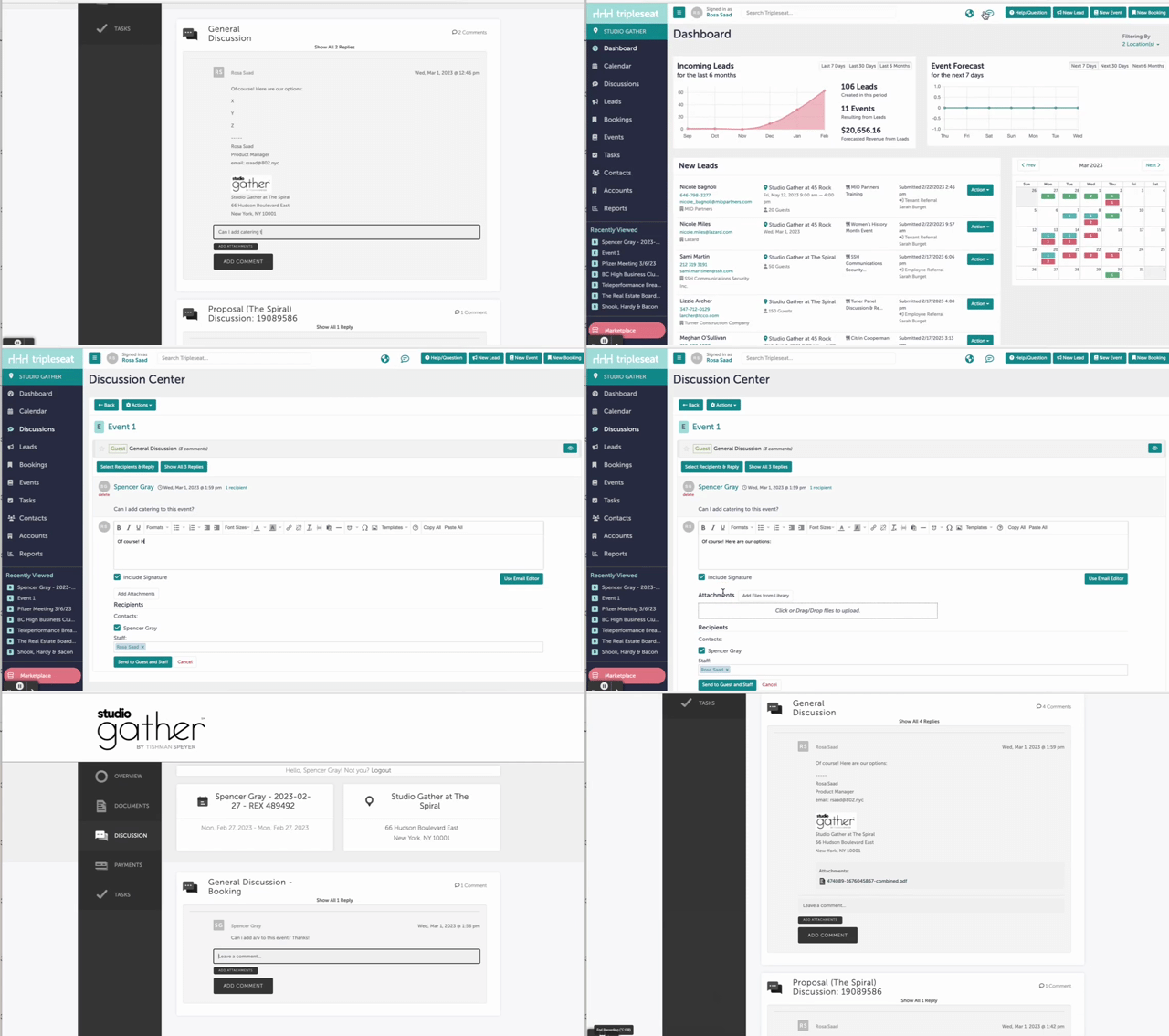
When the guest responds, either through a comment or an email, you will see a notification through Tripleseat under the globe icon at the top of any Tripleseat page. You can also click into this notification to respond to the guest. The guest will receive your reply via email as well as under "Discussion" in their Guest Portal.
Step 5:
Was this article outdated or incorrect? Suggest a revision! Still need help? Submit a ticket!