
Step 1:
A member will request a particular date and time to book Bella Abzug by contacting a member of the on-site team.
Step 2:
Review the calendar in Tripleseat to see if the requested date and time is available. To do so, navigate to Calendar on the left-hand navigation bar.

Step 3:
In Tripleseat, you can filter the calendar by clicking “Filters” in the far-right hand corner.
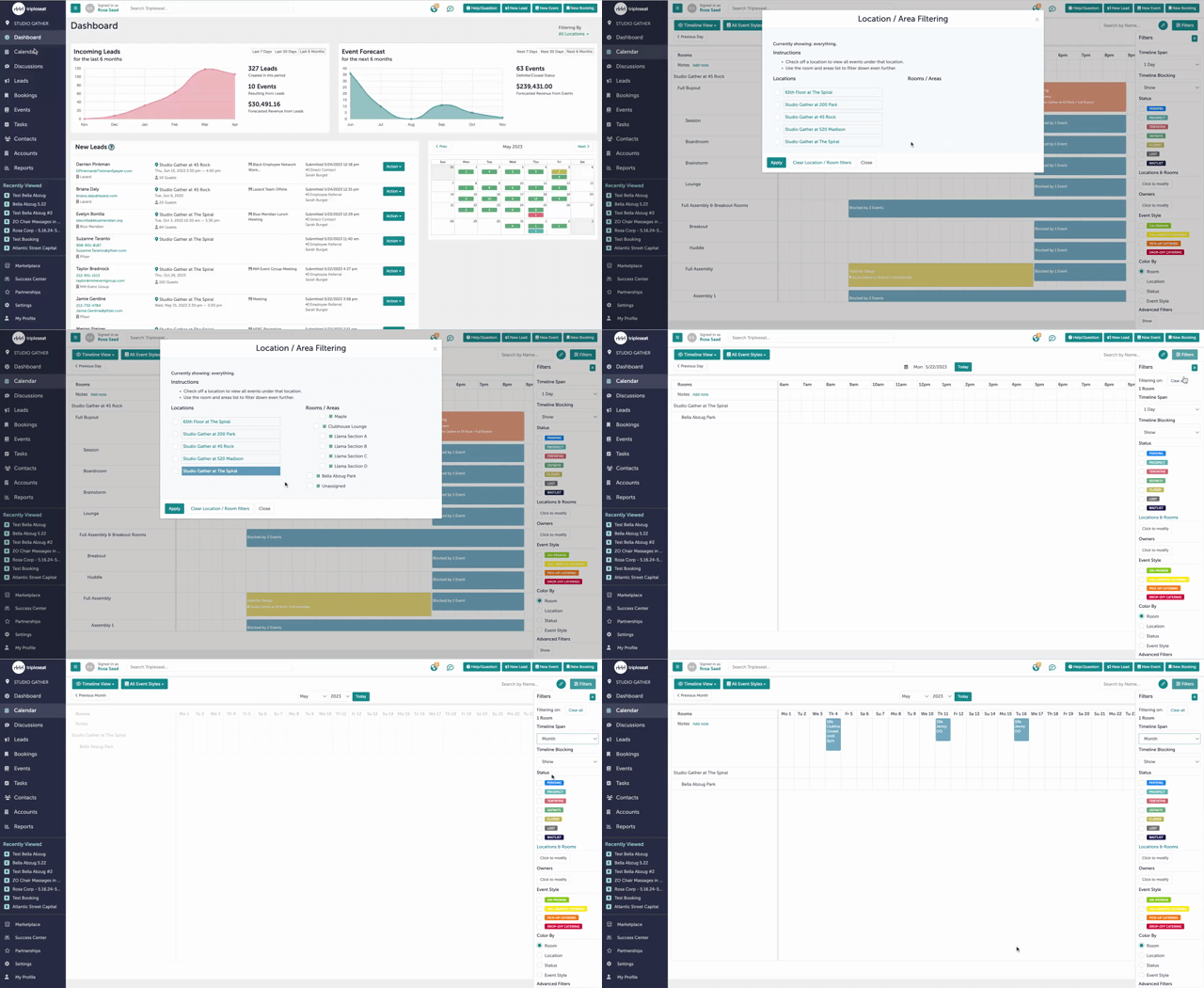
For a review on how to filter the calendar in Tripleseat, please refer to this Knowledge Base article.
Step 4:
If the requested date and time is available, create a new lead in Tripleseat.
For a review on how to enter new leads into Tripleseat, please refer to this Knowledge Base article.
Step 5:
When selecting a lead source, pick "Studio Member" for this booking.

Step 6:
Add the details of the booking and event in order to block off the room in Tripleseat. You must update both the booking and the event in order to create a block in the Tripleseat calendar.

For a review on how to create new bookings and events in Tripleseat, please refer to this Knowledge Base article.
Step 7:
Navigate to the calendar in Operate to add the booking there in order to apply the appropriate credits.

Step 8:
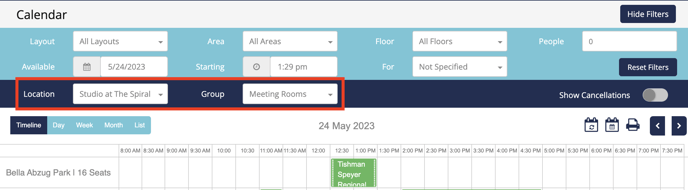
You may filter out for Bella Abzug by selecting “Studio at the Spiral” for Location and selecting “Meeting Rooms” for Group.
Step 9:
Create a booking using the member’s account.
For a review on how to book a conference room in Operate, please refer to this Knowledge Base article.
Step 10:
Was this article outdated or incorrect? Suggest a revision! Still need help? Submit a ticket!