
DOC version of instructions (please make a copy and edit for your location)
How to access the Studio App from the ZO landing page
WEB VERSION
- Click in the top right corner where the green circle icon is.
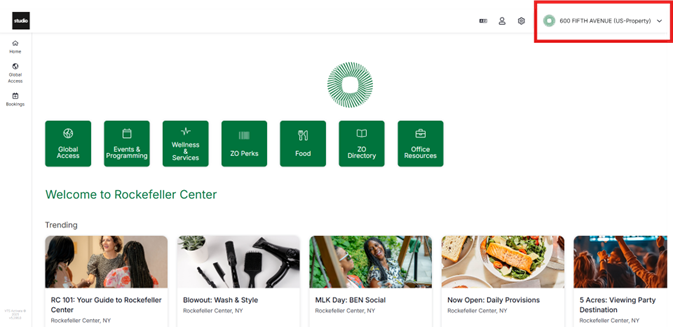
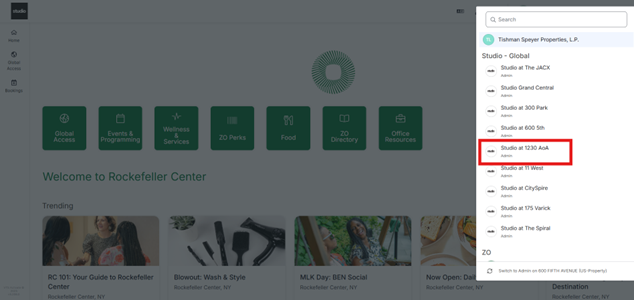
- Click the Studio App Icon that says “Studio – Global Studio at YOUR LOCATION”
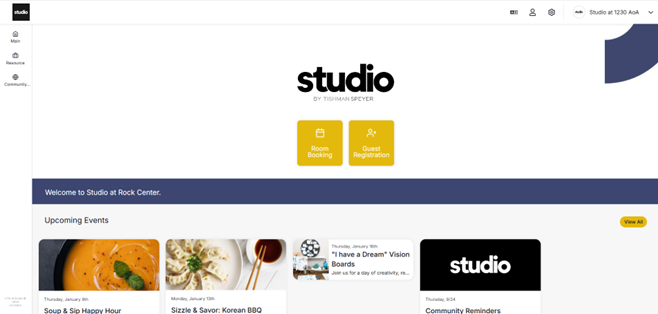
- Find your Guest Registration or Room Booking tiles as well as our weekly events!
MOBILE VERSION
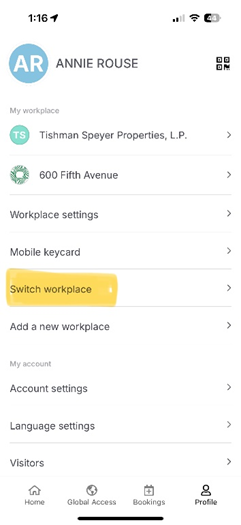
- From the ZO Amenities landing page - click the Account Icon on the bottom right corner.
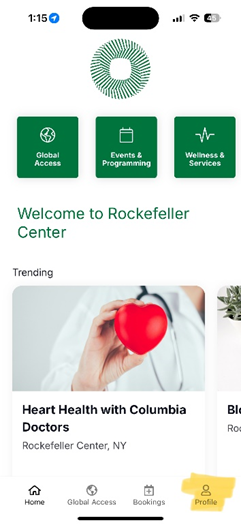
- Select “Switch Workplace”
- Select “Studio - Global – Studio at YOUR LOCATION”

- Continue browsing our weekly member events, register guests, and book meeting rooms!
