
Step 1:
In Tripleseat, go to the booking that you would like to add a manual payment option for.
Step 2:
Scroll down to the “Payments” tab.

Step 3:
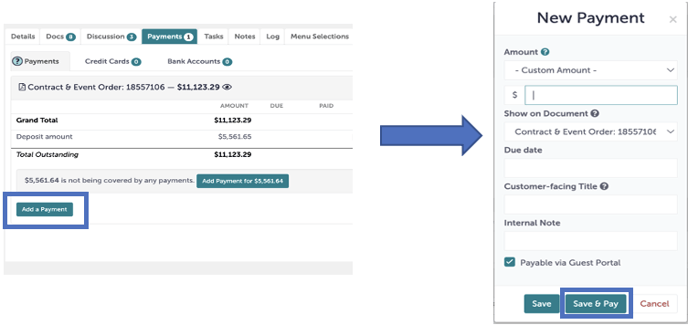
In the lower left corner, click “Add a Payment”. Here, you can manually add additional payment methods and apply them to the invoice total.
Step 4:
Once you have added your new payment details, such as amount, due date, customer-facing title, and internal notes, you are ready to hit “Save and Pay”.
Step 5:
Another window will appear asking you to select the payment type, payment date, and enter the invoice # under "Payment Reference". Hit "Submit"
.gif?width=640&height=430&name=Bookings%20-%20Studio%20Gather%20-%20Tishman%20Speyer%20-%20Tripleseat%20(17).gif)
Step 6:
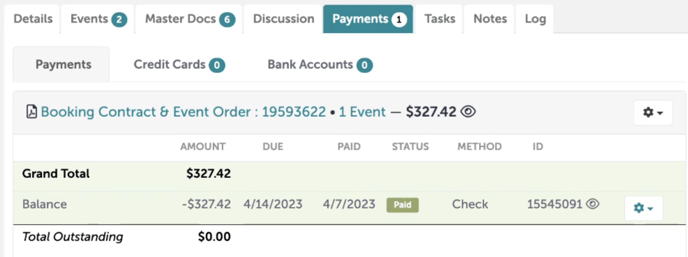
The paid line under the "Payments" tab will turn green and have a small "Paid" icon on it when the payment has been applied.
Step 7:
Was this article outdated or incorrect? Suggest a revision! Still need help? Submit a ticket!