
Step 1:
In Tripleseat, navigate to to the booking you want to authorize a payment for.
Step 2:
Documents should already be ready for this event.
For a review on how to create Master Documents, please refer to this Knowledge Base article.
Step 3:
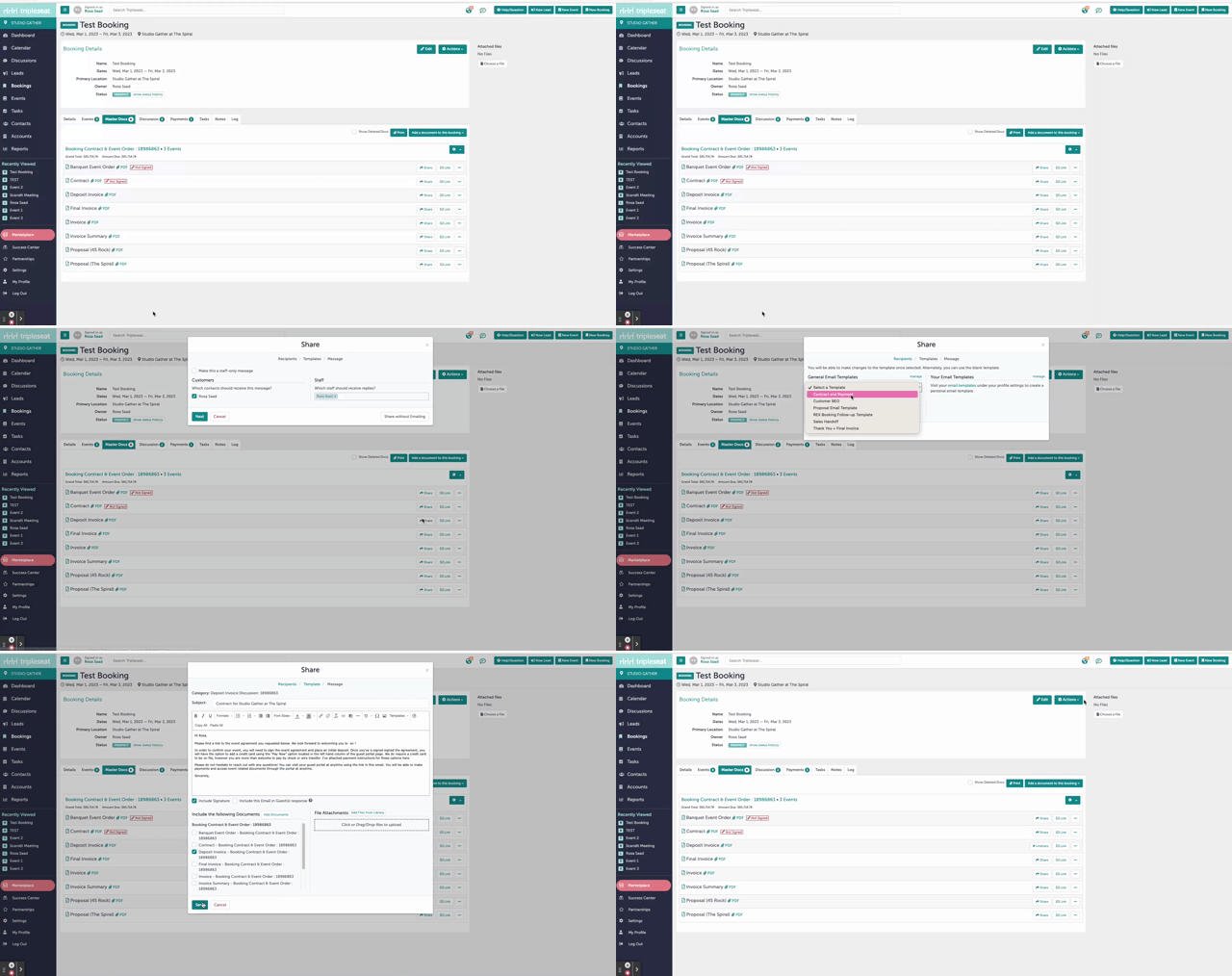
You must share at least 1 document to the client from within Tripleseat to activate the payment portal. In the example below, we have shared the deposit invoice with the guest. Be sure to send a document at the Booking level.
Step 4:
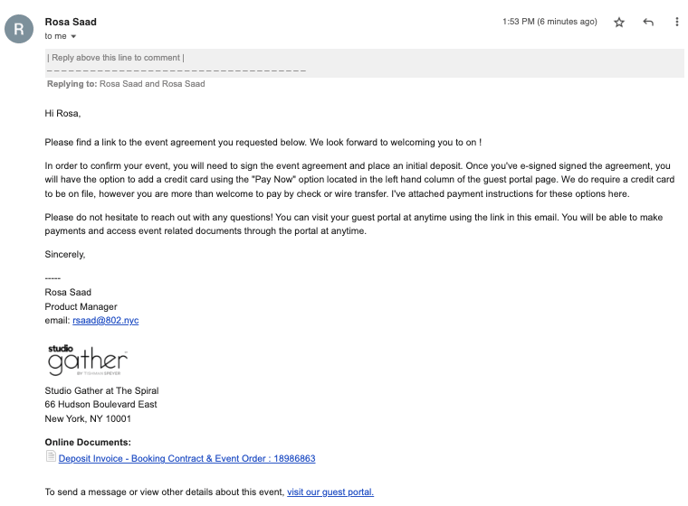
The guest will receive an email notification with the document you shared.
 Step 5:
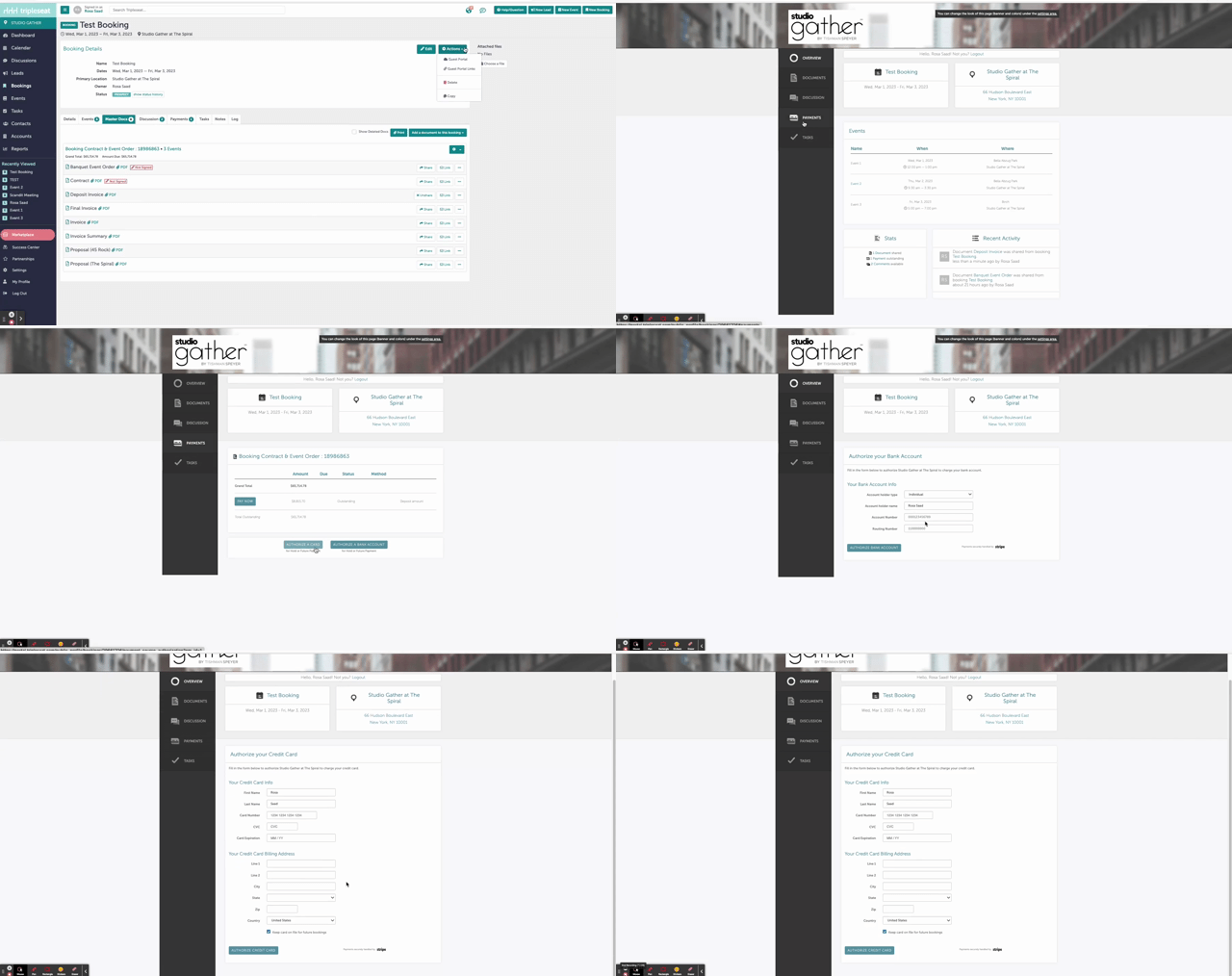
Within the guest portal, the guest will now see a bill and have the option to authorize either a credit card or a bank account under the "Payments" tab of their guest portal.
Step 6:
Was this article outdated or incorrect? Suggest a revision! Still need help? Submit a ticket!