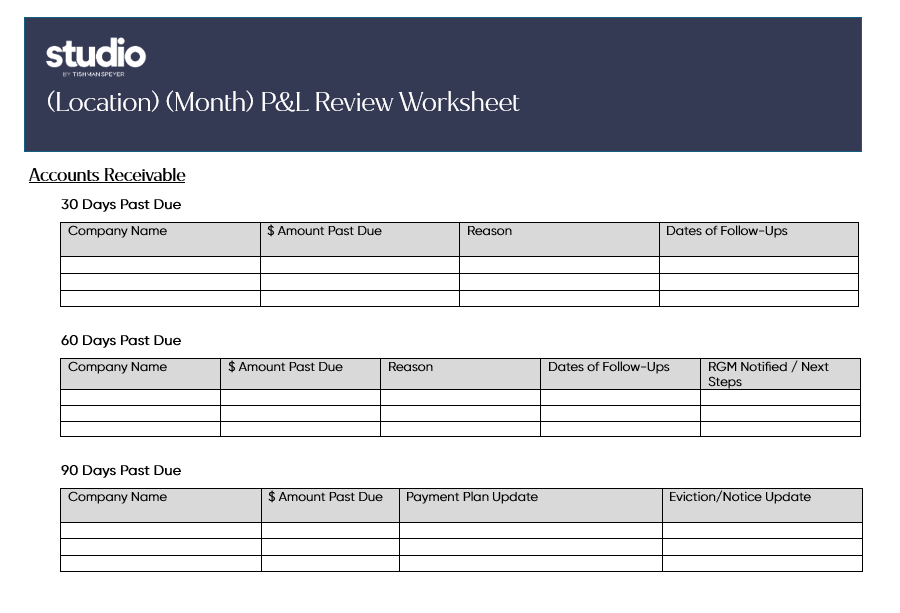
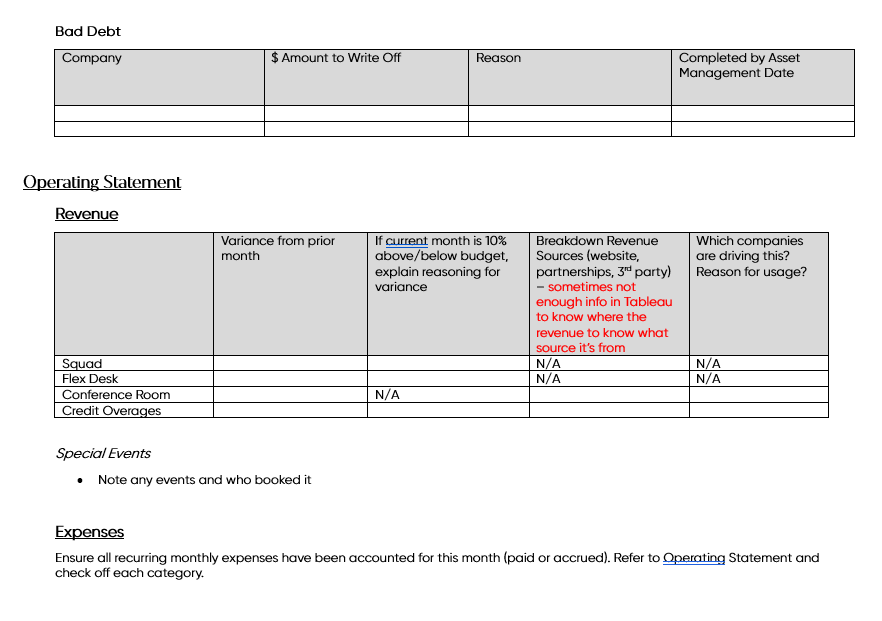
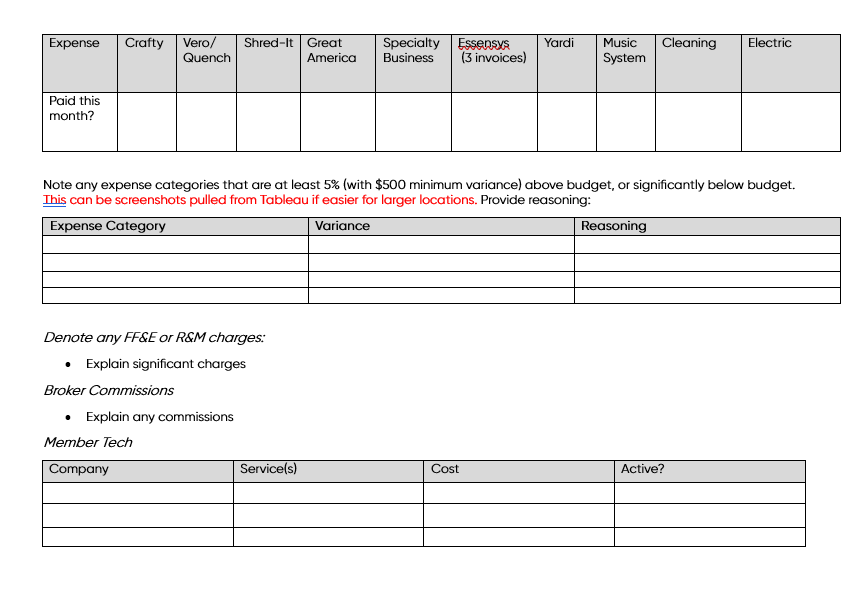
Step 1 - Create a new copy of THIS P&L Review Document for the previous month.
Step 2 - Complete the required information using:
- Yardi -> Reports -> Income -> Aging Summary
- Tableau Operating Statement
- Basware / D365 for Vendor Payments
- Platform for Member Tech Audit. KB Article HERE on how to check for services.
- Accruals BOX folder