
Step 1:
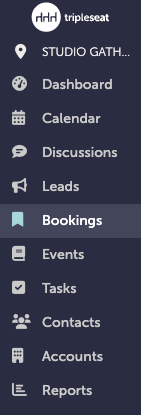
On any window in Tripleseat, scroll to the left-hand navigation bar and click "Bookings".
Step 2:
All bookings, manual and automatic, will show up in this tab. For automatic bookings that came into REX, go to step 3. For manual bookings, scroll down to step 4.
Step 3 (REX):
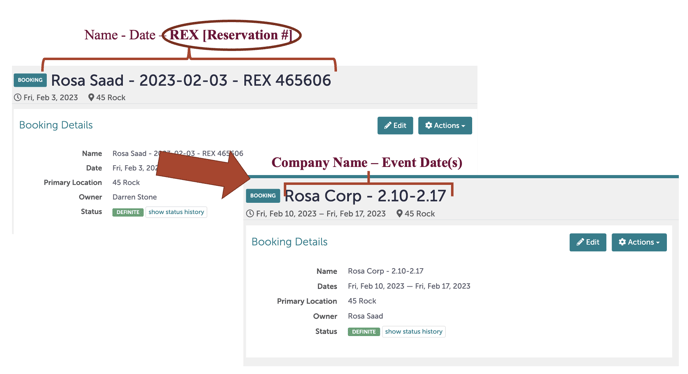
Change the name of your event from the REX standard naming convention (Name - Date - REX [Reservation #]) to the standard naming convention of "Company Name - Date(s)".
Any bookings with the REX [Reservation #] in the title has not been addressed by any members of staff.
Step 4 (Manual):
Once the introductory email has been sent, change the status of this event to "Definite" or "Tentative" to block out the room from future bookings.
Step 5:
Was this article outdated or incorrect? Suggest a revision! Still need help? Submit a ticket!