
Step 1:
A member of the events team will receive an email with the booking details from Gable.-
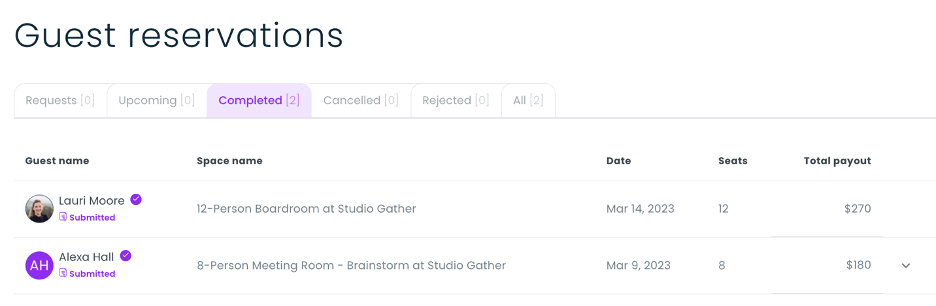
- In Gable, event details can also be viewed under “Guest Reservations”.
- If no reservations appear, click “Completed” to view reservations that have passed.
-1.gif?width=589&height=390&name=gable%20(2)-1.gif)
Step 2:
The team member will add the event from Gable into Tripleseat by creating a new booking. The nomenclature will be:
Contact First Name – Contact Last Name – Date of Booking
Since most Gable listings only provide the name of the guest that booked it, most Gable events will look like this: Alexa Hall 3.9

Step 3:
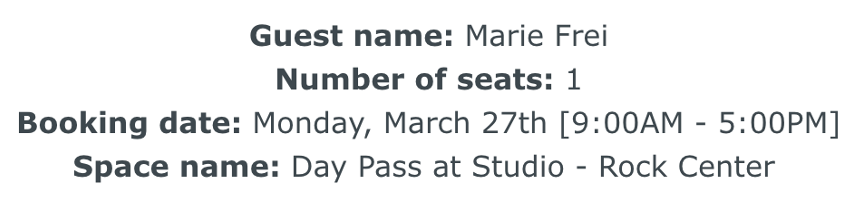
Fill in as many details as you have under the reservation. You will have:
-
- The guest name
- Space name (example “Brainstorm” or “Boardroom”)
- Date
- Seats (same as guest count)
- Total payout
- Under Lead Source, select Gable booking.

Step 4:
Set the status of the event to “Definite”.
Step 5:
Under “Add a Contact”, search for the contact first before creating a new Account and Contact.
- If the contact already exists in Tripleseat, select that account.
-1.gif?width=640&height=418&name=Bookings%20-%20Studio%20Gather%20-%20Tishman%20Speyer%20-%20Tripleseat%20(5)-1.gif)
Step 6:
Now, add an Event under this booking.
-
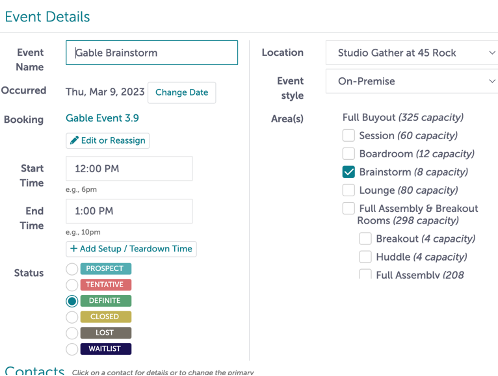
- The title of this event will be:
- Gable [Room]
- Select the areas requested under the reservation.
- Add the start time and end time of the event.
- The title of this event will be:
Step 7:
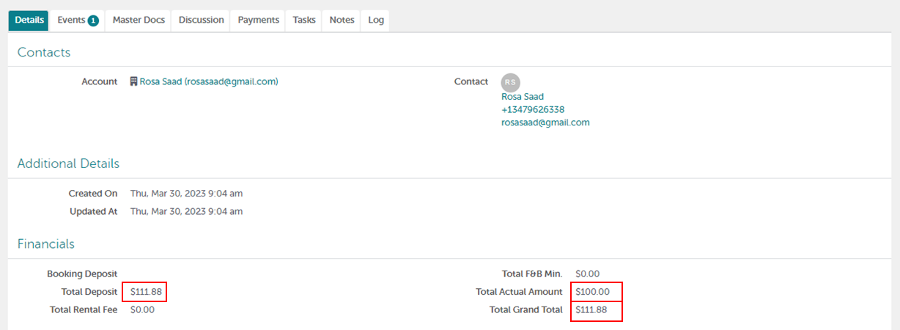
The amount in Gable under “Total Payment” will go in Tripleseat under “Event Financials” as the “Grand Total” as well as the “Actual Amount”.
- Tripleseat will update the Rental Fee automatically with your selection; you will have to manually clear that.
- Hit Save.
Step 8:
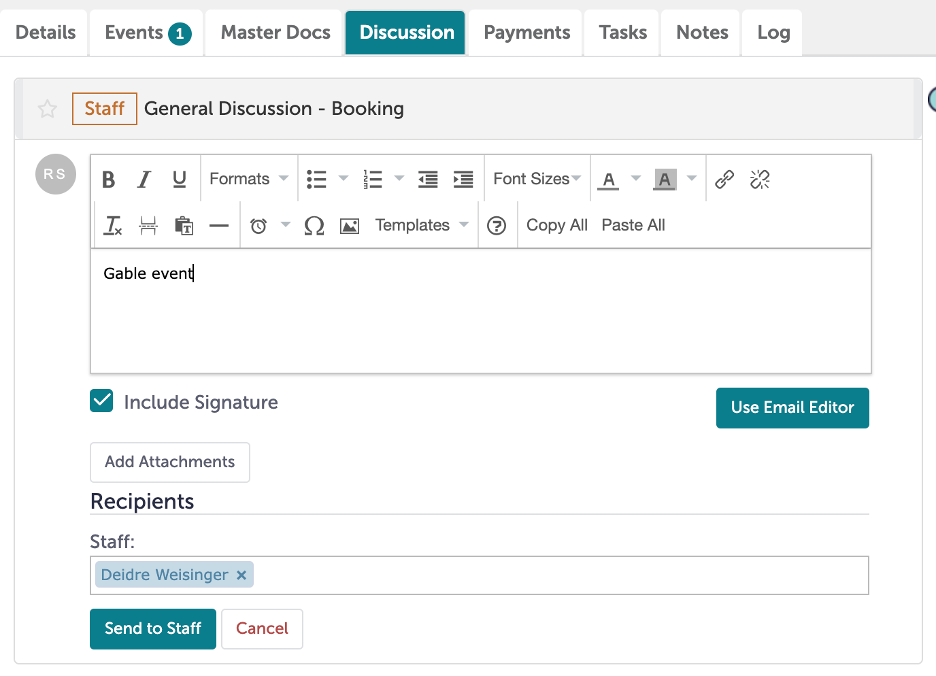
The final step is to flag this event with CBRE. You will go to the Discussion tab under the booking.
-
- From there, click “Staff General Discussion”
- The Staff member you will send this message to is Deidre Weisinger, our contact at CBRE.
- You will leave a note saying, “Gable event”.
- Hit “Send to Staff.”
- This will help document the origin of this event, as well as give CBRE a link to the booking for financial reconciliation.
Step 9:
Was this article outdated or incorrect? Suggest a revision! Still need help? Submit a ticket!