
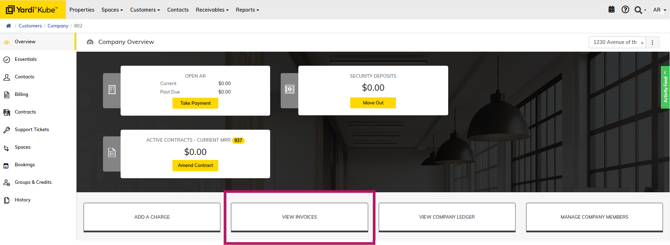
Step 1 - Navigate to company
Select View Invoices
Step 2 - Find the desired invoice
Click the 3 dots near the Activity Feed sidebar.
Click "Email" and the invoice will be sent to all assigned billing members or billing cc's.
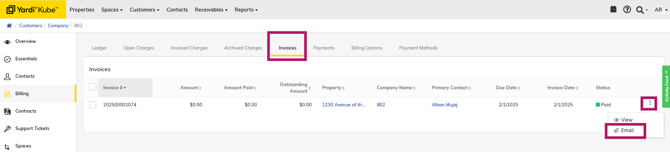
If you would prefer to send it to just the member who requested the invoice, you can 'View' the invoice, which will download the invoice to your computer. From there, you can send it directly to a member via email.