Skip to content
English
  • There are no suggestions because the search field is empty.

How to edit worlflows in the ZO app

This article will show you how to edit workflows on tiles in the ZO app. Workflows tell the tile who/when to send confirmation, reminder and cancellation emails for bookable tiles.

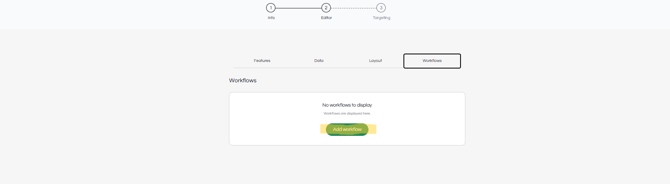
STEP 1: "Workflows" can be found under the "Editor" section of a tile.
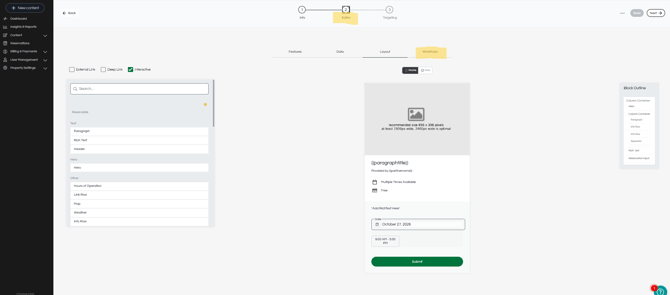
Screenshot 2026-10-27 123125

STEP 2: Add workflow.

Screenshot 2026-10-27 123138

STEP 3: Determine when a notification is delivered, how it is delivered, and who it is delivered to using the dropdown arrows.
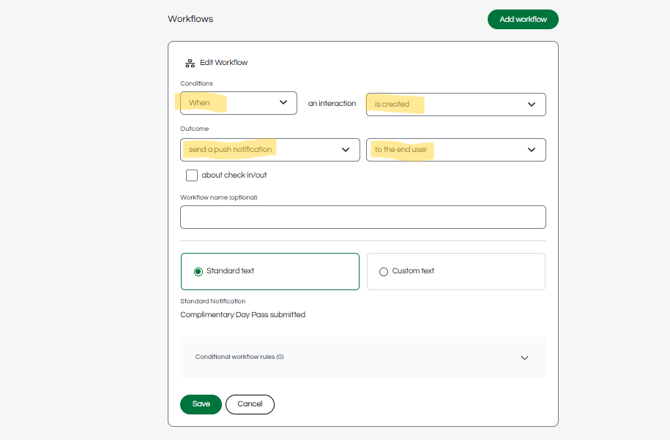
Screenshot 2026-10-27 123156

STEP 4: Use the standard text, or customize the message yourself.
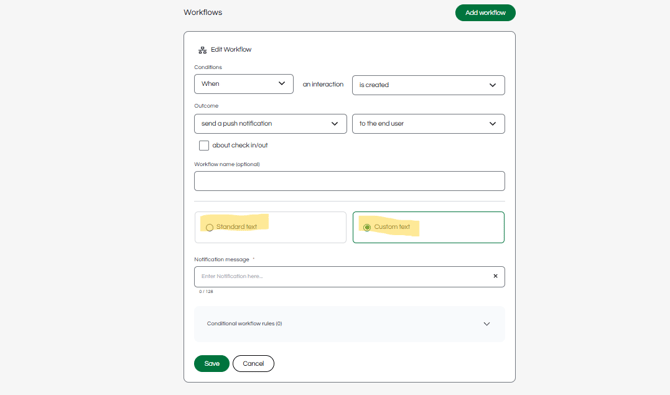
Screenshot 2026-10-27 123220

STEP 5: Save the workflow.

Screenshot 2026-10-27 123233

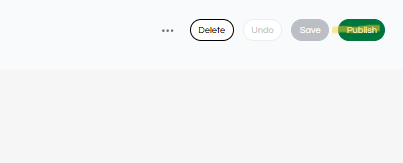
STEP 6: Make sure to publish the tile in the top right corner.
Screenshot 2026-10-27 123249